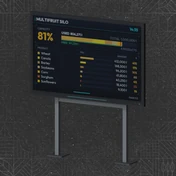
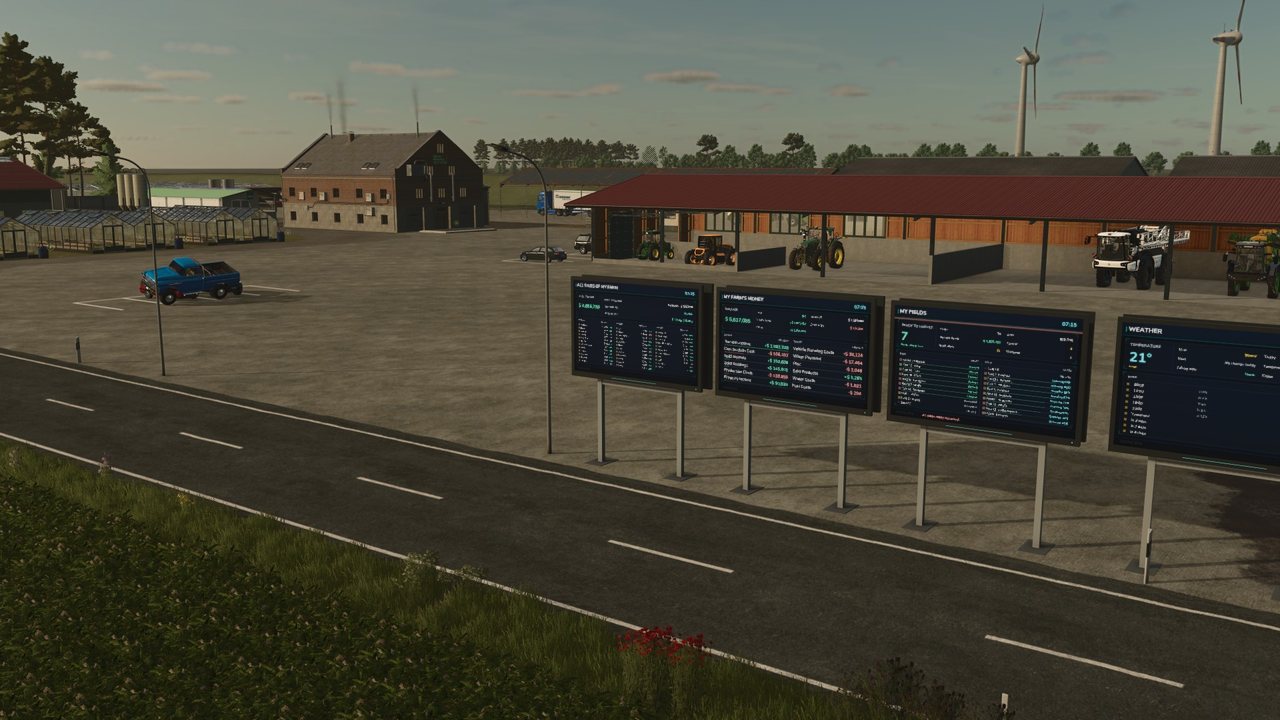
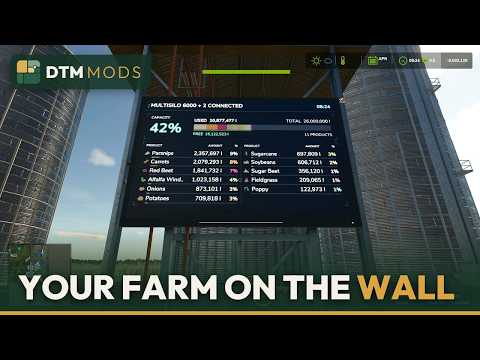
Walking into the silo menu to see how much wheat is left gets old. Better Digital Display puts a screen next to the storage that shows it all the time.
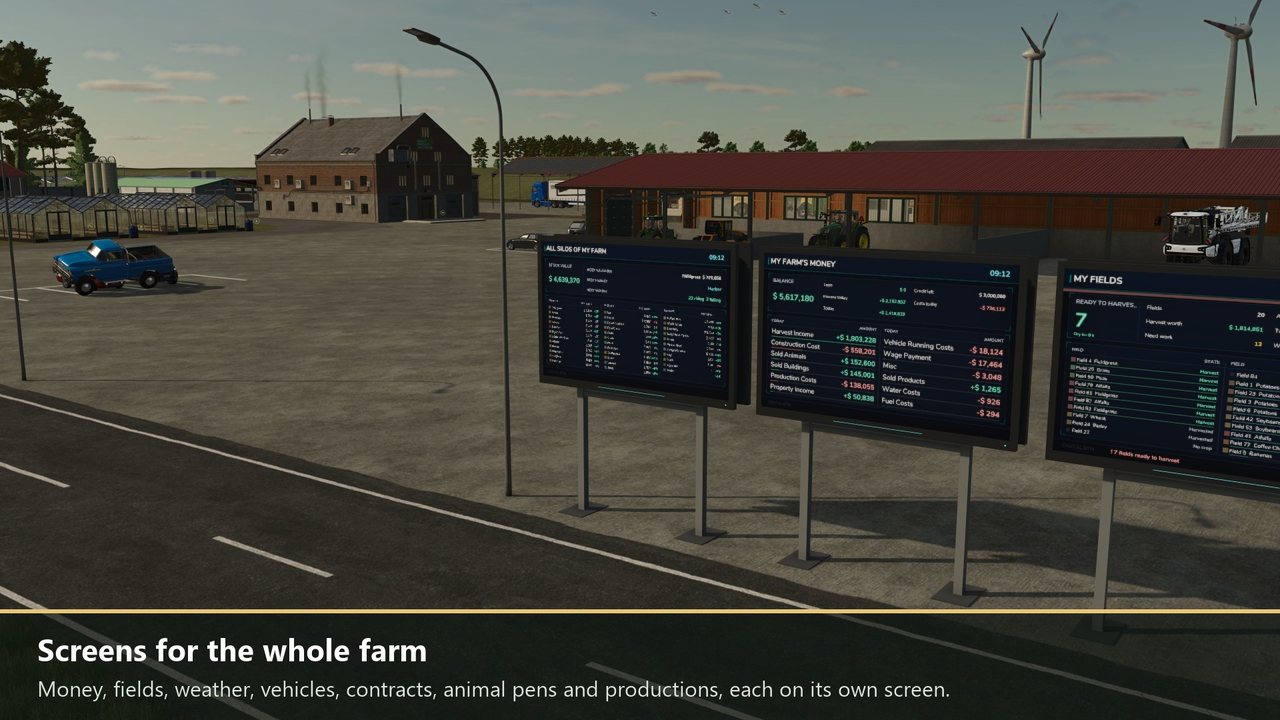
Put one at a silo, production, animal pen, bunker silo, bale or pallet shed, manure heap, greenhouse or beehive and it shows what's in it, live. Or give it a screen for your whole farm: which fields are ready to harvest and how long it stays dry, which helper is running out of fuel, which production loses money, when to sell your wheat, or a message for everyone on the server.
What it shows
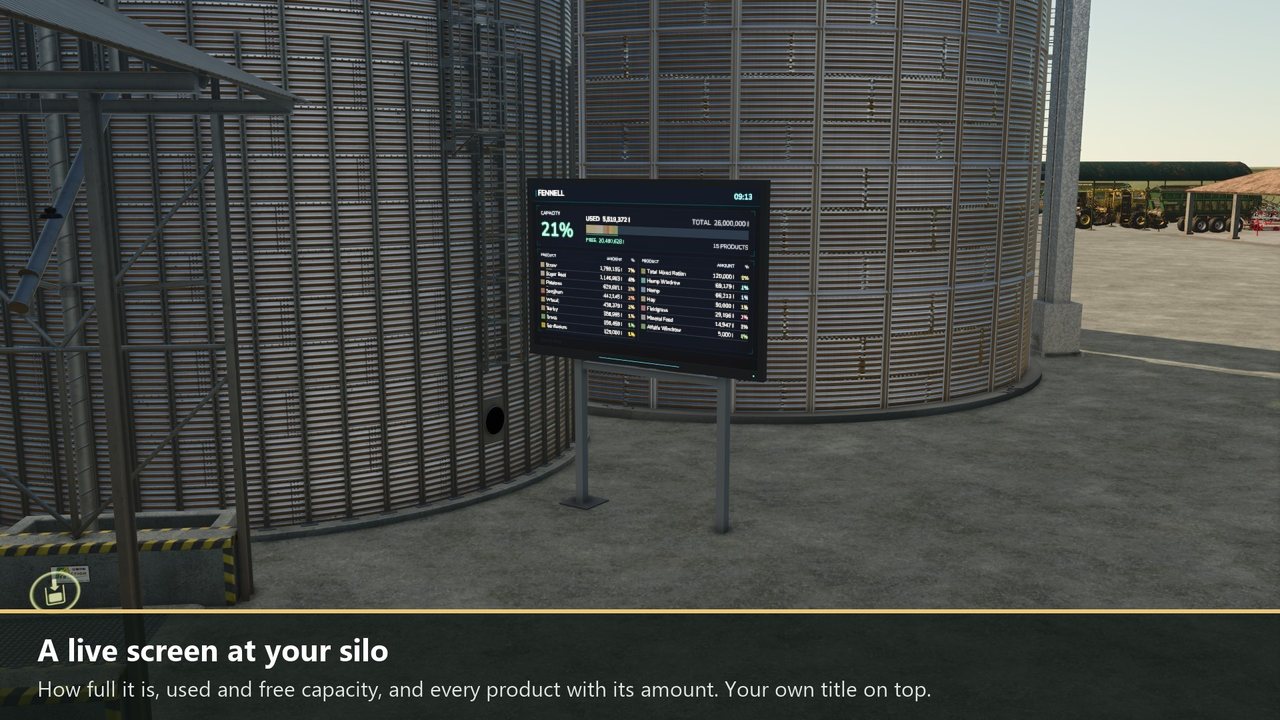
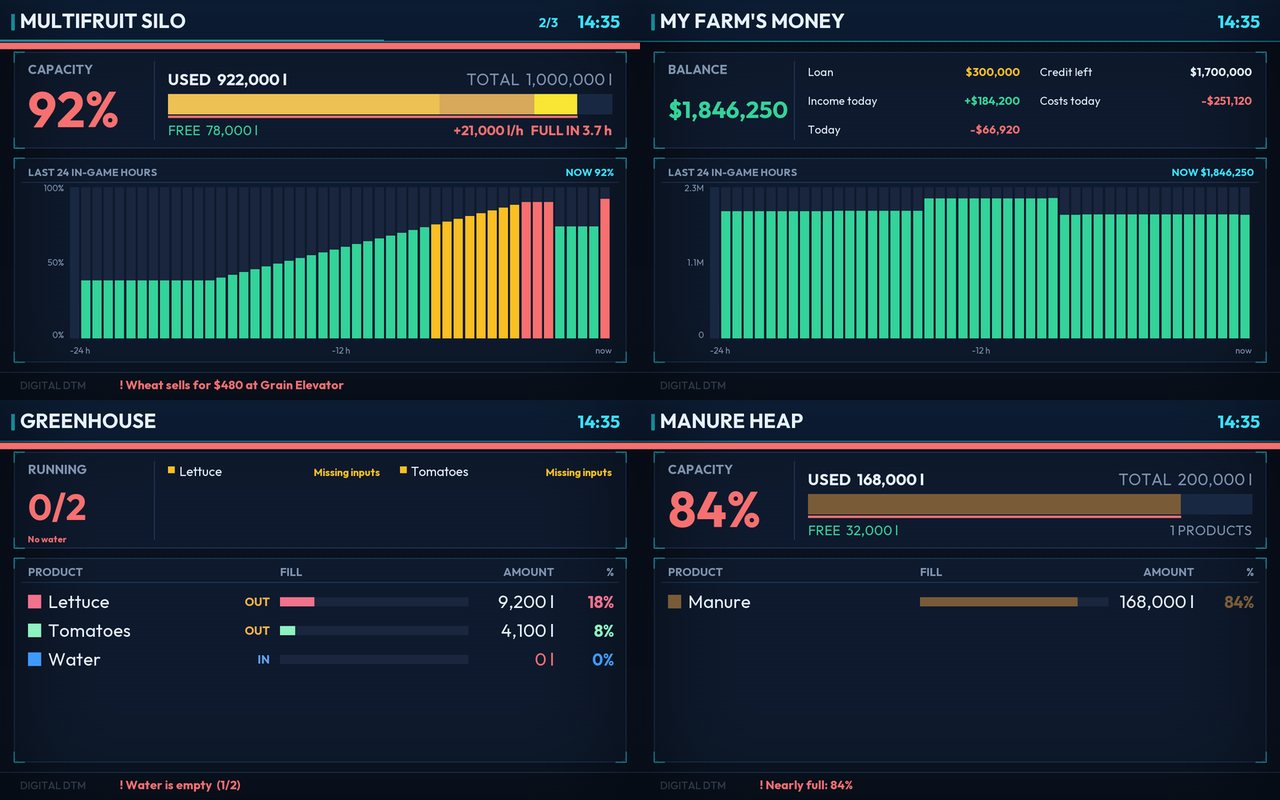
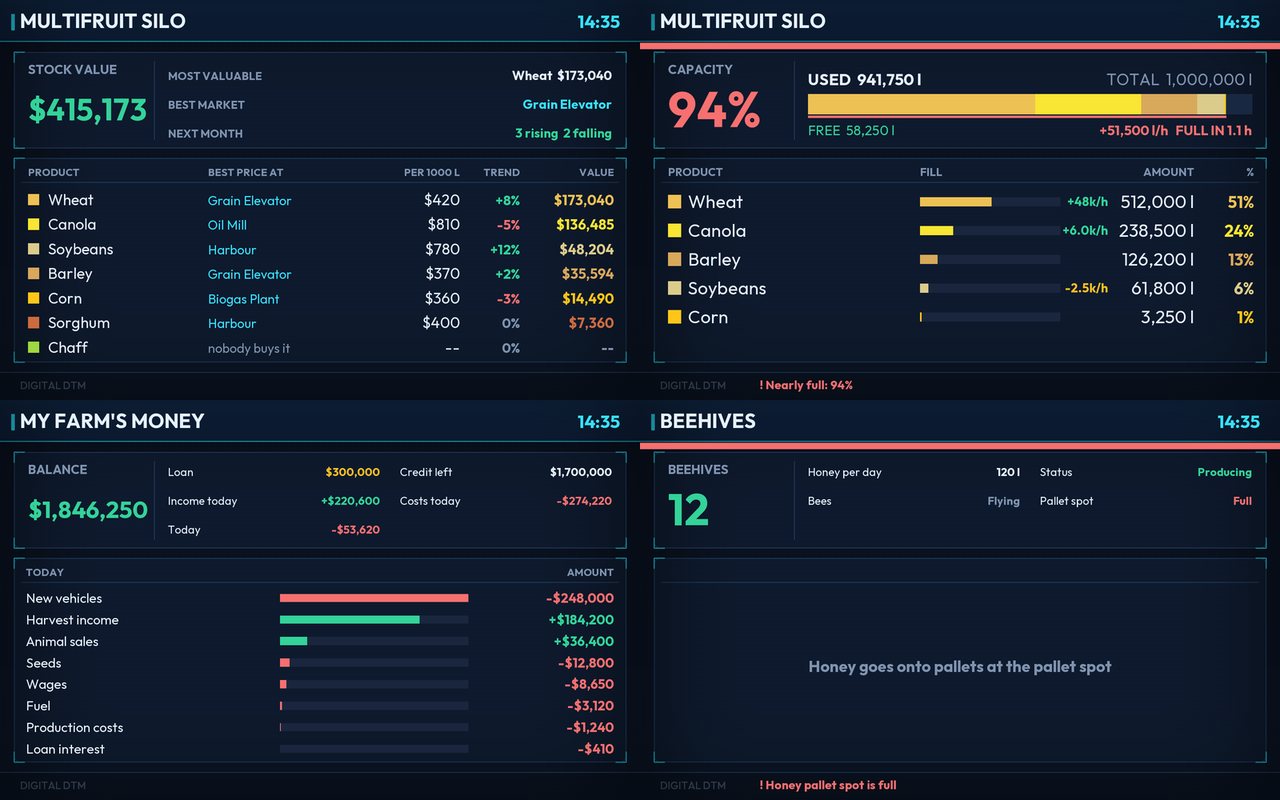
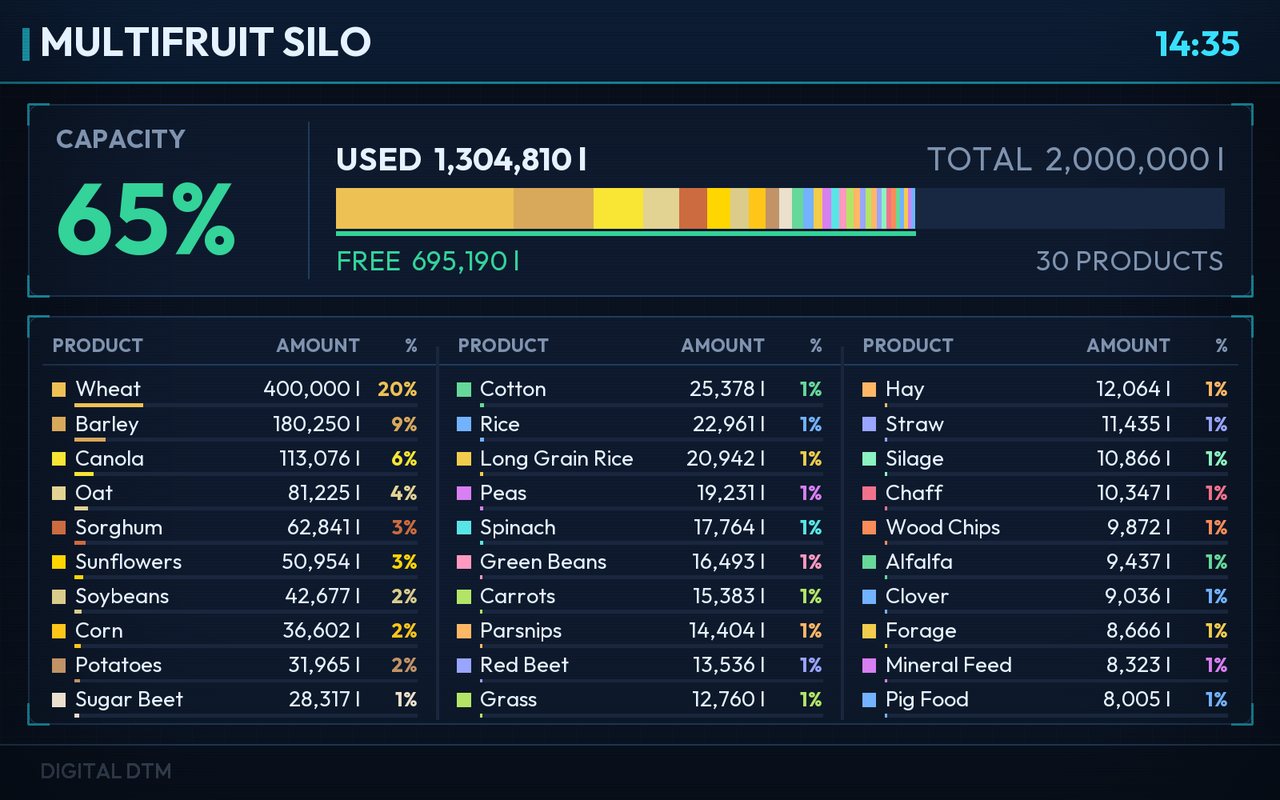
- How full: the percent in big numbers, green, amber and red from the level you set (90 % unless you change it), with used, free and total capacity and one bar with every product in its own colour.
- Every product at once with the game's own icon, its amount, a fill bar and its percent. The list adds columns and shrinks its text until everything fits, up to 42 products; beyond that it pages.
- Rates and time left: how fast a storage fills or empties ("+18,000 l/h") and when it's full or empty, which input of a production runs out first, and how long the animals' food lasts.
- History: the last in-game day as a chart, a column per half hour: how full the storage was, or your farm's balance. The server keeps it and saves it with the game, so it's there after a restart and for everyone who joins.
- One product big: show only the products you pick; one alone fills the screen with its amount, rate and what it's worth.
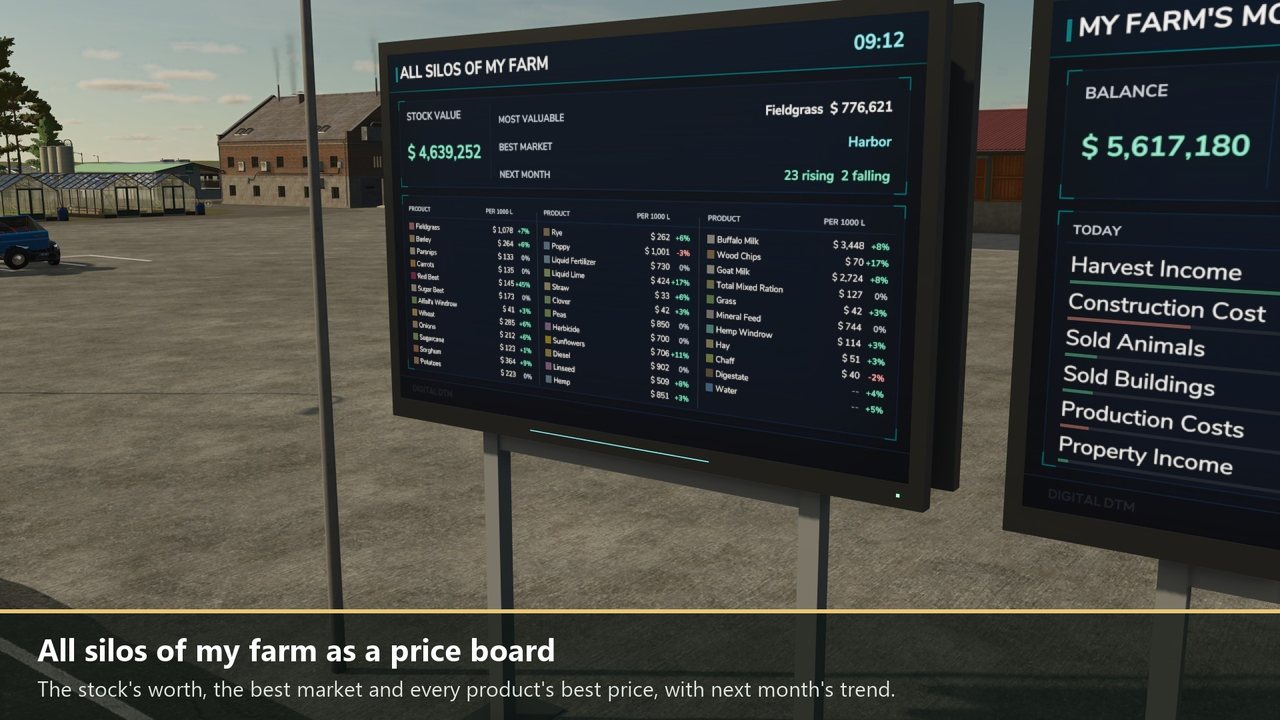
- Price board: the best price for every product in the storage and where to sell it, whether it rises or falls next month, and what the stock is worth.
- Alerts: a blinking red stripe when a silo is nearly full, an input is empty, animals run low on food, water or straw, a field is ready, rain is coming, a helper runs out of fuel, or a product sells for the price you wait for. Optionally also as a game message for everyone on the farm.
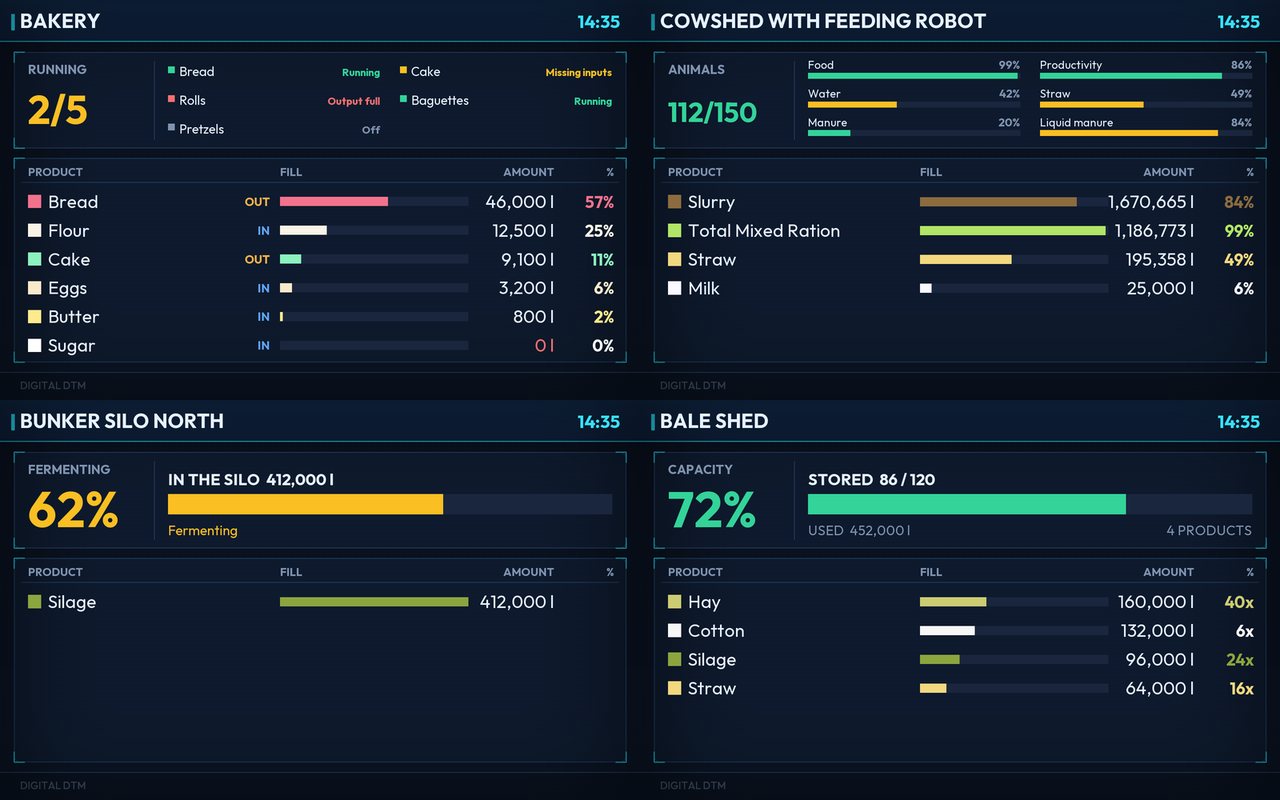
- Productions: which lines run, which miss inputs or have a full output store, with inputs (IN) and outputs (OUT).
- Animal pens, bunker silos, sheds and beehives: animals, food, water, straw and productivity; filling, fermenting or ready; bales and pallets stored; honey per day and the pallet spot.
Your whole farm
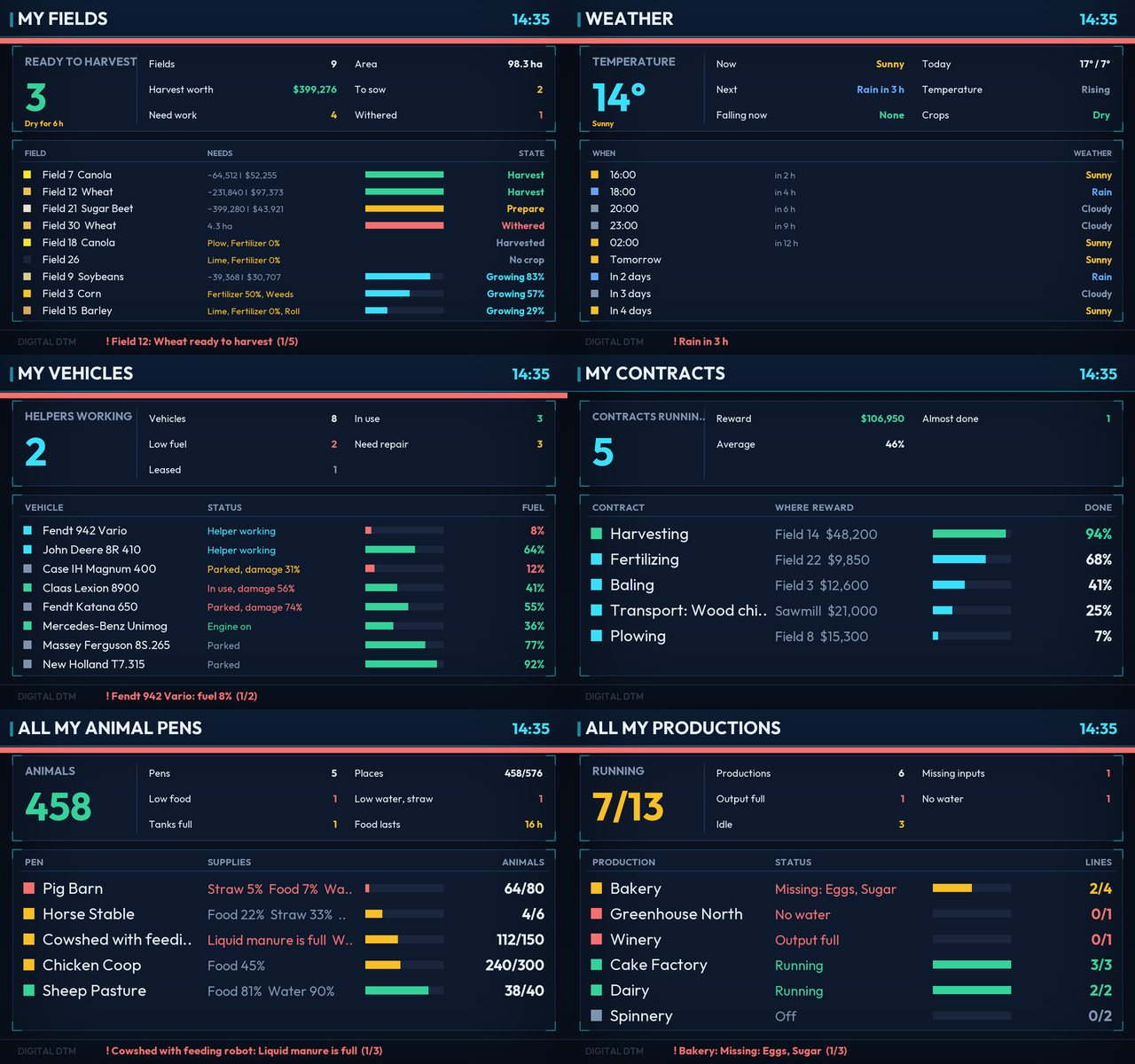
- My fields: the crop on every field and how far it has grown, ready to harvest first, then withered and to sow; what each needs (lime, fertilizer, plowing, rolling, weeds); the expected harvest and its worth; and how long it stays dry. A message when a field is ready, and when rain is coming with fields ready.
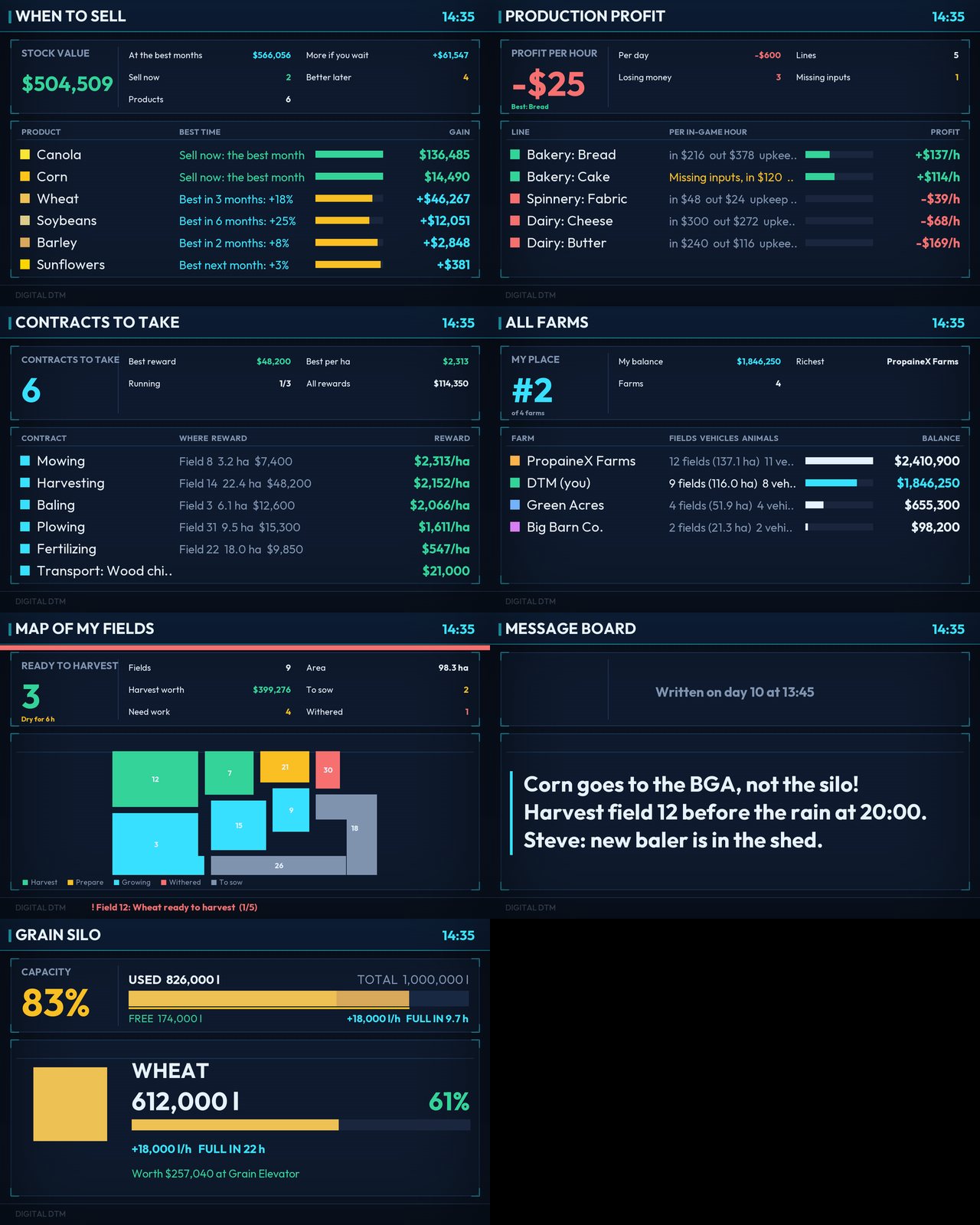
- Map of my fields: every field drawn from its real outline in the colour of its crop's state, with its number.
- Weather: the temperature, today's high and low, the weather now, in the next hours and the next days, when it changes, and whether the crops are dry.
- My vehicles: helpers at work, fuel and damage of every vehicle, the ones that need you first. A warning when a helper runs low on fuel.
- My contracts and contracts to take: where, the reward and how far each running contract is; the ones nobody has taken yet, best reward per hectare first, and how many more your farm may take.
- When to sell: for every product in your silos, the best month on the game's seasonal prices and how much more the stock is worth then.
- Production profit: what every running production line earns per in-game hour: outputs at the best price, less inputs and upkeep.
- All my animal pens and all my productions: every pen or production on one screen, the lowest supply, missing inputs by name, full outputs, greenhouses without water.
- What my productions need: every input of every production, empty ones a running line needs first in red, low ones in amber, with how much it takes to fill up, how long the stock lasts and how much your silos hold.
- All farms: every farm on the server side by side with balance, fields, vehicles and animals, and your place.
- Message board: type a message everyone on the server sees on the screen.
- All silos of my farm and my farm's money: balance, loan, credit left, and today's income and costs by category.
Seven models
- Kiosk: a 1.2 m screen on a pedestal, 3,500.
- Wall: a 2.4 m screen on two posts, 6,500.
- Billboard: a 4 m screen on tall posts, readable from the tractor, 12,000.
- Two-Sided Billboard: 4 m with a screen on each side, 18,000.
- Silo Mount: 2.4 m on a bracket against the silo wall, 6,000.
- Wall Mount: 2.4 m flat against a building wall, 5,500.
- Hanging: 2.4 m on two rods, for inside a shed, 5,500.
- Every model can then be set from 0.8 to 6 m wide, and is read from further away when bigger.
Make it yours
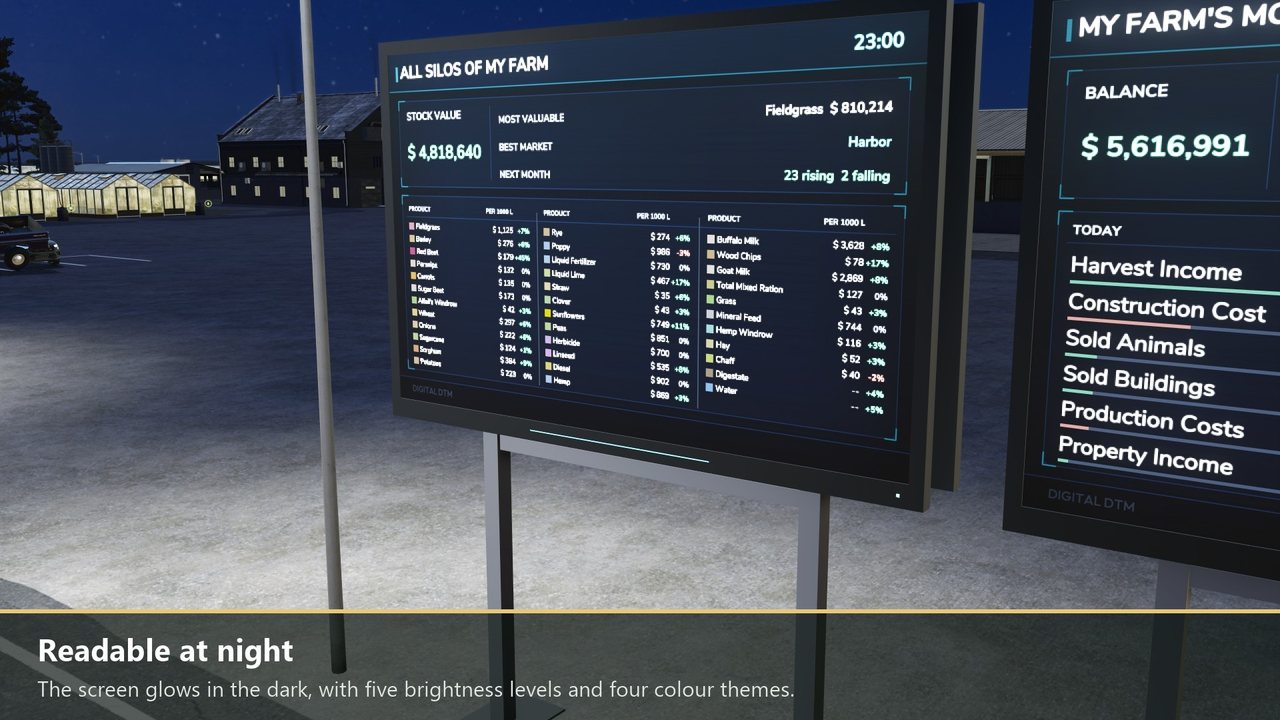
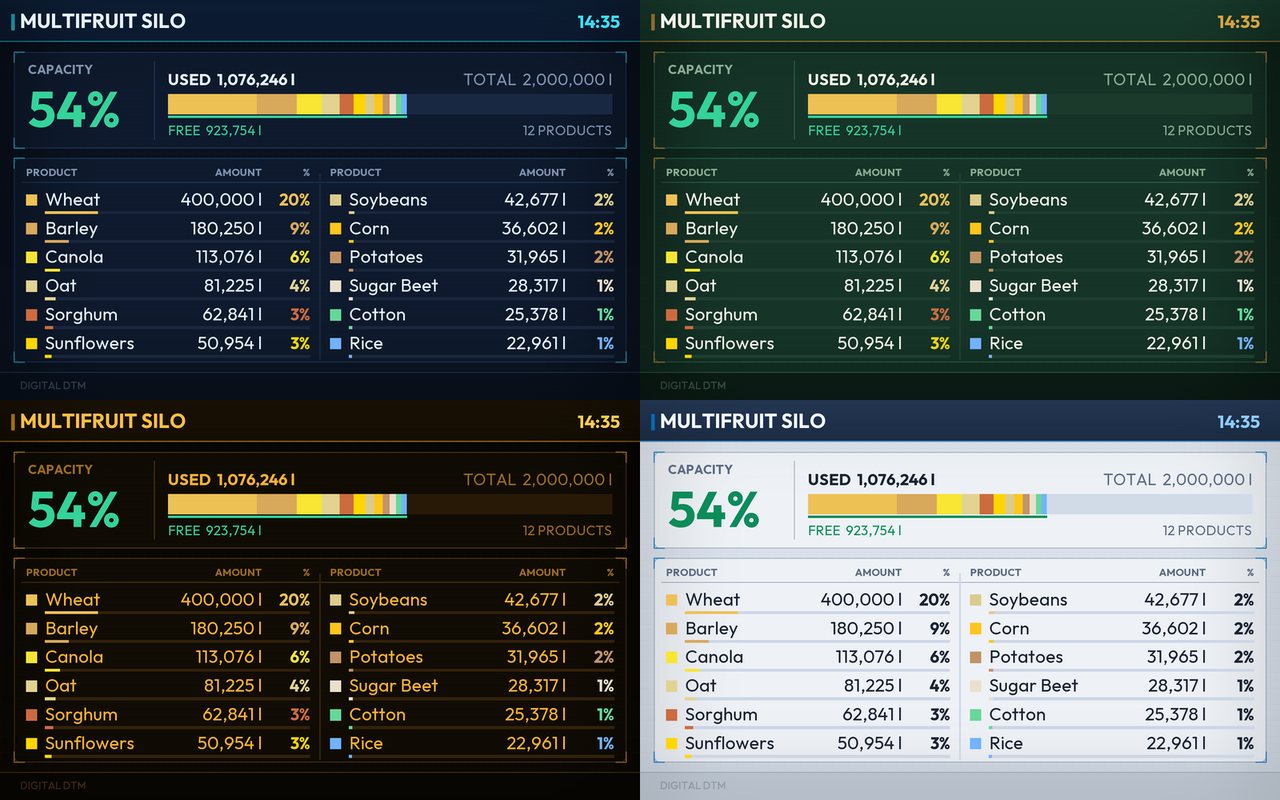
- Four colour themes: night blue, green, amber terminal and daylight.
- Readable at night: the screen glows, with five brightness levels.
- Your own title on the screen, or the storage's name.
- Height: put a Silo Mount, Wall Mount or Hanging screen 0.5 to 12 m above the ground, measured at its bottom edge. A bigger screen grows upwards from there.
- Pick the storage from a list of everything nearby, or let it show the nearest. Ask it to show the silos connected to it too, as the game counts them when you load.
- Slideshow: tick up to 8 screens and the monitor shows them in turn, 10 to 60 seconds each.
- Your own alert levels: "nearly full" from 70 to 100 % per monitor, and a price alert for any product.
- Flip screens by hand: Home / End in front of a monitor switch to the previous or next screen.
How to use it
- Buy a monitor in the shop under Buildings > Tools and place it at the storage you want to watch. It shows the nearest storage within 40 m by itself.
- Stand in front of the screen and press the activate key (Monitor settings) to pick the storage or a screen of your whole farm, the size, brightness, colours, title, storage, prices or history, the products shown, alerts, the nearly-full level, a price alert and the slideshow. On a message board, Write the message there too.
- More than 42 products: Page Up / Page Down in front of the screen. Home / End switch to the previous or next screen.