
DTMMODS

PropaineX

Monthly Expense Sheet

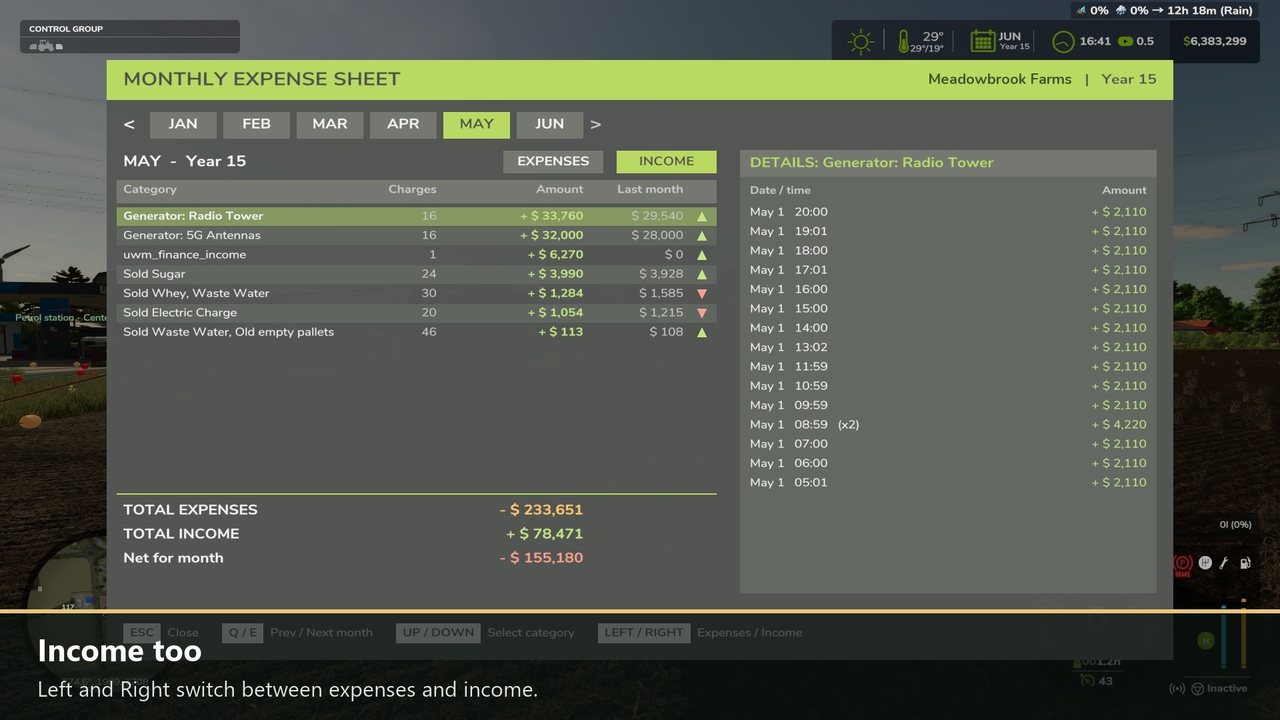
Records every money popup and sorts it by month and category, so you can see exactly where your money went. Left Alt + M opens it.

v1.0.0.3 · · 176 downloads

A red Case IH Axial-Flow combine with a MacDon header seen from the side, parked on a farmyard in evening light.
4 screenshots

See it in action

Video

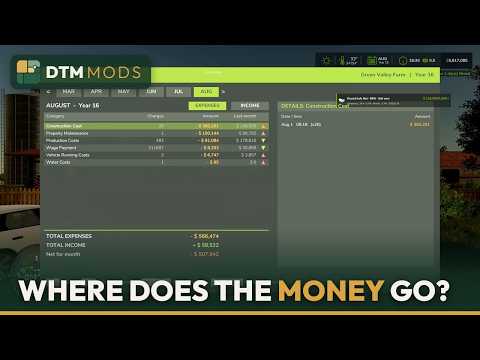
  • Monthly Expense Sheet Pro Edition | Farming Simulator 25 mod: where the money goes | DTM Mods

When you sleep, the money popups under your balance in the top right scroll by too fast to read. Monthly Expense Sheet Pro Edition records every one of them and sorts them by in-game month, so you can read back what you earned and spent.

Money that changes without a popup is caught too, so the sheet always adds up to what happened to your balance.

What the sheet shows

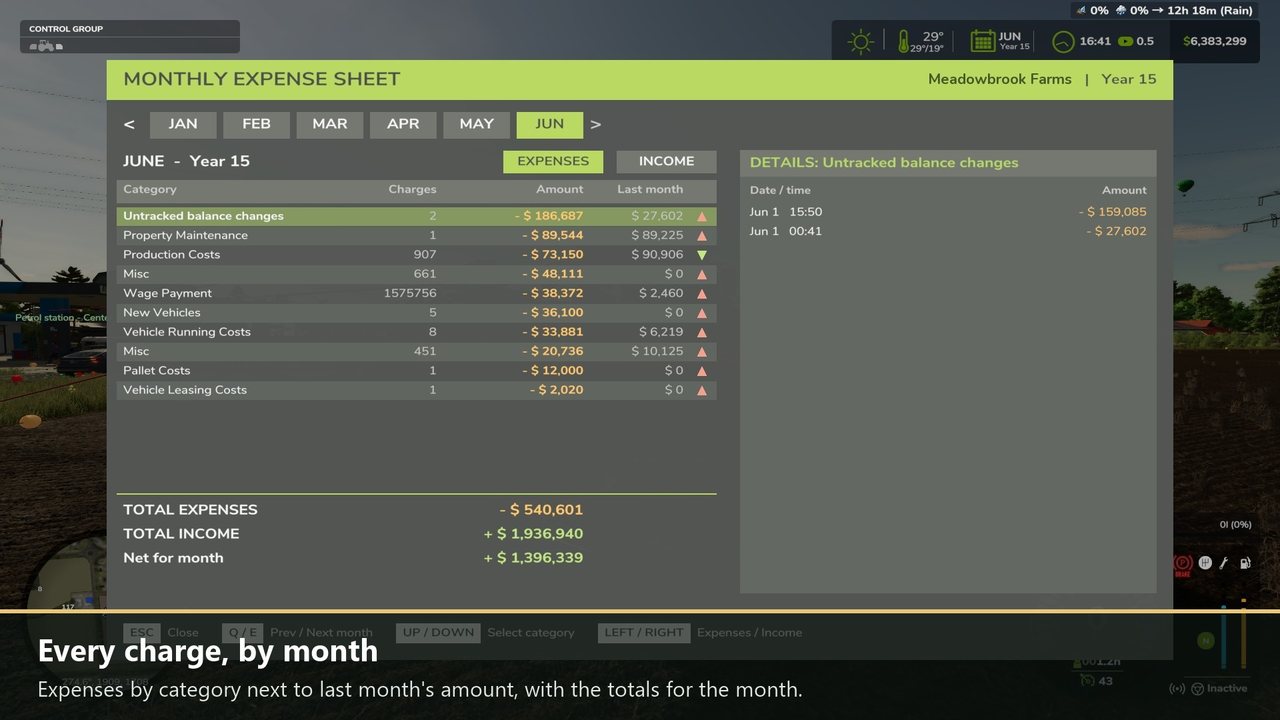
  • Every expense and income category of the month, named like the popup, with the number of charges, the month's total and last month's total. A red or green arrow shows whether it went up or down.
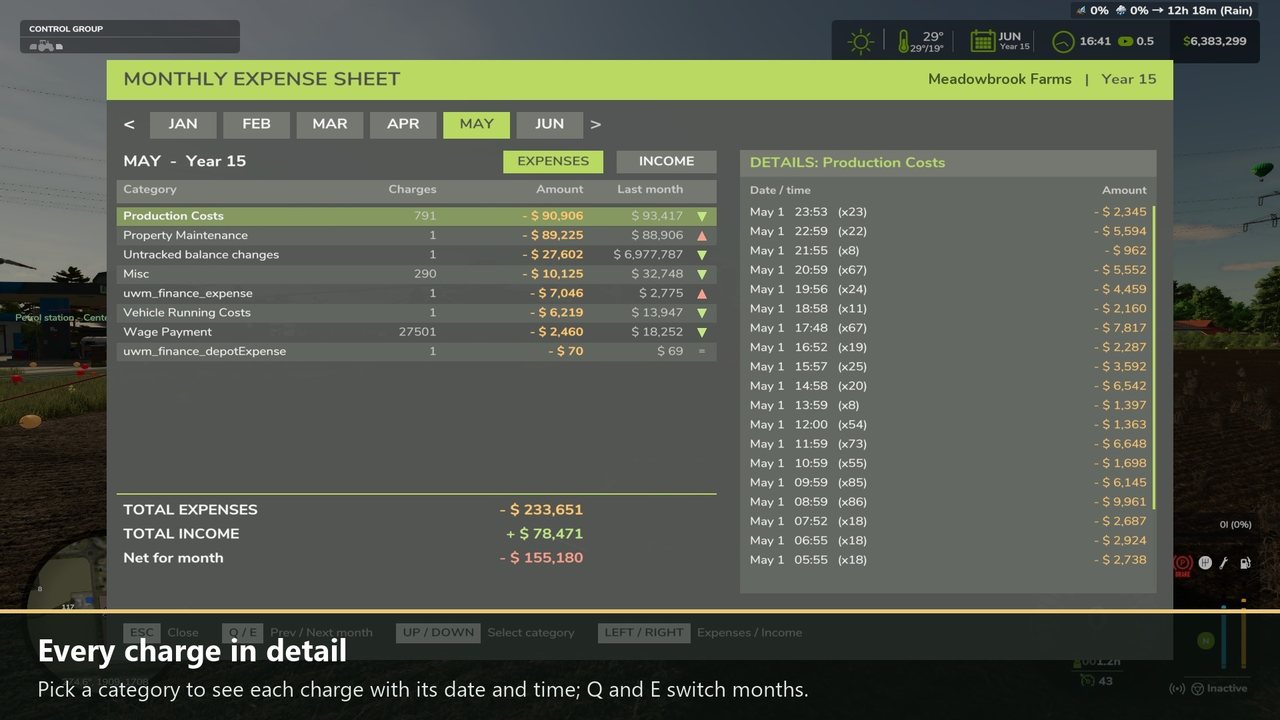
  • Every single charge in the selected category with its date and time. Small charges of the same kind in the same in-game hour are merged into one line.
  • Total expenses, total income and the net for the month.
  • Untracked balance changes: money that changed without a popup.

Clear names

  • Sales show what was sold, such as Sold Wheat or Sold Goats, production direct sales included.
  • Vehicle sales show as one Sold Vehicles line.
  • Money from other mods shows that mod's name or its own popup text.
  • Hourly income from generators, wind turbines, solar and towers is listed per building.

Controls

  • Left Alt + M opens and closes the sheet. You can change the key in the controls menu.
  • Q / E: previous or next month.
  • Up / Down: select a category. Left / Right: switch between expenses and income.
  • Mouse: click the month tabs, the EXPENSES and INCOME tabs and the categories; the wheel scrolls.
  • Esc closes the sheet.

Saving and multiplayer

The records are saved with your savegame, for the last 24 months. In multiplayer the server keeps the records and each player sees their own farm.

Questions

Questions and answers

Why is there an Untracked balance changes line?

Some mods change the farm balance directly, without a money popup. Every second the sheet compares your balance with what it recorded, and any difference goes into that line.

When does a month start?

Each month on the sheet is one in-game month. The year starts in March, like the game's own calendar.

Does it show money from before I installed it?

No. It records money as it changes, from the moment the mod runs in your savegame.

Where are the records saved?

In monthlyExpenseSheet.xml in your savegame folder, written when you save. In multiplayer, only the server writes it.

Is the sheet in German?

Not yet: the sheet's own texts are in English only for now.

Downloads

How often it's downloaded

Per version

Downloads of each version on GitHub, newest first. A version counts until the next one comes out, so older ones had longer.

  1. v1.0.0.362
  2. v1.0.0.234
  3. v1.0.0.13
  4. v1.0.0.03
  5. v0.2.2.151
  6. v0.2.2.03
  7. v0.2.1.09

What changed

Version history

Follow this mod's updates (RSS)

v1.0.0.3
  • Fix: pressing E (or the right arrow) in the current month before anything was recorded in it jumped back to the oldest month. It now goes to the newest month that has records.
  • Fix: a saved entry whose category is missing from the savegame file now shows under Other instead of disappearing.
  • Fix: animal names made of several words show with spaces (Water buffalo, not Water_buffalo).
  • Offline tests (tests/test_offline.py, 29 tests), run by every build.
v1.0.0.2
  • Description in GIANTS' ModHub layout (category, price, upkeep or hotkeys at the top).
v1.0.0.1
  • Updated for the current game version: modDesc descVersion 116 (the game build of 2026-10-27; GIANTS TestRunner 0.9.24 accepts only 116).
v1.0.0.0
  • Meets the GIANTS ModHub checks (TestRunner): textures, icon and modDesc brought up to date.
  • Errors are no longer hidden: they show in the log.
v0.2.2.1
  • The author now shows as DTM Mods, PropaineX in the mod list.
v0.2.2.0
  • Money from other mods shows its real name instead of a text key: Player Trading+ lines read "Player trade purchases" and the like, not uwm_finance_expense.
  • A text key no mod knows shows as words ("Uwm depot expense") instead of the raw key.
v0.2.1.0