DTMMODS

Fennell

Logistics Hub

Eine Palettenhalle, die deine Produkte lagert und weitergibt: behalten, als Paletten ausgeben, an deine Produktionen liefern oder jede Stunde verkaufen.

v1.6.1.0 · · 762 Downloads

Bis Version 1.1.0.1 hieß diese Mod Pallet Depot. Wenn dein Spielstand schon Pallet Depot hat, nimm FS25_PalletDepot.zip, dieselbe Mod unter ihrem alten Namen, damit deine Gebäude erhalten bleiben. Für einen neuen Spielstand nimm FS25_LogisticsHub.zip. Installier nie beide.

Spielst du einen Spielstand, in dem schon Pallet Depot ist? Nimm FS25_PalletDepot.zip stattdessen: derselbe Mod unter seinem alten Namen, damit deine Gebäude bleiben.

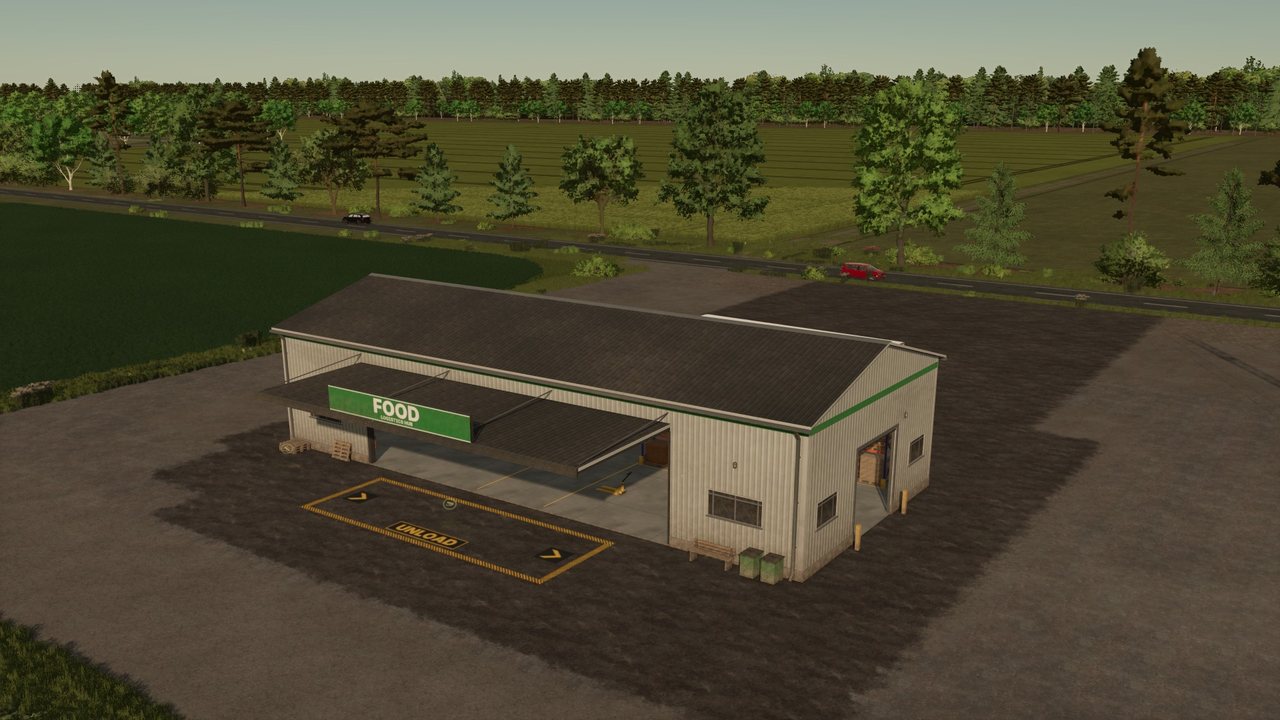
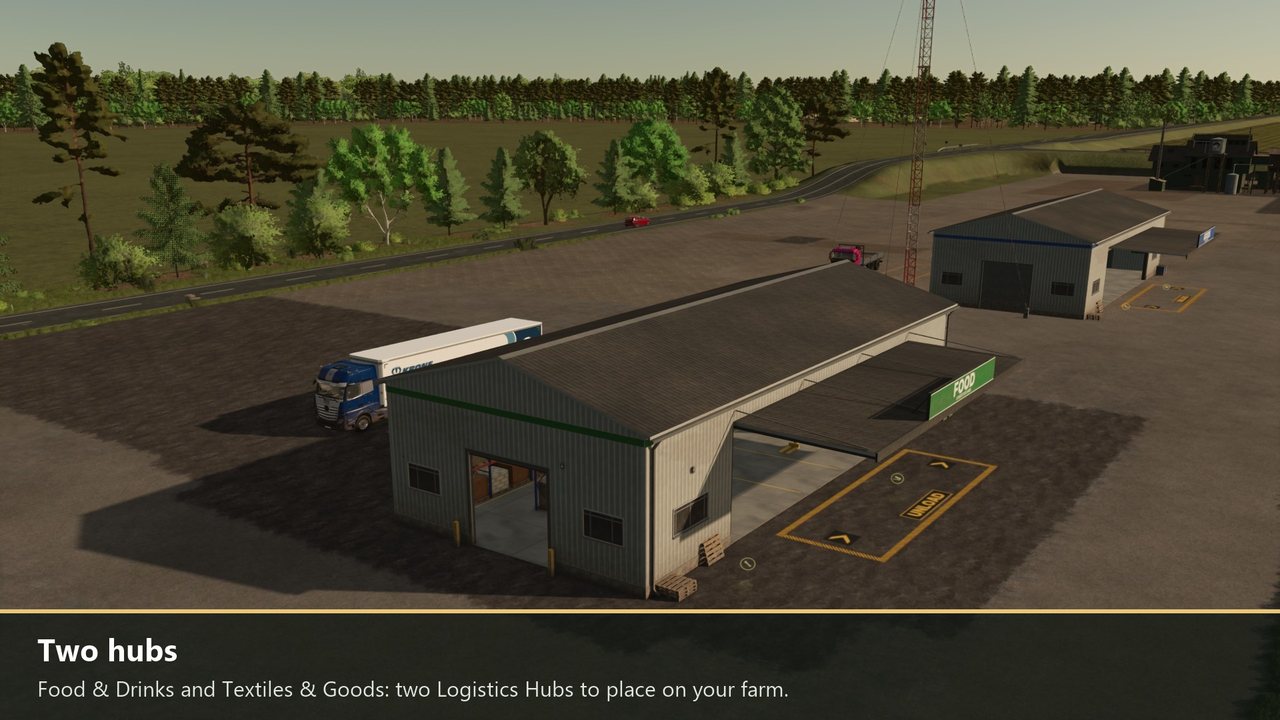
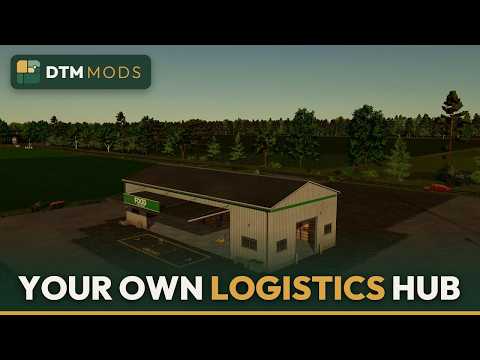
Der Food & Drinks Hub von oben, eine graue Halle mit einem grünen FOOD-Schild über der offenen Front und einer gelben UNLOAD-Fläche auf dem Boden davor.
6 Screenshots

In Aktion

Video

  • Logistics Hub | Farming Simulator 25 mod: pallets in, goods out | DTM Mods

Logistics Hub ist eine Palettenhalle für deinen Hof. Du stellst Paletten vorne auf der Abladefläche ab und legst dann pro Produkt fest, wohin es als Nächstes geht: Es bleibt im Lager, kommt hinten an den Abholspuren als Palette heraus, wird an deine anderen Produktionen geliefert oder zu jeder vollen Stunde verkauft.

Es gibt zwei Hubs, Food & Drinks und Textiles & Goods. Jeder fasst bis zu 1.000.000 L von jedem Produkt, das er annimmt, kostet 50.000 € und hat keine täglichen Unterhaltskosten. Du brauchst keine andere Mod.

Die Mod bringt außerdem ein Produktionsfenster für alle deine Produktionen mit, nicht nur für die Hubs, mit Zeitplänen, automatischer Verwaltung und Warnungen.

Zwei Hubs

Nur Paletten: Schüttgut, Feldfrüchte und Ballen werden nicht angenommen. Ohne die Pakete unten bieten die Hubs die Produkte aus dem Grundspiel an.

  • Food & Drinks (grünes Schild): Milchprodukte, Brot und Kuchen, Öle, Mehl, Zucker, Honig, Gemüse, Obst, Säfte, Konserven und Eingemachtes, Reisprodukte, Suppen.
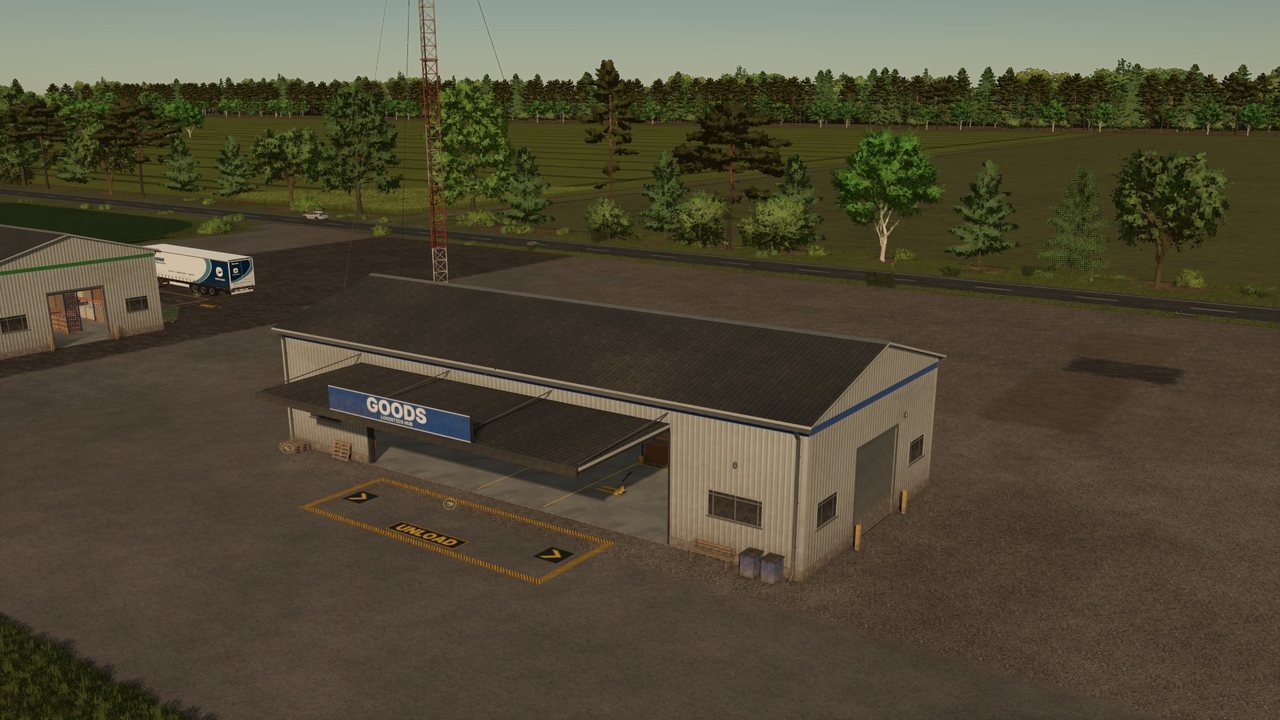
  • Textiles & Goods (blaues Schild): Stoff, Kleidung, Wolle, Seile, Möbel, Papier und Karton, Baustoffe (Zement, Bretter, Platten, Dachplatten, Fertigwände), Saatgut, Dünger, Herbizid, Kalk, Streusalz.

Wohin jedes Produkt geht

Auf der Seite Logistik im Produktionsfenster schaltest du mit Enter die Ausgabe eines Produkts um: Lagern, Auslagern, Verteilen, Verkaufen.

  • Lagern: Das Produkt bleibt im Hub, bis du es auslagerst, lieferst oder verkaufst. Hubs lagern standardmäßig.
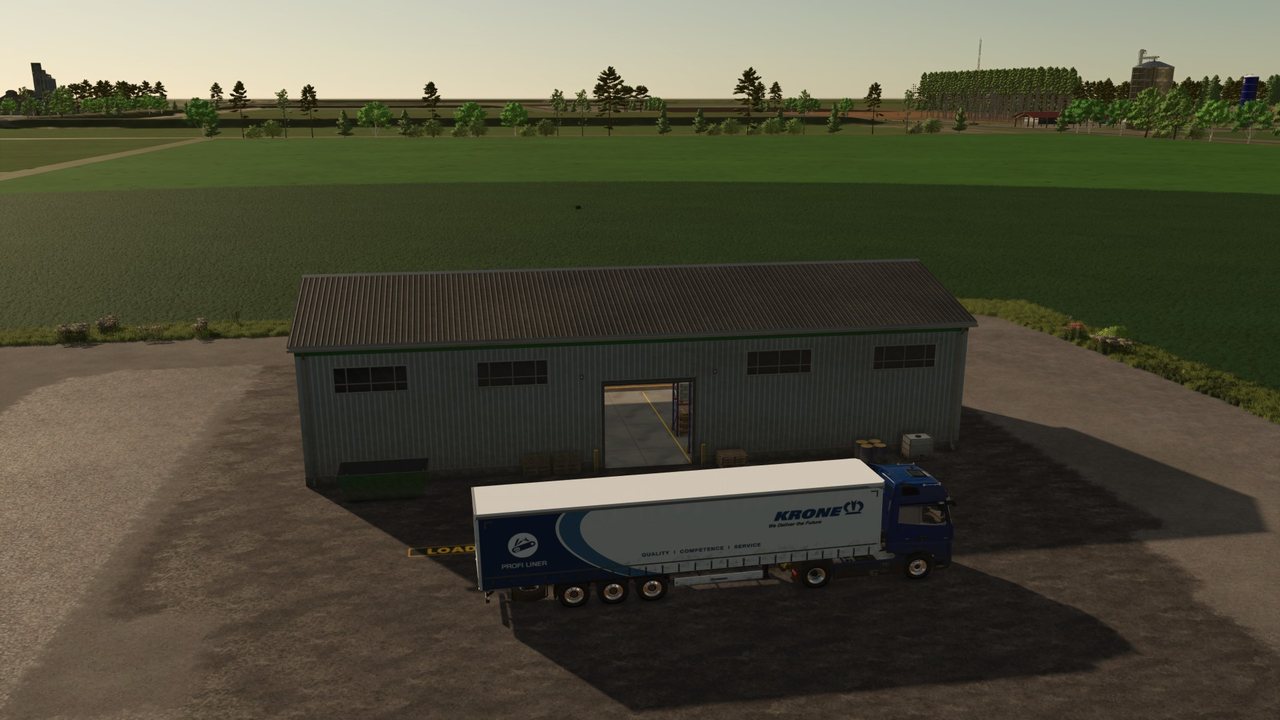
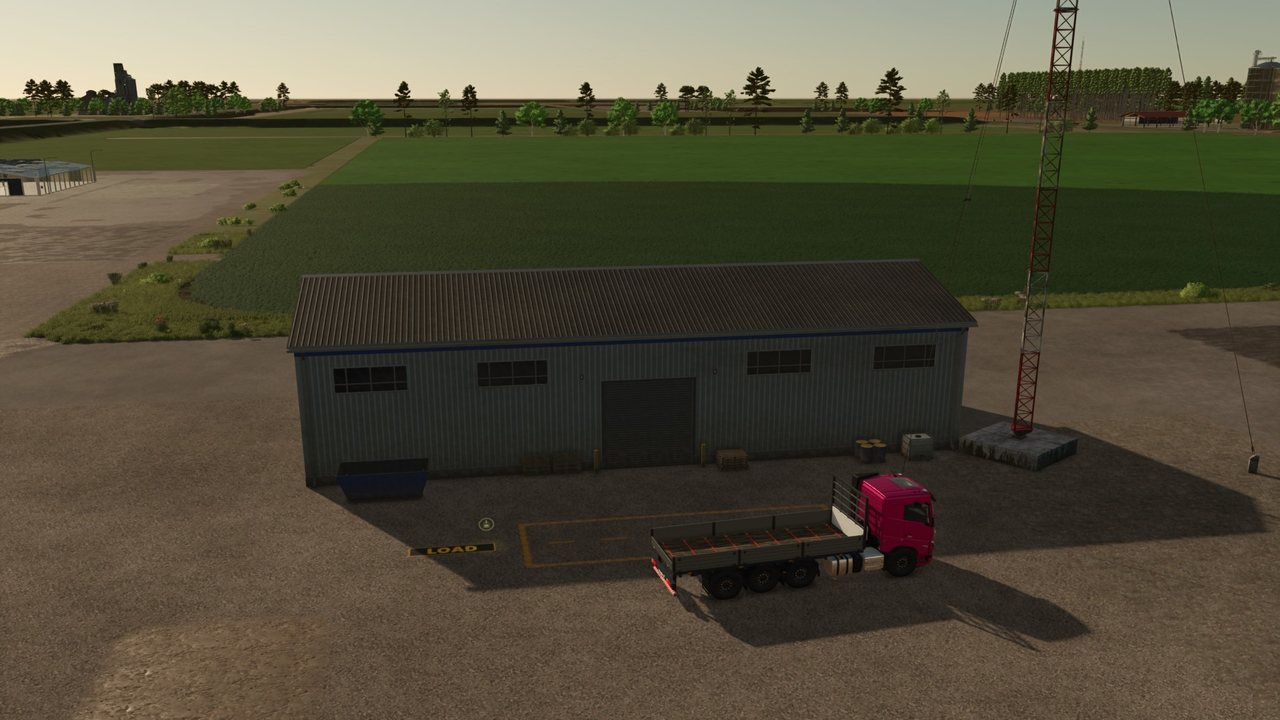
  • Auslagern: Der Hub packt es von selbst auf Paletten an den Abholspuren.
  • Verteilen: Es wird an deine anderen Produktionen geliefert.
  • Verkaufen: Es wird zu jeder vollen Stunde verkauft.

Waren auslagern

Wähl ein Produkt auf Lager, eine Palette mit 1.000 L, 2.500 L oder 5.000 L, nur volle Paletten oder zum Schluss eine teilgefüllte, den Hof, der sie bekommt, und wie viele Paletten. Sie kommen an den Abholspuren heraus. Das Fenster merkt sich pro Gebäude deine letzte Wahl und warnt dich, bevor du das Palettenlimit erreichst oder solange noch Paletten an den Spuren stehen.

  • Auto-Spawn: Kreuz auf der Seite Logistik Hub-Produkte in der Spalte Auto mit der Maus an und schalte Auto-Spawn ein. Dann kommen volle 5.000-L-Paletten davon in Gruppen an den Abholspuren heraus, die nächste Gruppe, sobald ein Lkw die Spuren geräumt hat. Der Haken ändert die Ausgabe des Produkts nicht.

Produktionsfenster

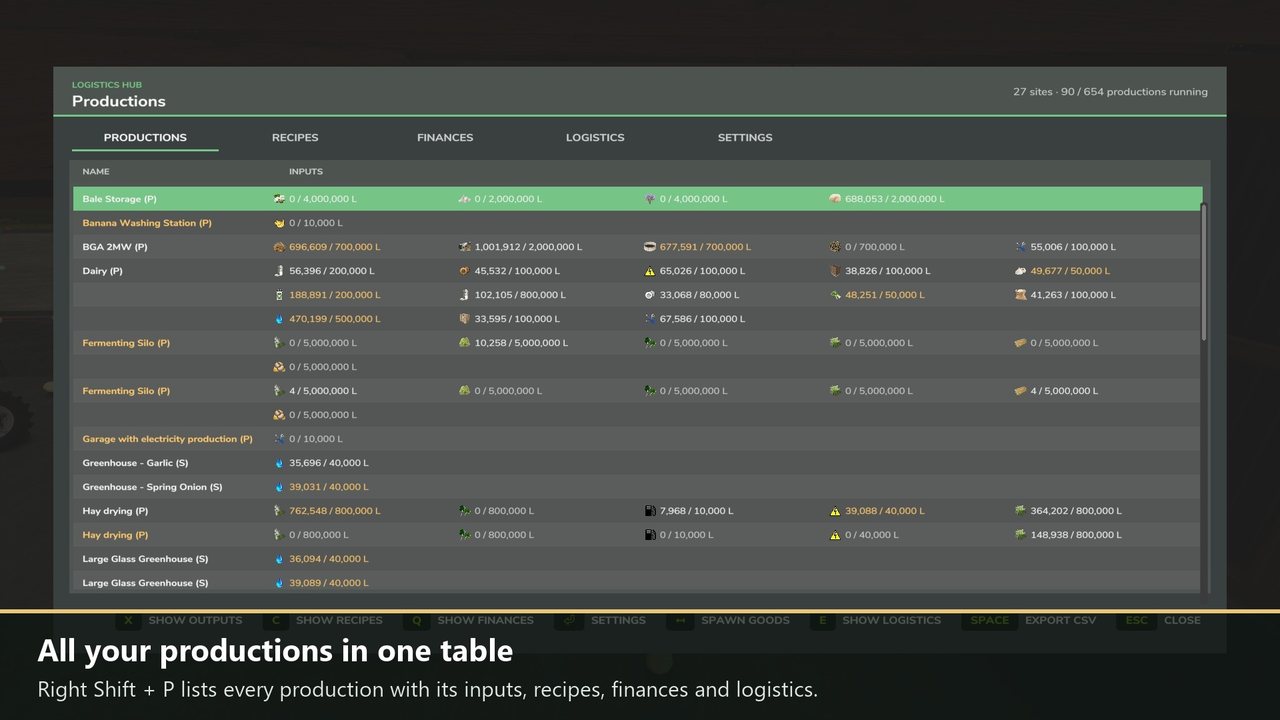
Drück Umschalt rechts + P für eine Tabelle mit all deinen Produktionen, ihren Rohstoffen (fünf pro Zeile), Rezepten, Finanzen und Logistik. X, C, Q und E wechseln zwischen Rohstoffen/Produkten, Rezepten, Finanzen und Logistik; die Rücktaste öffnet Waren auslagern, die Leertaste exportiert eine CSV und Enter öffnet die Einstellungen. Einstellungen, Zeitpläne und Optionen werden mit dem Spielstand gespeichert und auf einem Server mit allen Spielern geteilt.

  • Zeitpläne: Wähl die Monate, in denen eine Produktionslinie läuft.
  • Automatische Verwaltung: Pausiert festhängende Linien, damit sie kein Geld mehr kosten, und startet sie wieder, sobald sie laufen können.
  • Warnungen bei pausierten oder neu gestarteten Linien, knappen Rohstoffen und fast vollen Produktlagern.
  • Gebäudeoptionen: die Kapazität des Hubs (100.000 / 500.000 / 1.000.000 L pro Produkt) und welche Paletten er auslagert.

In der Halle und drumherum

  • Eigene 1.000-L-, 2.500-L- und 5.000-L-Paletten, alle auf einer Grundfläche von 1,20 x 0,80 m. Sie nehmen jedes Produkt jeder Karte und jeder Mod auf. Deine anderen Produktionen behalten die Paletten des Spiels.
  • Regale mit 84 Palettenplätzen, die sich füllen, wenn der Bestand wächst.
  • Funktionierende Rolltore an drei Seiten. Du öffnest und schließt sie wie ein Garagentor; ihr Zustand wird gespeichert.
  • Ein Tagesbericht um 06:00: was an jedem Hub hereinkam, hinausging, geliefert und verkauft wurde.
  • Leere Materialien ausblenden (C) im Produktionsmenü des Spiels, damit ein Hub nicht 180 Zeilen mit 0 L auflistet.
  • Beim Platzieren des Hubs wird eine AutoDrive-Route importiert.

Funktioniert mit

  • FedMods-Pakete (Standard oder ProEdition): Fed-Produkte in beiden Hubs.
  • Beans & Alpacas: Bananen- und Kaffeeprodukte und Tiramisu in Food & Drinks; Alpaka-Waren, Pigmente, Harz, Farbeimer und Fungizid in Textiles & Goods.
  • Highlands Fishing: Fisch, Zwiebelprodukte, Dachschindeln und Kohle.
  • Production Storage Control: nicht nötig. Wenn es installiert ist, bietet sein Auslagerungsfenster an einem Hub auch die 1.000-L- / 2.500-L- / 5.000-L-Paletten an, und sein eigenes Lagern behält die Kontrolle.
  • AutoDrive: importiert die Route des Hubs beim Platzieren.
  • Price Ticker: Die Hubs werden aus seiner Stationsliste genommen.
Fragen

Fragen und Antworten

Wo finde ich die Hubs im Shop?

Im Baumenü unter Produktionen. Food & Drinks und Textiles & Goods sind zwei eigene Gebäude: Kauf den, der deine Produkte nimmt, oder beide.

Welche Palettengrößen kann ein Hub auslagern?

Drei eigene Paletten: 1.000 L, 2.500 L und 5.000 L, alle auf einer Grundfläche von 1,20 x 0,80 m. Die Größe wählst du in Waren auslagern oder legst sie in den Gebäudeoptionen des Hubs fest.

Was macht Auto-Spawn?

Kreuz auf der Seite Logistik Hub-Produkte in der Spalte Auto mit der Maus an und schalte Auto-Spawn ein. Dann kommen volle 5.000-L-Paletten der angekreuzten Produkte an den Abholspuren heraus, bis zu 20 auf einmal, und die nächste Gruppe, sobald ein Lkw die Spuren geräumt hat.

Warum ist der Auto-Haken bei einem Produkt verschwunden?

Der Haken geht weg, wenn weniger als eine volle 5.000-L-Palette davon übrig ist, und das nächste angekreuzte Produkt ist dran. Der Haken ändert nie die Ausgabe des Produkts: Lagern, Verteilen oder Verkaufen bleiben, wie sie waren.

Kann ich auch die Ausgabe meiner anderen Produktionen umschalten?

Ja. Die Seite Logistik listet alle deine Produktionen, und Enter schaltet auch ihre Ausgabe um. Produktionen ohne Abholspuren überspringen Auslagern.

Wohin liefert Verteilen?

An die anderen Produktionen deines Hofs, die das Produkt in einem laufenden Rezept verwenden. Die Spalte Ziel auf der Seite Logistik nennt die Produktion, oder zeigt Nicht gesetzt, wenn keine es nimmt.

Wer darf auf einem Server die Einstellungen ändern?

Nur Spieler, die die Produktionen dieses Hofs verwalten dürfen. Alle anderen bekommen eine Meldung, und nichts ändert sich.

Kann ich die Taste Umschalt rechts + P ändern?

Ja, in den Steuerungseinstellungen des Spiels. Die Aktion heißt Logistikzentrum: Produktionen.

Downloads

Wie oft sie heruntergeladen wird

Pro Version

Downloads jeder Version auf GitHub, die neueste zuerst. Eine Version zählt, bis die nächste erscheint, ältere hatten also länger Zeit.

  1. v1.6.1.0149
  2. v1.6.0.0366
  3. v1.5.8.411
  4. v1.5.8.36
  5. v1.5.8.25
  6. v1.5.8.18
  7. v1.3.0.5147
  8. v1.3.0.43

Was sich geändert hat

Versionsverlauf

Den Updates dieses Mods folgen (RSS)

v1.6.1.0
  • Fixes the skewed / sheared goods on depot pallets for barrel, bucket, butter, canola oil, cement bags, cheese, chocolate, egg boxes, lettuce, potato chips, prefab walls, silage additive, soup cans, strawberries, tomatoes and wool (the game's pallets whose goods are one skinned piece placed by bones). Planks keep their 1.5.6.0 fit; goat milk is left as it was (it never comes out of a depot).
  • Cause: the whole native model was scaled to our 1.20 x 0.80 m pallet, and scaled bones distort skinned meshes.
  • Now no bone or bone parent is scaled. Each piece is stretched in its own space by a new shader (shaders/skinnedCargoFit.xml, the product's own diffuse/normal/specular maps through vehicles/skinnedCargoMaterial.i3d), each bone is moved to its fitted spot, and rigid parts (fruit, leaves, straps) sit under one scaled node with their pose and visibility kept.
  • Verified in GIANTS Editor: all 16 products at 5,000 L full and half and at 1,000 L on a moved, turned pallet, before/after. 51 offline tests pass (new: bones never scaled and moved to their fitted height, goat milk unchanged). Untested in game.

Which zip? Both are the same build.

  • FS25_PalletDepot.zip: for a savegame that already has the mod. It keeps the old file name, so the hubs you already own stay.
  • FS25_LogisticsHub.zip: the new name, for a new map or a new savegame.

Put only one of them into the mods folder, never both.

v1.6.0.0
  • Logistics page: AUTO column with a tick box for every Logistics Hub product (clicked with the mouse), and the farm's AUTO SPAWN on/off button in the page strip (ADAddOn's ON/OFF button). Only on the Logistics page; only hubs (our 5,000 L pallet exists there only).
  • While AUTO SPAWN is on, the server spawns full 5,000 L pallets of ticked products with at least 5,000 L in stock in groups (as many full pallets as the stock has, up to 20 per round; the lanes take what fits; checked every second), through the Spawn goods code. Lanes full: it waits (8 s retries, no messages) until a truck has taken the pallets away. A hub works down its ticked products in Logistics-page order, one product after another: when less than a full pallet is left after spawning from it, its tick is taken off and the next ticked product starts. A ticked product that never had a full pallet is skipped and keeps its tick.
  • A tick does not change the product's output mode (Storing / Distributing / Selling).
  • Ticks saved in palletDepotAutoSpawn.xml (savegame), the switch with the farm settings (palletDepotAutoManager.xml); both synced in multiplayer, changes need the right to manage productions.

Which zip? Both are the same build.

  • FS25_PalletDepot.zip: for a savegame that already has the mod. It keeps the old file name, so the hubs you already own stay.
  • FS25_LogisticsHub.zip: the new name, for a new map or a new savegame.

Put only one of them into the mods folder, never both.

v1.5.8.4
  • With ModMux installed, the farm settings of the productions window (auto-management, the three alerts, low and high threshold) and the personal "Hide sites without active productions" are also instant switches on ModMux's LIVE tab. Farm settings go to the server like from the Settings tab and need the right to manage productions; without it you get the usual message and nothing changes.

Which zip? Both are the same build.

  • FS25_PalletDepot.zip: for a savegame that already has the mod. It keeps the old file name, so the hubs you already own stay.
  • FS25_LogisticsHub.zip: the new name, for a new map or a new savegame.

Put only one of them into the mods folder, never both.

v1.5.8.3
  • Description in GIANTS' ModHub layout (category, price, upkeep or hotkeys at the top).
  • New mod icon in the ModHub standard.
  • Shop images without mipmaps, as ModHub wants.
  • No modder names in the description and the game texts any more.

Which zip? Both are the same build.

  • FS25_PalletDepot.zip: for a savegame that already has the mod. It keeps the old file name, so the hubs you already own stay.
  • FS25_LogisticsHub.zip: the new name, for a new map or a new savegame.

Put only one of them into the mods folder, never both.

v1.5.8.2
  • Updated for the current game version: modDesc descVersion 116 (the game build of 2026-10-27; GIANTS TestRunner 0.9.24 accepts only 116).

Which zip? Both are the same build.

  • FS25_PalletDepot.zip: for a savegame that already has the mod. It keeps the old file name, so the hubs you already own stay.
  • FS25_LogisticsHub.zip: the new name, for a new map or a new savegame.

Put only one of them into the mods folder, never both.

v1.5.8.1
  • Meets GIANTS' ModHub checks (TestRunner). The mod icon is 512 x 512 (DXT1, no mipmaps); the buildings' shop pictures keep 3 mipmaps (tools/dds_mips.py, which render_store.py now runs; it renders the icon at 512 px).
  • The Spawn goods window names its own pictures (textures/ui_*.dds) by their full path, so the check sees they are used. No visible change.
  • The zip leaves out what the game never loads: the source images in src/, the Blender export i3d/depot.i3d and the unused pallet_goods textures. tools/build_mod.py now reads .modignore, the same list the DTM CI uses.
  • Both buildings state their daily upkeep in the shop data (0, so still no upkeep).
  • Errors are no longer hidden: they show in the log. The production menu's lists, the month names of schedules and the goods shown on pallets now call the game directly instead of catching its errors; if a menu function stops with an error, the depot's own tables are still put back on the next frame, and a pallet gets its capacity back on its next fill change.

Which zip? Both are the same build.

  • FS25_PalletDepot.zip: for a savegame that already has the mod. It keeps the old file name, so the hubs you already own stay.
  • FS25_LogisticsHub.zip: the new name, for a new map or a new savegame.

Put only one of them into the mods folder, never both.

v1.3.0.5

Which zip? Both are the same build.

  • FS25_PalletDepot.zip: for a savegame that already has the mod. It keeps the old file name, so the hubs you already own stay.
  • FS25_LogisticsHub.zip: the new name, for a new map or a new savegame.

Put only one of them into the mods folder, never both.

Full Changelog: v1.3.0.4...v1.3.0.5

v1.3.0.4

Which zip? Both are the same build.

  • FS25_PalletDepot.zip: for a savegame that already has the mod. It keeps the old file name, so the hubs you already own stay.
  • FS25_LogisticsHub.zip: the new name, for a new map or a new savegame.

Put only one of them into the mods folder, never both.

Full Changelog: v1.3.0.3...v1.3.0.4

8 ältere Versionen auf GitHub.