DTMMODS

Fennell

Logistics Hub

A pallet hall that stores your products and sends them on: keep them, hand them out as pallets, deliver them to your productions or sell them every hour.

v1.6.1.0 · · 762 downloads

Until version 1.1.0.1 this mod was called Pallet Depot. If your savegame already has Pallet Depot, use FS25_PalletDepot.zip, the same mod under its old name, so your buildings stay. For a new savegame use FS25_LogisticsHub.zip. Never install both.

Playing a savegame that already has Pallet Depot? Take FS25_PalletDepot.zip instead: the same mod under its old name, so your buildings stay.

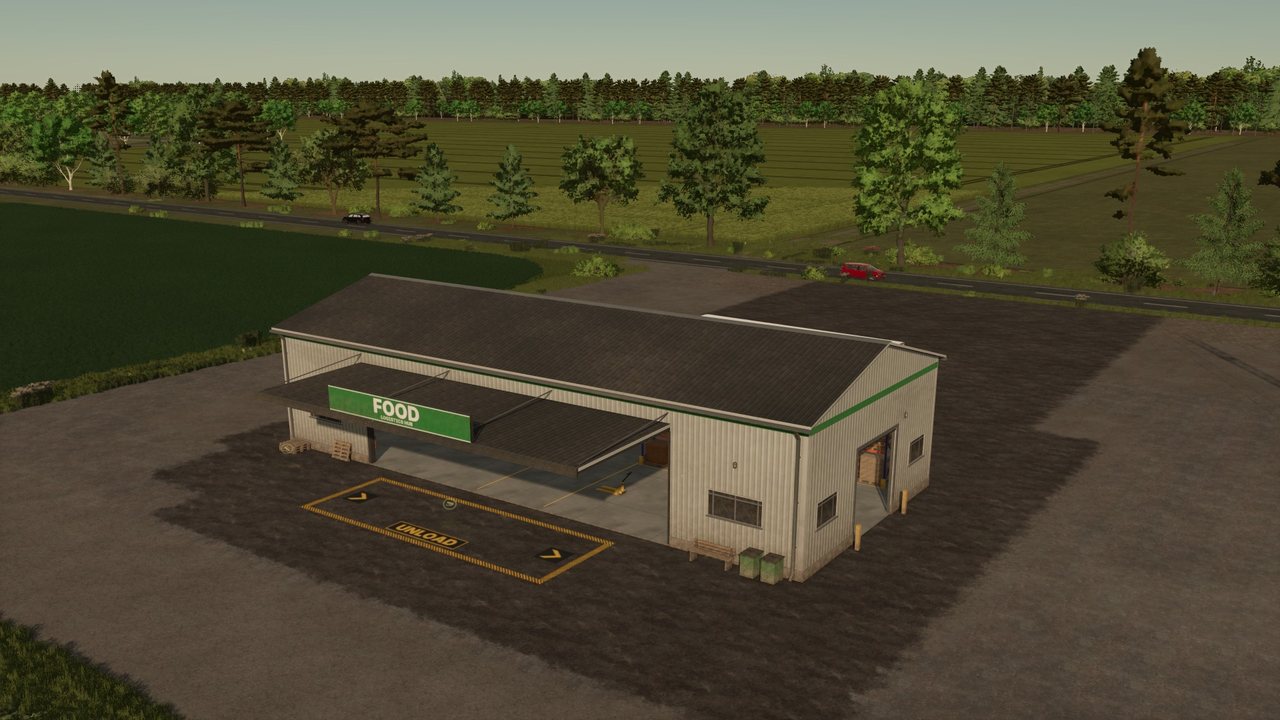
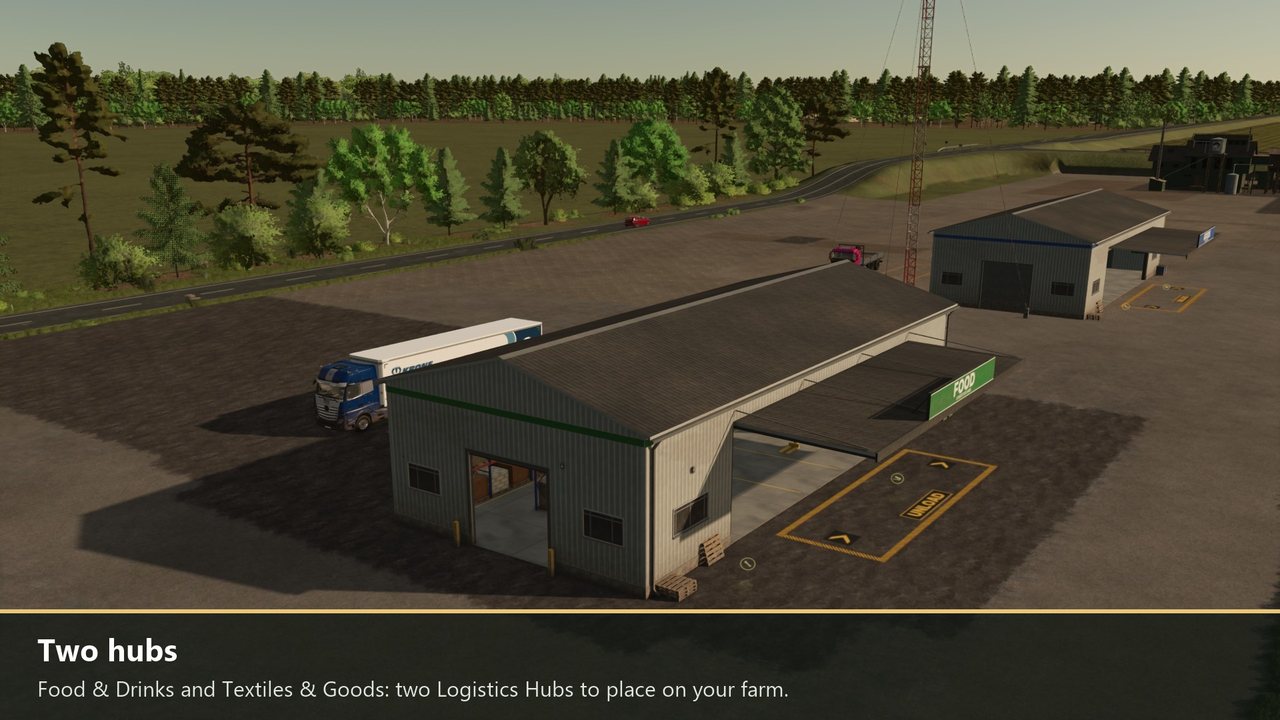
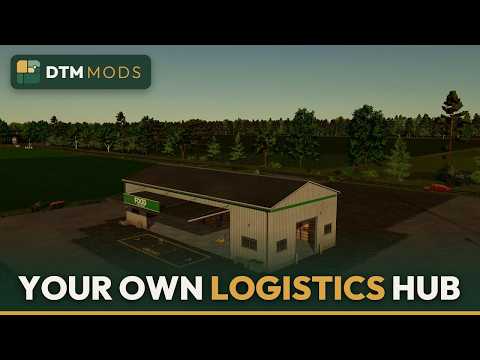
The Food & Drinks hub from above, a grey hall with a green FOOD sign over the open front and a yellow UNLOAD pad on the ground in front of it.
6 screenshots

See it in action

Video

  • Logistics Hub | Farming Simulator 25 mod: pallets in, goods out | DTM Mods

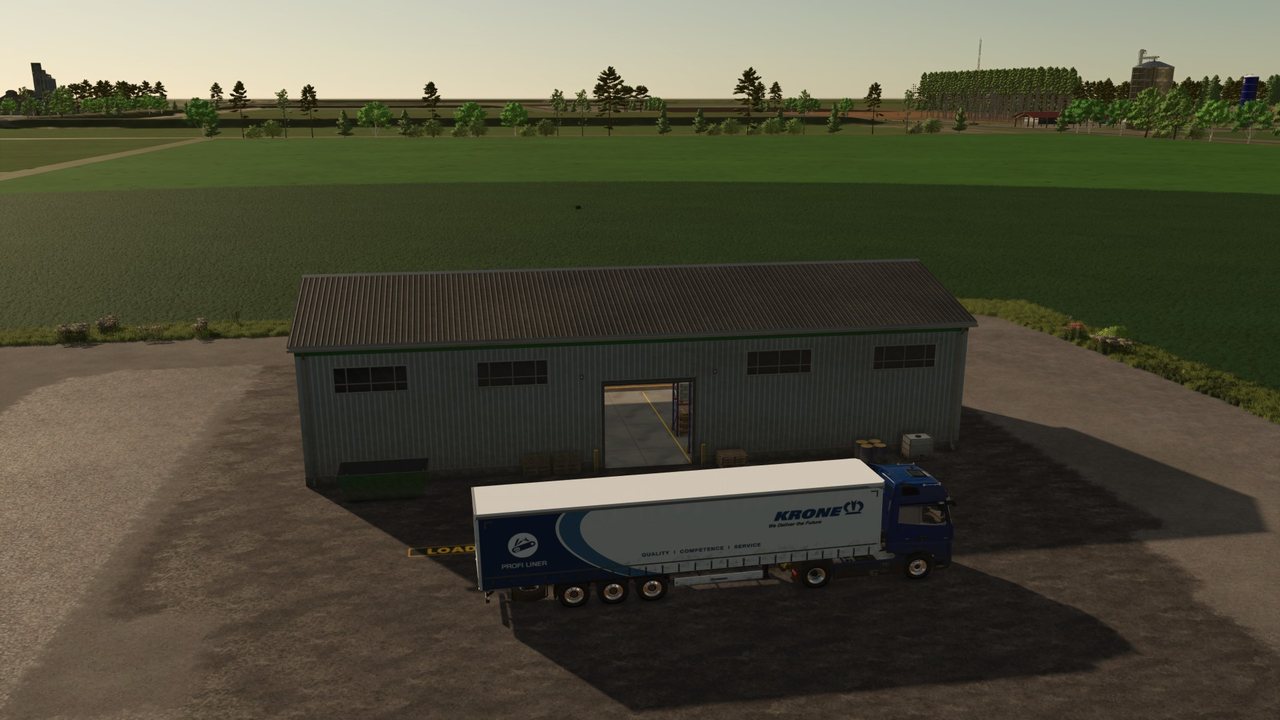
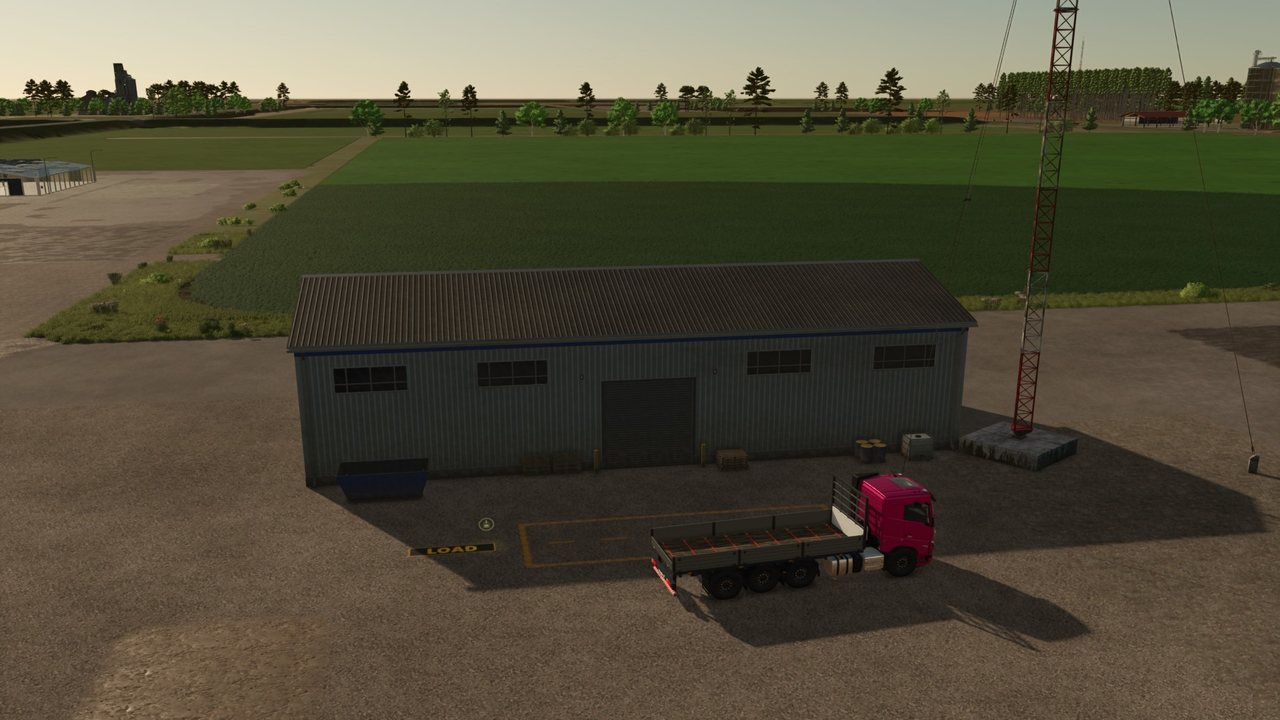
Logistics Hub is a pallet hall for your farm. Drop pallets on the unload pad at the front, then choose per product where it goes next: it stays in storage, comes out as pallets at the pickup lanes at the back, is delivered to your other productions or is sold every full hour.

There are two hubs, Food & Drinks and Textiles & Goods. Each one holds up to 1,000,000 L of every product it takes, costs 50,000 and has no daily upkeep. No other mod is needed.

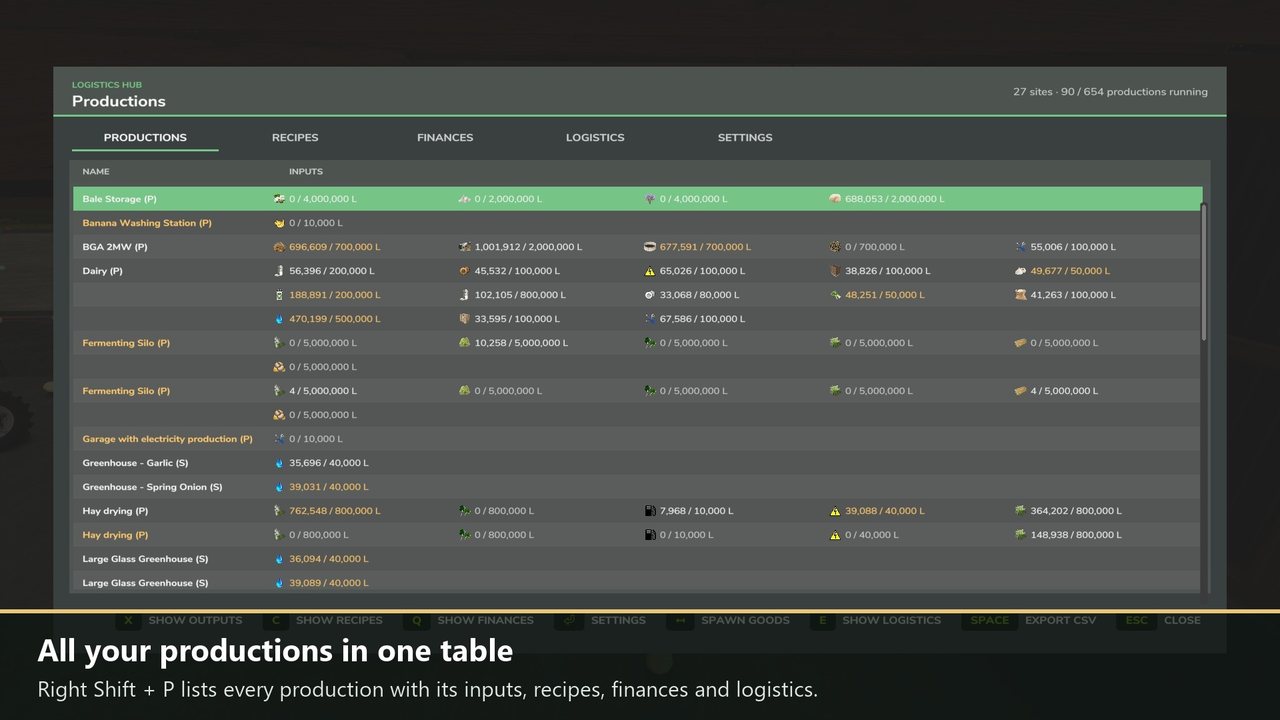
The mod also brings a productions window for all your productions, not only the hubs, with schedules, auto-management and alerts.

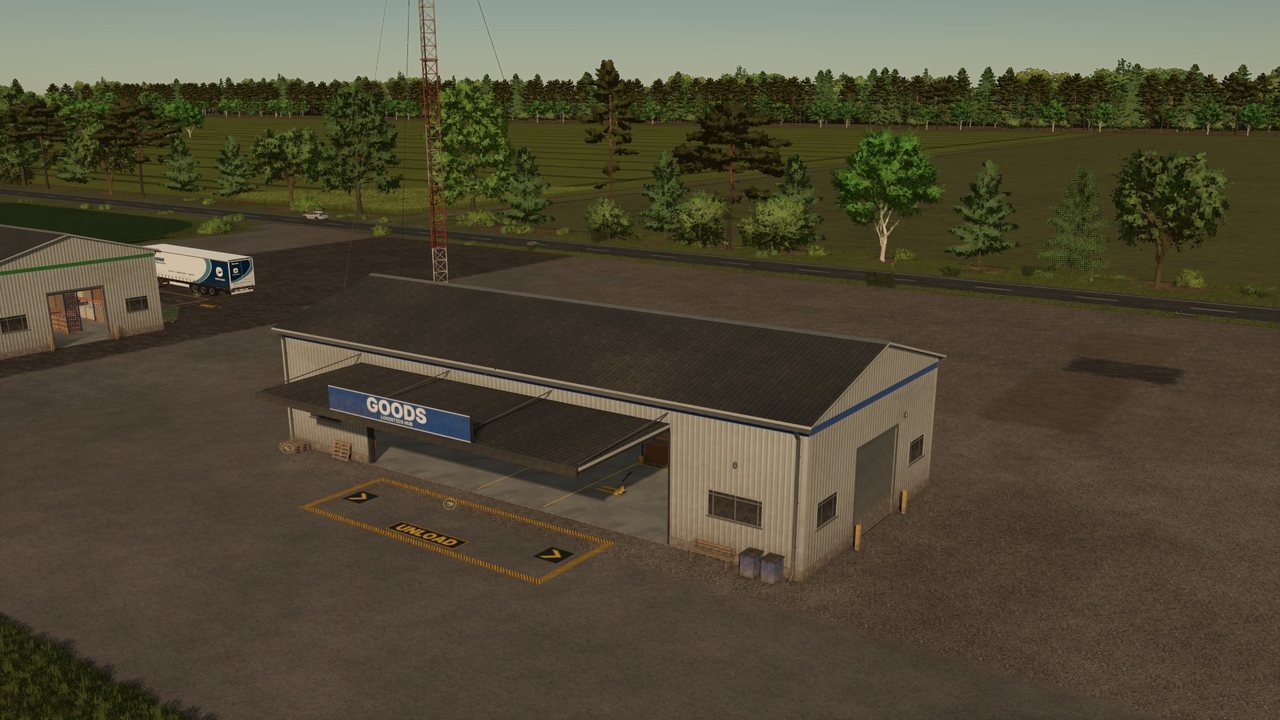
Two hubs

Pallets only: bulk goods, field crops and bales are not accepted. Without the packs below, the hubs offer the base-game products.

  • Food & Drinks (green sign): dairy, bread and cakes, oils, flour, sugar, honey, vegetables, fruit, juices, canned and preserved food, rice products, soups.
  • Textiles & Goods (blue sign): fabric, clothes, wool, rope, furniture, paper and carton, building materials (cement, planks, boards, roof plates, prefab walls), seeds, fertilizer, herbicide, lime, road salt.

Where each product goes

On the Logistics page of the productions window, Enter switches a product's output: Storing, Spawning, Distributing, Selling.

  • Storing: the product stays in the hub until you spawn, deliver or sell it. Hubs store by default.
  • Spawning: the hub puts it on pallets by itself at the pickup lanes.
  • Distributing: it is delivered to your other productions.
  • Selling: it is sold every full hour.

Spawn goods

Pick a product in stock, a 1,000 L, 2,500 L or 5,000 L pallet, full pallets only or a last part-filled one, the farm that gets it and how many pallets. They come out at the pickup lanes. The window remembers your last choice per building and warns you before you reach the pallet limit or while pallets still stand at the lanes.

  • AUTO SPAWN: on the Logistics page, tick hub products in the Auto column with the mouse and switch AUTO SPAWN on. Full 5,000 L pallets of them then come out at the pickup lanes in groups, the next group as soon as a truck has cleared the lanes. A tick doesn't change the product's output.

Productions window

Press Right Shift + P for one table of all your productions with their inputs (five per line), recipes, finances and logistics. X, C, Q and E switch between inputs/outputs, recipes, finances and logistics; Backspace opens Spawn goods, Space exports a CSV and Enter opens the settings. Settings, schedules and options are saved with the savegame and shared with all players on a server.

  • Schedules: pick the months a production line runs.
  • Auto-management: pauses stuck lines so they stop costing money, and restarts them when they can run again.
  • Alerts for paused or restarted lines, low inputs and nearly full outputs.
  • Building options: the hub's capacity (100,000 / 500,000 / 1,000,000 L per product) and which pallets it spawns.

In and around the hall

  • Your own 1,000 L, 2,500 L and 5,000 L pallets, all on a 1.20 x 0.80 m base. They take any product of any map or mod. Your other productions keep the game's pallets.
  • Racks with 84 pallet places that fill up as the stock grows.
  • Working roller doors on three sides. Open and close them like a garage door; their state is saved.
  • A daily report at 06:00: what came in, went out, was delivered and was sold at each hub.
  • Hide empty materials (C) in the game's production menu, so a hub doesn't list 180 rows of 0 L.
  • An AutoDrive route is imported when you place the hub.

Works with

  • FedMods packs (standard or ProEdition): Fed products in both hubs.
  • Beans & Alpacas: banana and coffee products and tiramisu in Food & Drinks; alpaca goods, pigments, resin, paint buckets and fungicide in Textiles & Goods.
  • Highlands Fishing: fish, onion products, roof shingles and coal.
  • Production Storage Control: not needed. With it installed, its spawn window at a hub offers the 1,000 L / 2,500 L / 5,000 L pallets too, and its own Storing stays in charge.
  • AutoDrive: imports the hub's route when it is placed.
  • Price Ticker: the hubs are taken out of its station list.
Questions

Questions and answers

Where do I find the hubs in the shop?

In the construction menu under Productions. Food & Drinks and Textiles & Goods are two separate buildings: buy the one that takes your products, or both.

Which pallet sizes can a hub spawn?

Three depot pallets: 1,000 L, 2,500 L and 5,000 L, all on a 1.20 x 0.80 m base. You pick the size in Spawn goods, or set it as the hub's building option.

What does AUTO SPAWN do?

On the Logistics page, tick hub products in the Auto column with the mouse and switch AUTO SPAWN on. Full 5,000 L pallets of the ticked products then come out at the pickup lanes, up to 20 at a time, and the next group as soon as a truck has cleared the lanes.

Why did a product lose its Auto tick?

Its tick comes off when less than a full 5,000 L pallet of it is left, and the next ticked product starts. The tick never changes the product's output: Storing, Distributing or Selling stay as they were.

Can I switch the outputs of my other productions too?

Yes. The Logistics page lists all your productions, and Enter switches their output the same way. Productions without pickup lanes skip Spawning.

Where does Distributing deliver to?

To your farm's other productions that use the product in a running recipe. The Destination column on the Logistics page names the production, or says Not set when none of them takes it.

Who can change the settings on a server?

Only players who may manage productions on that farm. Anyone else gets a message and nothing changes.

Can I change the Right Shift + P key?

Yes, in the game's controls settings. The action is called Logistics Hub: productions.

Downloads

How often it's downloaded

Per version

Downloads of each version on GitHub, newest first. A version counts until the next one comes out, so older ones had longer.

  1. v1.6.1.0149
  2. v1.6.0.0366
  3. v1.5.8.411
  4. v1.5.8.36
  5. v1.5.8.25
  6. v1.5.8.18
  7. v1.3.0.5147
  8. v1.3.0.43

What changed

Version history

Follow this mod's updates (RSS)

v1.6.1.0
  • Fixes the skewed / sheared goods on depot pallets for barrel, bucket, butter, canola oil, cement bags, cheese, chocolate, egg boxes, lettuce, potato chips, prefab walls, silage additive, soup cans, strawberries, tomatoes and wool (the game's pallets whose goods are one skinned piece placed by bones). Planks keep their 1.5.6.0 fit; goat milk is left as it was (it never comes out of a depot).
  • Cause: the whole native model was scaled to our 1.20 x 0.80 m pallet, and scaled bones distort skinned meshes.
  • Now no bone or bone parent is scaled. Each piece is stretched in its own space by a new shader (shaders/skinnedCargoFit.xml, the product's own diffuse/normal/specular maps through vehicles/skinnedCargoMaterial.i3d), each bone is moved to its fitted spot, and rigid parts (fruit, leaves, straps) sit under one scaled node with their pose and visibility kept.
  • Verified in GIANTS Editor: all 16 products at 5,000 L full and half and at 1,000 L on a moved, turned pallet, before/after. 51 offline tests pass (new: bones never scaled and moved to their fitted height, goat milk unchanged). Untested in game.

Which zip? Both are the same build.

  • FS25_PalletDepot.zip: for a savegame that already has the mod. It keeps the old file name, so the hubs you already own stay.
  • FS25_LogisticsHub.zip: the new name, for a new map or a new savegame.

Put only one of them into the mods folder, never both.

v1.6.0.0
  • Logistics page: AUTO column with a tick box for every Logistics Hub product (clicked with the mouse), and the farm's AUTO SPAWN on/off button in the page strip (ADAddOn's ON/OFF button). Only on the Logistics page; only hubs (our 5,000 L pallet exists there only).
  • While AUTO SPAWN is on, the server spawns full 5,000 L pallets of ticked products with at least 5,000 L in stock in groups (as many full pallets as the stock has, up to 20 per round; the lanes take what fits; checked every second), through the Spawn goods code. Lanes full: it waits (8 s retries, no messages) until a truck has taken the pallets away. A hub works down its ticked products in Logistics-page order, one product after another: when less than a full pallet is left after spawning from it, its tick is taken off and the next ticked product starts. A ticked product that never had a full pallet is skipped and keeps its tick.
  • A tick does not change the product's output mode (Storing / Distributing / Selling).
  • Ticks saved in palletDepotAutoSpawn.xml (savegame), the switch with the farm settings (palletDepotAutoManager.xml); both synced in multiplayer, changes need the right to manage productions.

Which zip? Both are the same build.

  • FS25_PalletDepot.zip: for a savegame that already has the mod. It keeps the old file name, so the hubs you already own stay.
  • FS25_LogisticsHub.zip: the new name, for a new map or a new savegame.

Put only one of them into the mods folder, never both.

v1.5.8.4
  • With ModMux installed, the farm settings of the productions window (auto-management, the three alerts, low and high threshold) and the personal "Hide sites without active productions" are also instant switches on ModMux's LIVE tab. Farm settings go to the server like from the Settings tab and need the right to manage productions; without it you get the usual message and nothing changes.

Which zip? Both are the same build.

  • FS25_PalletDepot.zip: for a savegame that already has the mod. It keeps the old file name, so the hubs you already own stay.
  • FS25_LogisticsHub.zip: the new name, for a new map or a new savegame.

Put only one of them into the mods folder, never both.

v1.5.8.3
  • Description in GIANTS' ModHub layout (category, price, upkeep or hotkeys at the top).
  • New mod icon in the ModHub standard.
  • Shop images without mipmaps, as ModHub wants.
  • No modder names in the description and the game texts any more.

Which zip? Both are the same build.

  • FS25_PalletDepot.zip: for a savegame that already has the mod. It keeps the old file name, so the hubs you already own stay.
  • FS25_LogisticsHub.zip: the new name, for a new map or a new savegame.

Put only one of them into the mods folder, never both.

v1.5.8.2
  • Updated for the current game version: modDesc descVersion 116 (the game build of 2026-10-27; GIANTS TestRunner 0.9.24 accepts only 116).

Which zip? Both are the same build.

  • FS25_PalletDepot.zip: for a savegame that already has the mod. It keeps the old file name, so the hubs you already own stay.
  • FS25_LogisticsHub.zip: the new name, for a new map or a new savegame.

Put only one of them into the mods folder, never both.

v1.5.8.1
  • Meets GIANTS' ModHub checks (TestRunner). The mod icon is 512 x 512 (DXT1, no mipmaps); the buildings' shop pictures keep 3 mipmaps (tools/dds_mips.py, which render_store.py now runs; it renders the icon at 512 px).
  • The Spawn goods window names its own pictures (textures/ui_*.dds) by their full path, so the check sees they are used. No visible change.
  • The zip leaves out what the game never loads: the source images in src/, the Blender export i3d/depot.i3d and the unused pallet_goods textures. tools/build_mod.py now reads .modignore, the same list the DTM CI uses.
  • Both buildings state their daily upkeep in the shop data (0, so still no upkeep).
  • Errors are no longer hidden: they show in the log. The production menu's lists, the month names of schedules and the goods shown on pallets now call the game directly instead of catching its errors; if a menu function stops with an error, the depot's own tables are still put back on the next frame, and a pallet gets its capacity back on its next fill change.

Which zip? Both are the same build.

  • FS25_PalletDepot.zip: for a savegame that already has the mod. It keeps the old file name, so the hubs you already own stay.
  • FS25_LogisticsHub.zip: the new name, for a new map or a new savegame.

Put only one of them into the mods folder, never both.

v1.3.0.5

Which zip? Both are the same build.

  • FS25_PalletDepot.zip: for a savegame that already has the mod. It keeps the old file name, so the hubs you already own stay.
  • FS25_LogisticsHub.zip: the new name, for a new map or a new savegame.

Put only one of them into the mods folder, never both.

Full Changelog: v1.3.0.4...v1.3.0.5

v1.3.0.4

Which zip? Both are the same build.

  • FS25_PalletDepot.zip: for a savegame that already has the mod. It keeps the old file name, so the hubs you already own stay.
  • FS25_LogisticsHub.zip: the new name, for a new map or a new savegame.

Put only one of them into the mods folder, never both.

Full Changelog: v1.3.0.3...v1.3.0.4

8 older releases on GitHub.