

Frisch aus der Scheune
Updates
Jede Version jedes DTM-Mods, die neueste zuerst, mit allen Änderungen. Per RSS folgen.
Hilf uns beim Testen
Wird gerade getestet
Testversionen der nächsten Versionen. Sie können noch Fehler haben: Sichere also zuerst deinen Spielstand und sag uns auf Discord, wie es läuft.
201 Releases an 20 Tagen in den letzten 26 Wochen
November 2026
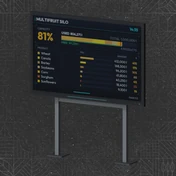
Better Digital Display v1.4.2.1
- Bigger screens: the size setting now goes up to 12 m wide (7.2, 8.4, 9.6 and 12 m are new). The Kiosk goes up to 3 m and the Wall up to 6 m, so a pedestal or two posts do not hold a giant screen. Every size has its own collision, as before. A Kiosk or Wall saved at a bigger size comes back at its largest size.
Better Digital Display v1.4.1.3
- The changelog in the mod's in-game description (all languages) now covers the biogas plant fix of 1.4.1.2. No other changes.
Better Digital Display v1.4.1.2
- Productions are now taken from the game's own production list (the one in the in-game production menu), so the monitor sees productions it missed before: the biogas plants of the Pumps N' Hoses DLC and mods built on it, such as PlanET PnH (#1). A plant shows the way the production menu shows it: one fermenter and one power plant entry per plant, however many fermenters stand there. They are in "All my productions", "What my productions need" and the profit screen, and each has its own screen.

Searchables v1.8.2.8
- Fix: model names such as T7, 6M or L 538 are found by name. The short units t, l and m only act as weight, capacity and width filters with a comparison or a range (
t>7,l<700,6-9m);12m,10tand30000lon their own are now search words (usewidth=12,t=10,l=30000). - Fix: typing a number on the map finds the field, property, model or license plate with that number, and no longer things that merely show it in their label (fuel %, litres, price, hectares, animal count, contract reward).
- Numbers can be typed with a decimal comma:
width>4,5means 4.5 and$<1,5kmeans 1,500. A comma before exactly three digits is still a thousands separator ($144,500). - Fix: a search box that opens with a search already in it (the map box showing your last search) shows only the X, not the pen underneath it.
- Offline tests (
tests/test_offline.py, 33 tests), run by every build.
Monthly Expense Sheet v1.0.0.3
- Fix: pressing E (or the right arrow) in the current month before anything was recorded in it jumped back to the oldest month. It now goes to the newest month that has records.
- Fix: a saved entry whose category is missing from the savegame file now shows under Other instead of disappearing.
- Fix: animal names made of several words show with spaces (Water buffalo, not Water_buffalo).
- Offline tests (
tests/test_offline.py, 29 tests), run by every build.
Farm Inventory v1.0.0.4
- Fix: a silo extension attached to a silo that has only an unloading point (or only a loading point) is counted into that silo instead of showing as a separate silo.
- Fix: feeding robot: a bin holding a feed type the game no longer knows (for example from a removed mod) is left out, and the other bins no longer show the wrong amounts.
- Fix: Show Stations no longer lists goods of which only a residue under half a litre is left, same as the inventory list.
- If a game update changes the Prices menu, the mod switches its Inventory tab off with a log line instead of causing a script error while loading.
- Offline tests (
tests/test_offline.py, 31 tests), run by every build.

DTM Video Studio v0.1.0.25
- Filming by hand: a step window beside the game window (never in the video) shows and says each step and waits for you: say "next", "go" or "done" or press Right Shift + 9; "pause" / Right Shift + 8, "go on". A bar shows the whole set: which mod, how far, about how long. The clip ends after your last step, and the video is cut where you really went on (plans:
"hand"steps,vsShot ui dur=0 max=900 hand=1). vsUnfold [fold]: the machine unfolded the way it works (or folded again), also during a clip (run=vsUnfold); color copies stay unfolded like the original, or alternate open and closed (vsShot colors fold=alt).vsSave: the game saves while you play (what a mod shows during a save can be filmed).vsMoveonly picks a place the camera sees from every side (a shed next to it hid a roller).- Clip options:
keep=(another mod's HUD stays in a menu clip),help=0(the F1 box hidden),max=(an open clip's longest length). - Editor:
zoomon a section (a small HUD filling the frame); the cutter pads the sound when it ends early. - The runner switches Video Studio on for the run in a savegame that doesn't have it (put back afterwards).

Reactive Markets v1.4.0.3
- ESC page: buyer names were cut to one letter ("G...", "P...") on ultrawide screens. Gaps and columns now keep the same size on every screen shape (16:9, 21:9, 32:9).

AutoDrive Overdrive v3.0.1.4-od.75
Based on AutoDrive 3.0.1.4 by the AutoDrive Team, with route editor improvements: undo and redo (Ctrl+Z / Ctrl+Y) with preview and highlighted changes, target sub folders and folder colours, moving waypoints by dragging, tidy-up tools and waypoint actions, plus a route check with fixes, a route preview on the map, a fleet overview with send-to and driver statistics, best price unloading and work schedules. Everything is described in the README.
Changes since 3.0.1.4-od.74
- Release clean-up: test diagnostics removed (od.75)
No AI Collisions Pro Edition v1.5.0.5
- Respects AutoDrive Overdrive's per-vehicle setting "Drive through obstructions (No AI Collisions)" (Overdrive tab of the AutoDrive settings). Set to No, that vehicle waits like normal AutoDrive while AutoDrive drives it: no driving through obstructions, no passing through touching vehicles or trees. Other helpers can still drive through it when it blocks them. With the official AutoDrive (no such setting) nothing changes.
Logistics Hub v1.6.1.0
- Fixes the skewed / sheared goods on depot pallets for barrel, bucket, butter, canola oil, cement bags, cheese, chocolate, egg boxes, lettuce, potato chips, prefab walls, silage additive, soup cans, strawberries, tomatoes and wool (the game's pallets whose goods are one skinned piece placed by bones). Planks keep their 1.5.6.0 fit; goat milk is left as it was (it never comes out of a depot).
- Cause: the whole native model was scaled to our 1.20 x 0.80 m pallet, and scaled bones distort skinned meshes.
- Now no bone or bone parent is scaled. Each piece is stretched in its own space by a new shader (shaders/skinnedCargoFit.xml, the product's own diffuse/normal/specular maps through vehicles/skinnedCargoMaterial.i3d), each bone is moved to its fitted spot, and rigid parts (fruit, leaves, straps) sit under one scaled node with their pose and visibility kept.
- Verified in GIANTS Editor: all 16 products at 5,000 L full and half and at 1,000 L on a moved, turned pallet, before/after. 51 offline tests pass (new: bones never scaled and moved to their fitted height, goat milk unchanged). Untested in game.
Which zip? Both are the same build.
FS25_PalletDepot.zip: for a savegame that already has the mod. It keeps the old file name, so the hubs you already own stay.FS25_LogisticsHub.zip: the new name, for a new map or a new savegame.
Put only one of them into the mods folder, never both.
Server Lag Watch v1.6.0.0
- The profanity filter moved to its own mod, FS25_NoProfanityFilter. Install that one to keep chat, names and license plates unfiltered; this mod no longer touches the filter.
DTM Screenshot Studio v0.2.2.6
- Game runner:
--resolution 1600x900sets the game's resolution for the run, so menu shots come out that size (through DTM-Mods'fs25_borderless.ps1 -Resolutionwhen it's there);ssKeysknows the number pad (num0...num9, e.g.lalt+num0for AutoDrive's window) and a middle click (mclick@x,y). - Picking 1600x900 shots:
picktakes shots from a 1600x900 run and keeps the README copy at 1600x900 instead of enlarging it (before, anything under 1080p was skipped).
Server Lag Watch v1.5.0.0
- Freeze lines no longer say "unknown" just because no single call took 40 ms: time is now added up per script across the whole frame, and the script with the biggest total is named with its call count (for example "300 ms in 20 calls"). Time spent inside other timed calls is not counted twice.
- The game's own updateables, systems and managers (environment, AI, vehicles, placeables, missions and more), and mod updateables, are now timed too, named "base game: Class:update" or "mod FS25_X: Class:update".
- Every freeze line now ends with "Watched scripts: X ms, outside: Y ms". When "outside" is close to the freeze time, the engine or untimed base-game code caused it, not a mod.

ADAddOn (AutoDrive Add-On) v1.7.0.0
- Best price works with the add-on on when the unload target is a selling point you don't own (Aldi, Harbor, Train Station, a BGA you haven't bought...): AutoDrive's best price setting picks the best-paying seller in the folder.
- Unchanged for your own places: when the unload target is a production, BGA or silo your farm owns, best price stays off and Top It Off fills it (your carrots still go to your veggie factory, not the Roadside Stand).
- The unloading station nearest the unload target (within 60 m) decides. No station near the target counts as your own, so best price stays off.
- The log says once per target which way it decided: "best price: target '...' is own / a seller".
- Description: Refuel/Repair refuels first, then repairs (it said "the closer one first").
Better Digital Display v1.4.1.0
- New screen "What my productions need" (pick it like the other farm screens): a row for every input of every production of the farm. Inputs a switched-on line needs that are empty are red with a blinking stripe and come first, low ones (under 25 % or out within 3 in-game hours) are amber, then the ones with enough; inputs only an off line uses are grey. Each row shows how much it takes to fill up, how long the stock lasts and how much of it your silos hold; empty and low inputs are also alerts.
- Silo Mount, Wall Mount and Hanging: the height can be set again in the monitor's settings ("Height", bottom edge 0.5 to 12 m above the ground). The screen still grows upwards from it when you change its size.
- Hitbox: the collisions are now switched only after the game has put the monitor into physics, every size's collision counts for selecting it in construction mode, and they move with the height.
Auto Admin v1.0.0.2
- The changelog is in the mod description now (ModHub's TestRunner asks for one in every update). No change in the game.
Logistics Hub v1.6.0.0
- Logistics page: AUTO column with a tick box for every Logistics Hub product (clicked with the mouse), and the farm's AUTO SPAWN on/off button in the page strip (ADAddOn's ON/OFF button). Only on the Logistics page; only hubs (our 5,000 L pallet exists there only).
- While AUTO SPAWN is on, the server spawns full 5,000 L pallets of ticked products with at least 5,000 L in stock in groups (as many full pallets as the stock has, up to 20 per round; the lanes take what fits; checked every second), through the Spawn goods code. Lanes full: it waits (8 s retries, no messages) until a truck has taken the pallets away. A hub works down its ticked products in Logistics-page order, one product after another: when less than a full pallet is left after spawning from it, its tick is taken off and the next ticked product starts. A ticked product that never had a full pallet is skipped and keeps its tick.
- A tick does not change the product's output mode (Storing / Distributing / Selling).
- Ticks saved in palletDepotAutoSpawn.xml (savegame), the switch with the farm settings (palletDepotAutoManager.xml); both synced in multiplayer, changes need the right to manage productions.
Which zip? Both are the same build.
FS25_PalletDepot.zip: for a savegame that already has the mod. It keeps the old file name, so the hubs you already own stay.FS25_LogisticsHub.zip: the new name, for a new map or a new savegame.
Put only one of them into the mods folder, never both.

Input Alert v1.1.3.0
- GIANTS TestRunner fixes: removed pcall around getSelectedProduction, changelog added to the modDesc description (en/de), duplicate German title removed. GitHub link added to the description.
PX150 XL Windrower v2.9.1.0
- Yield bonus on crops whose combine leaves no straw lowered to 10%. Alfalfa, clover and field grass stay at 25%.

ModMux v1.0.0.2
- New first tab OVERVIEW: one line per area (mod fights, key clashes, errors, hints, performance, what waits for the next load, what ModMux can see), each with a verdict and an Open button. The changes waiting for the next load are listed in words, with Undo all.
- ERRORS shows one line per mod (its errors and warnings in the panel); All messages lists them one by one.
- KEYS suggests a free key for each clash ("Free: Left Alt + G").
- The page is called just ModMux.
- Easier to read: WHO BEATS WHOM shows only pairs that need a look (Show all lists the rest); every pair gets a verdict (Broken, Check, Probably fine, Fine) and a suggested fix, which is also the first button; functions are named in words ("HUD: draw speed"); every tab shows how many things wait on it ("CONFLICTS (3)"); an undecided conflict says Not set instead of "Load order"; All levers off moved to the ADVANCED view.
- CONFLICTS opens on the new WHO BEATS WHOM view: one line per pair of mods, saying what the one does to the other: overwrites (the other's change is gone), may overwrite (it put in its own version; whether the other's change still runs inside is checked while you play), takes over (it wraps the other and decides whether it runs) or runs after / before (both run). The buttons let either one win (it is ranked above the other, nobody else is muted) or let both run. ADVANCED uses the same words.
- New KEYS tab: keys and buttons that two mods use, or a mod and the game, in a situation where both can fire (on foot, in a vehicle, always), so one press does two things. It reads your own key settings (
inputBinding.xml), each mod's actions and default keys, and the game's action list. Change keys under Settings > Controls. - New ERRORS tab: errors and warnings sorted by mod. ModMux sees what mods write to the log from its own load on, and per-frame scripts that stop with a Lua error. Messages only the engine writes (missing textures) stay in log.txt. Both lists are also in
ModMux.log, which is written again when you leave the game.

Logistics Hub v1.5.8.4
- With ModMux installed, the farm settings of the productions window (auto-management, the three alerts, low and high threshold) and the personal "Hide sites without active productions" are also instant switches on ModMux's LIVE tab. Farm settings go to the server like from the Settings tab and need the right to manage productions; without it you get the usual message and nothing changes.
Which zip? Both are the same build.
FS25_PalletDepot.zip: for a savegame that already has the mod. It keeps the old file name, so the hubs you already own stay.FS25_LogisticsHub.zip: the new name, for a new map or a new savegame.
Put only one of them into the mods folder, never both.
Farm Inventory v1.0.0.3
- Description in all 27 game languages (GIANTS ModHub layout).
- The title is Farm Inventory Plus again (was Farm Inventory Pro Edition).
- ModHub screenshots at 1600x900 without captions.

Ropa Tiger 6S ProEdition v1.2.1.4
- Description in GIANTS' ModHub layout (category, price, upkeep or hotkeys at the top).
- Shop images without mipmaps, as ModHub wants.
Server Lag Watch v1.4.0.4
- Description in GIANTS' ModHub layout (category, price, upkeep or hotkeys at the top).
Box Truck Pro Edition v1.5.4.4
- Description in GIANTS' ModHub layout (category, price, upkeep or hotkeys at the top).
- Shop images without mipmaps, as ModHub wants.
Searchables v1.8.2.7
- New title: Searchables. The description is now in all 27 game languages.
- Description in GIANTS' ModHub layout (category, price, upkeep or hotkeys at the top).
- New mod icon in the ModHub standard.

Recoup Money v1.0.0.2
- Description in GIANTS' ModHub layout (category, price, upkeep or hotkeys at the top).
- New mod icon in the ModHub standard.
Roadside Stand v1.0.0.6
- Description in GIANTS' ModHub layout (category, price, upkeep or hotkeys at the top).
- New mod icon in the ModHub standard.
Player Trading+ Pro Edition v1.0.0.2
- Description in GIANTS' ModHub layout (category, price, upkeep or hotkeys at the top).
- Shop images without mipmaps, as ModHub wants.
Production Boost v1.1.0.3
- Description in GIANTS' ModHub layout (category, price, upkeep or hotkeys at the top).
Parking Brake Pro Edition v1.0.9.4
- Description in GIANTS' ModHub layout (category, price, upkeep or hotkeys at the top).

Pro X Silo Extensions v1.7.3.4
- Description in GIANTS' ModHub layout (category, price, upkeep or hotkeys at the top).
- Shop images without mipmaps, as ModHub wants.
PX150 XL Windrower v2.9.0.3
- Sold under the MacDon brand (the MacDon DLC it needs).
- Description in GIANTS' ModHub layout (category, price, upkeep or hotkeys at the top).
- Shop images without mipmaps, as ModHub wants.
- No modder names in the description and the game texts any more.
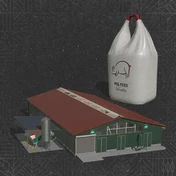
Pig Barn With Feeding Robot v1.0.0.16
- Description in GIANTS' ModHub layout (category, price, upkeep or hotkeys at the top).
- New mod icon in the ModHub standard.
Logistics Hub v1.5.8.3
- Description in GIANTS' ModHub layout (category, price, upkeep or hotkeys at the top).
- New mod icon in the ModHub standard.
- Shop images without mipmaps, as ModHub wants.
- No modder names in the description and the game texts any more.
Which zip? Both are the same build.
FS25_PalletDepot.zip: for a savegame that already has the mod. It keeps the old file name, so the hubs you already own stay.FS25_LogisticsHub.zip: the new name, for a new map or a new savegame.
Put only one of them into the mods folder, never both.
No AI Collisions Pro Edition v1.5.0.4
- Description in GIANTS' ModHub layout (category, price, upkeep or hotkeys at the top).
Monthly Expense Sheet v1.0.0.2
- Description in GIANTS' ModHub layout (category, price, upkeep or hotkeys at the top).
Ältere Versionen findest du auf der Seite jedes Mods und auf GitHub.