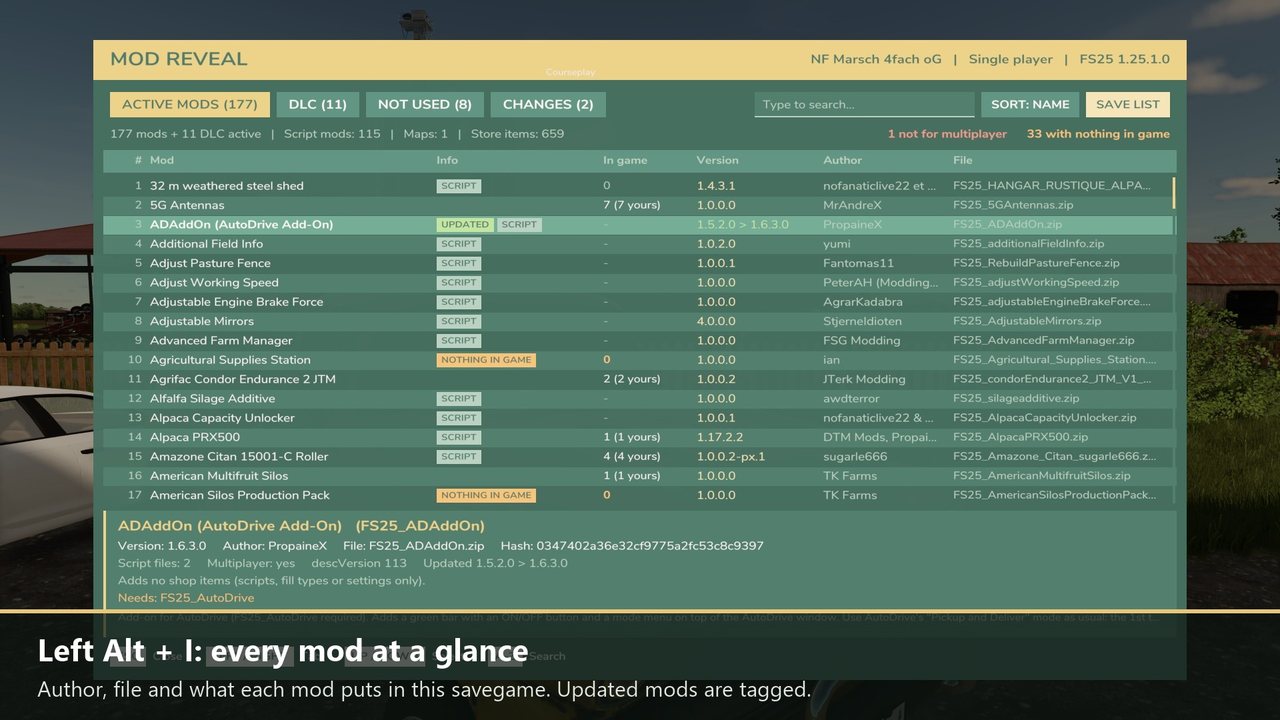
Can't join a server because a mod doesn't match, or not sure which of your mods a savegame really uses? Press Left Alt + I and Mod Reveal lists every mod and DLC the game has loaded, with its version, author and file name.
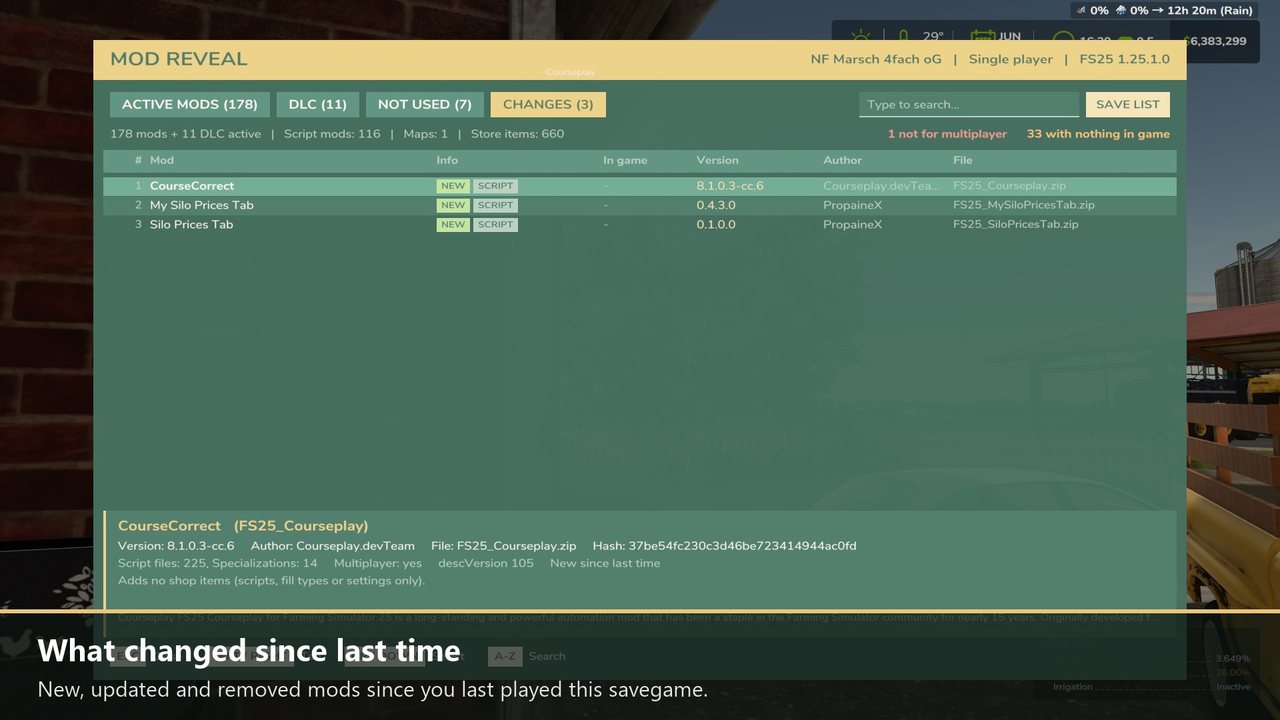
It also remembers what you had last time, so after an update you see exactly what changed.
The tabs
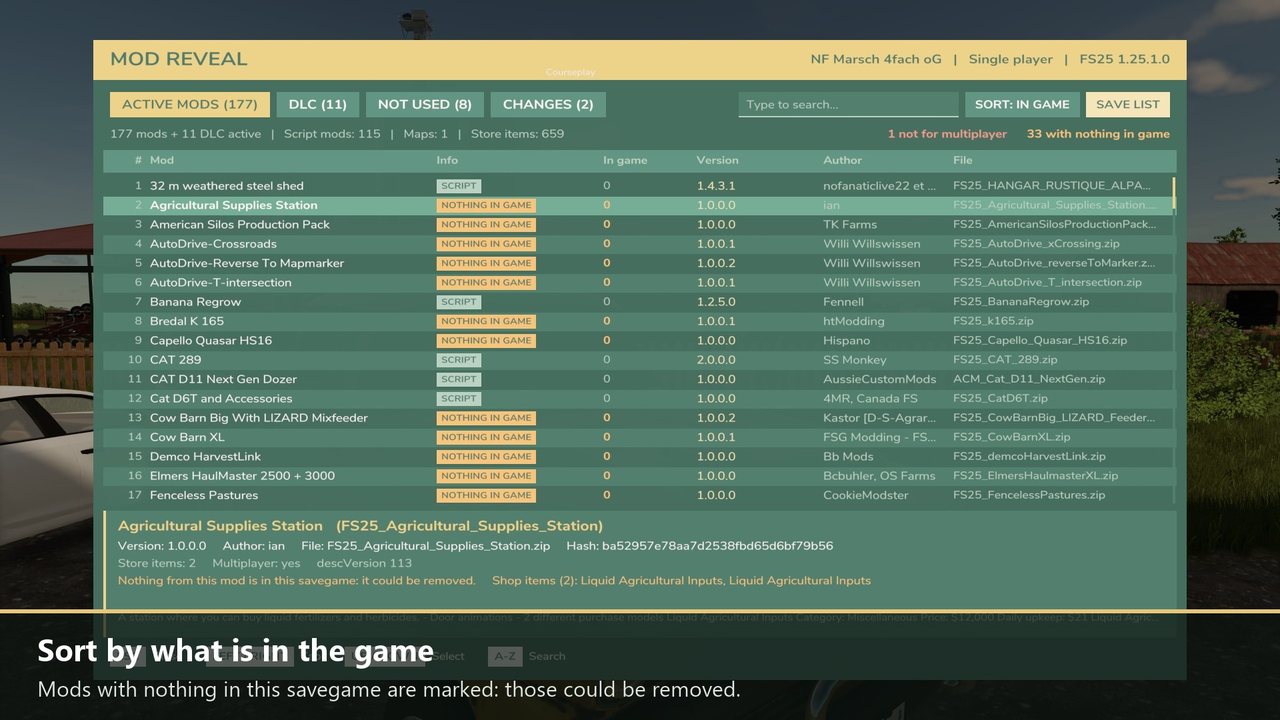
- Active mods: everything loaded right now, with tags for maps, script mods, mods that don't support multiplayer (NO MP), unzipped folders (FOLDER; multiplayer only takes zips) and possible duplicates.
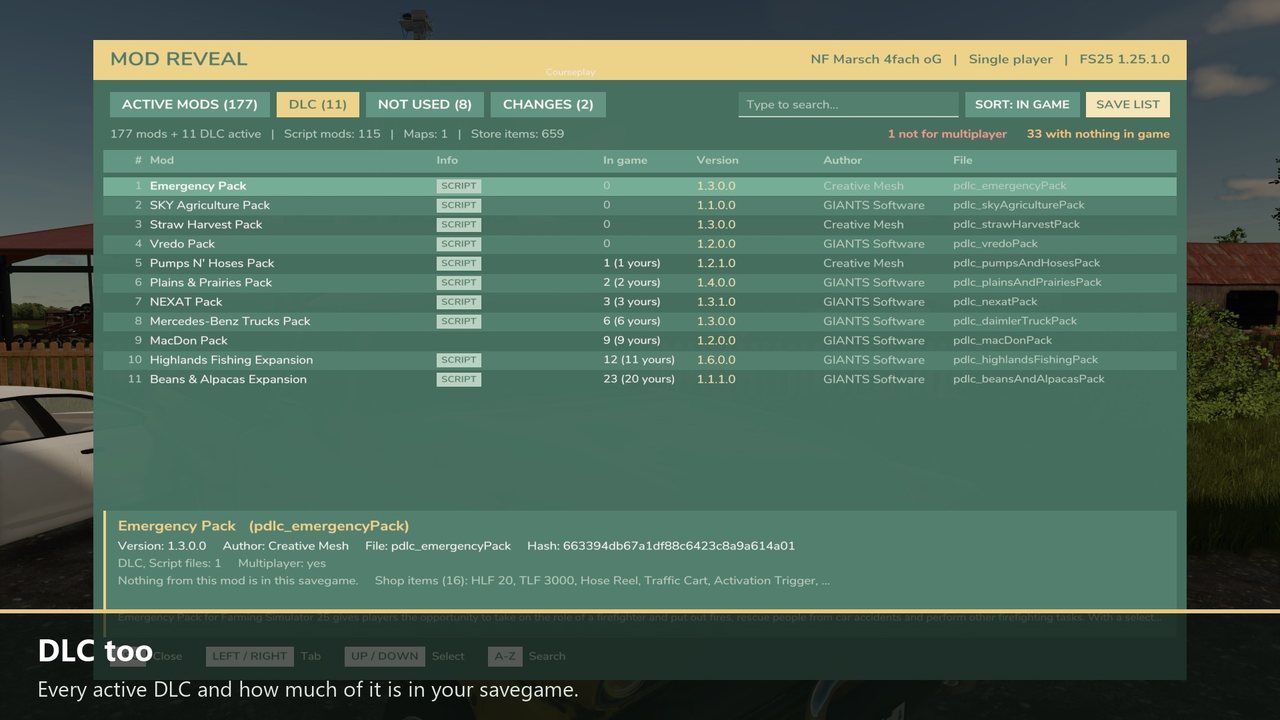
- DLC: the DLCs in use.
- Not used: mods in your mods folder that this savegame or server doesn't load.
- Changes: what was updated, added or removed since you last played this savegame or server, including a rebuilt zip with the same version. After a change you get a short message on screen.
What each mod has in your savegame
- In game: how many vehicles, pallets, buildings and hand tools from each mod are in the savegame, and how many are yours.
- NOTHING IN GAME: mods that only add shop items and have nothing in the savegame. Candidates to remove from a crowded server. SORT: IN GAME lists them first.
- Details: the selected mod's mod name, file hash (the one the server compares when you join), scripts, specializations, shop items, the mods it needs and the start of its description.
Mod list files
On every load the list is written to modSettings/FS25_ModReveal/ModList.txt (lined up, ready to paste into Discord) and ModList.csv (for a spreadsheet). On a dedicated server the same files are written, and the server log gets a summary plus every change since the last start, so you can see what the server runs.
Keys
- Left Alt + I opens and closes the list. Just type to search by name, author, file or version.
- Left / Right change the tab, Up / Down or the mouse wheel select, Esc clears the search and then closes.
- Gamepad: LB / RB for the tabs, B closes. Bind a button to "Mod Reveal: mod list" to open it.