DTMMODS

Fennell

Mod Reveal

Shows every mod and DLC your game runs, with version, author and file, what changed since last time, and what each mod has in your savegame.

v1.1.0.4 · · 90 downloads

It only reads: it changes nothing in the game.

In multiplayer, install it on the server and on every player's game, all on the same version.

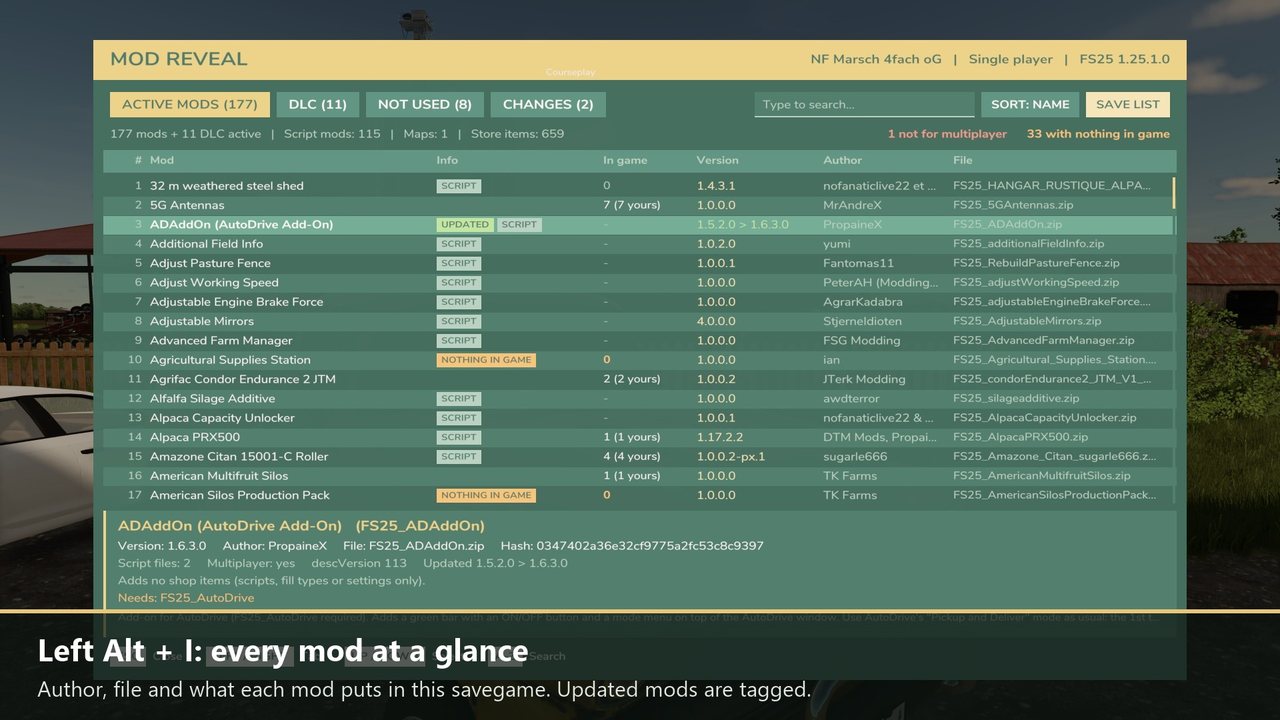
The Mod Reveal window on the Active mods tab: 177 mods with version, author and file, ADAddOn tagged UPDATED and its details below.
4 screenshots

See it in action

Video

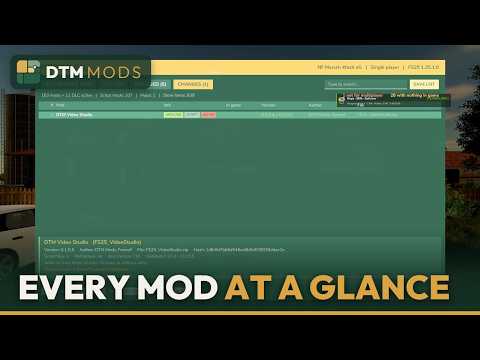
  • Mod Reveal | Farming Simulator 25 mod: every mod at a glance | DTM Mods

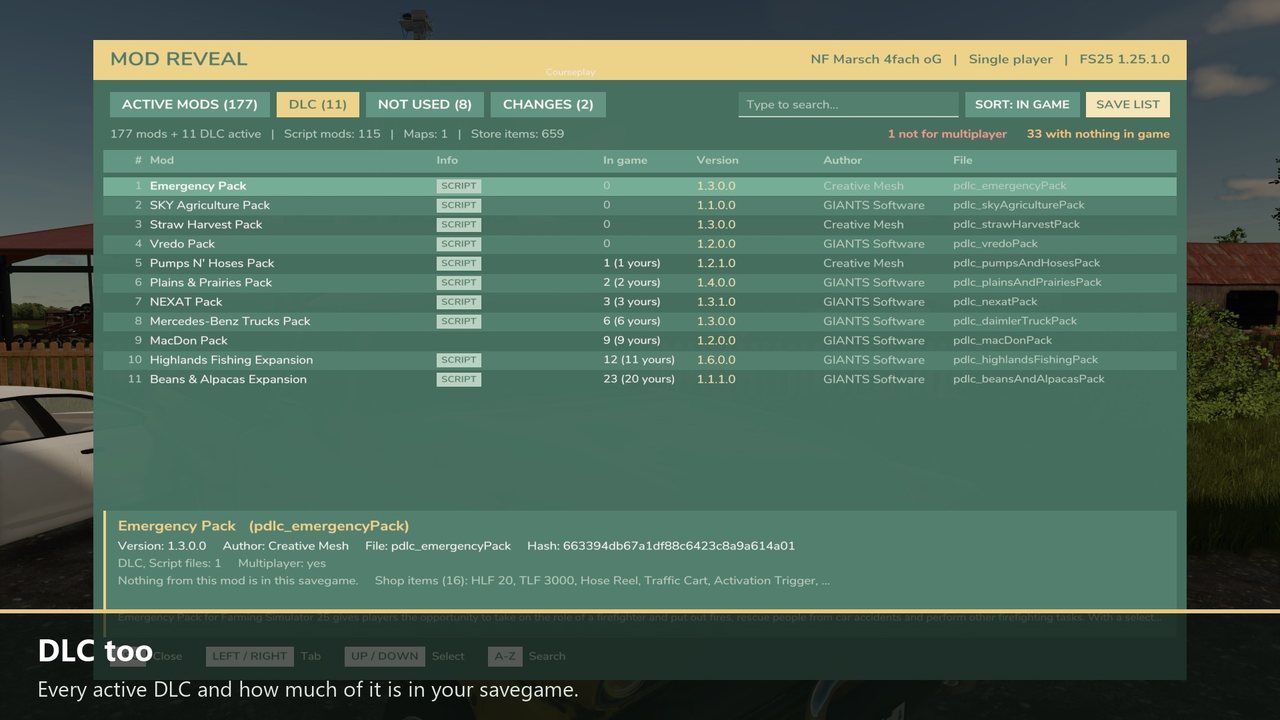
Can't join a server because a mod doesn't match, or not sure which of your mods a savegame really uses? Press Left Alt + I and Mod Reveal lists every mod and DLC the game has loaded, with its version, author and file name.

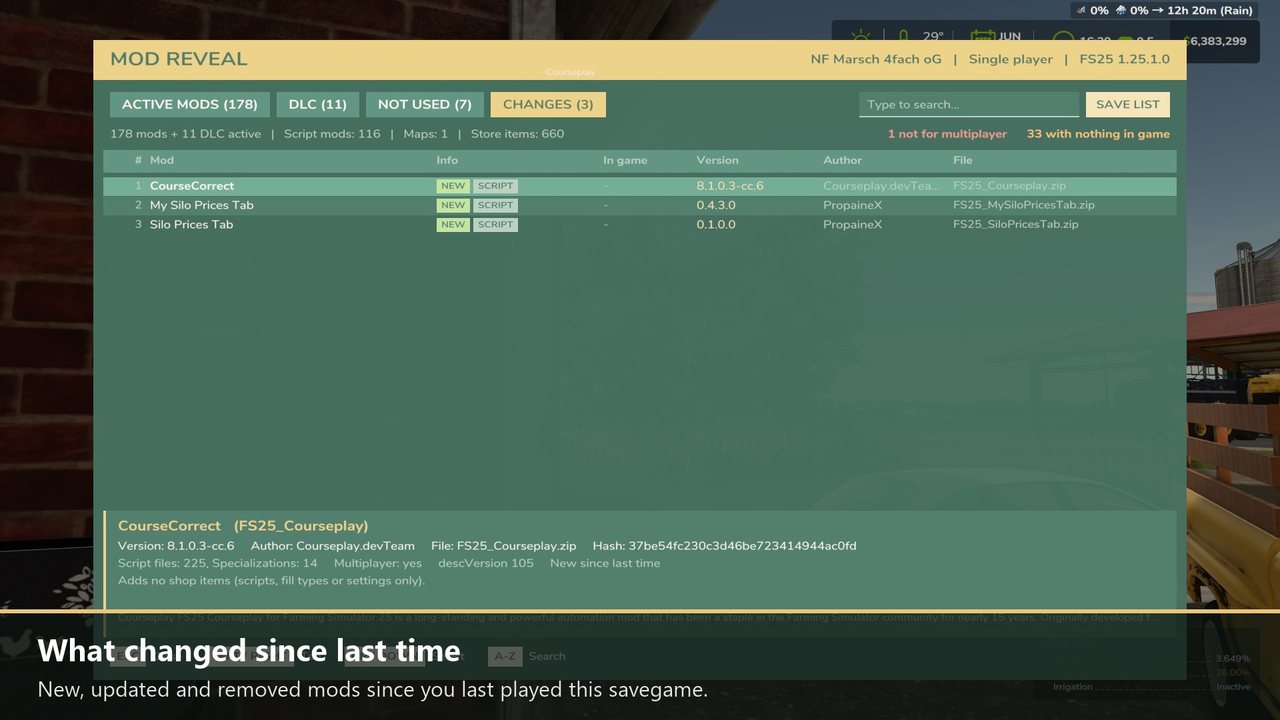
It also remembers what you had last time, so after an update you see exactly what changed.

The tabs

  • Active mods: everything loaded right now, with tags for maps, script mods, mods that don't support multiplayer (NO MP), unzipped folders (FOLDER; multiplayer only takes zips) and possible duplicates.
  • DLC: the DLCs in use.
  • Not used: mods in your mods folder that this savegame or server doesn't load.
  • Changes: what was updated, added or removed since you last played this savegame or server, including a rebuilt zip with the same version. After a change you get a short message on screen.

What each mod has in your savegame

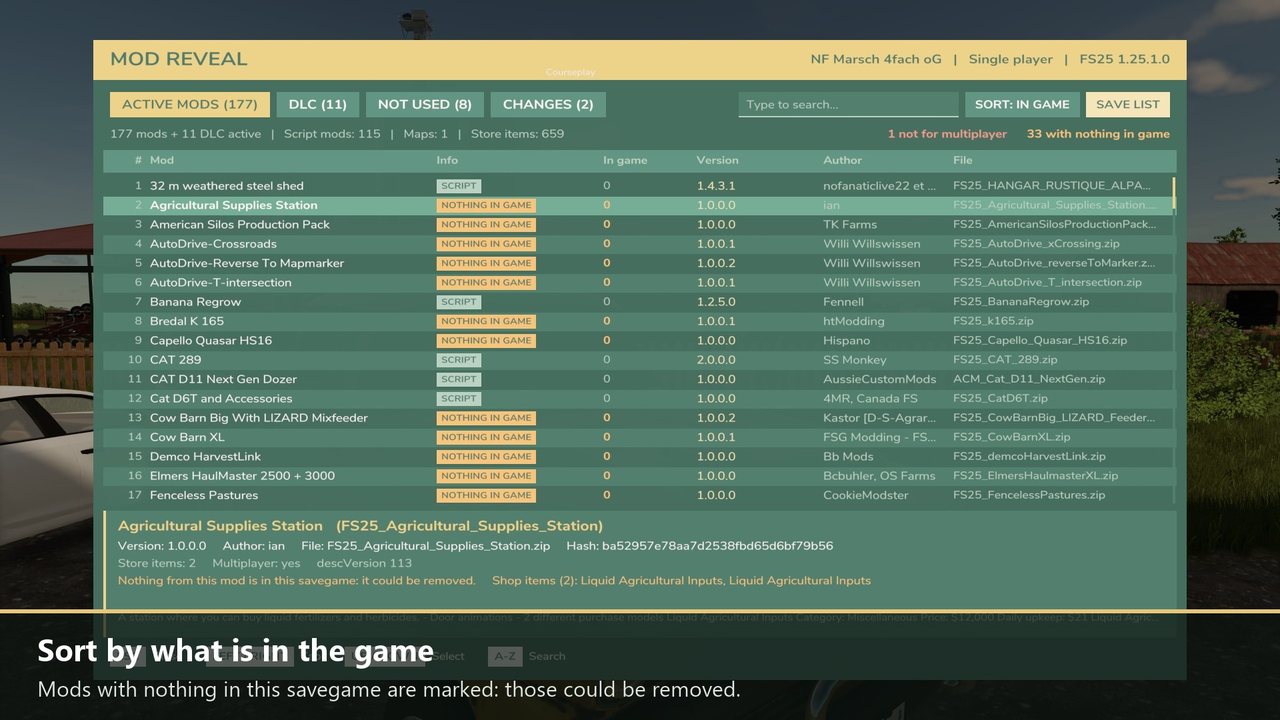
  • In game: how many vehicles, pallets, buildings and hand tools from each mod are in the savegame, and how many are yours.
  • NOTHING IN GAME: mods that only add shop items and have nothing in the savegame. Candidates to remove from a crowded server. SORT: IN GAME lists them first.
  • Details: the selected mod's mod name, file hash (the one the server compares when you join), scripts, specializations, shop items, the mods it needs and the start of its description.

Mod list files

On every load the list is written to modSettings/FS25_ModReveal/ModList.txt (lined up, ready to paste into Discord) and ModList.csv (for a spreadsheet). On a dedicated server the same files are written, and the server log gets a summary plus every change since the last start, so you can see what the server runs.

Keys

  • Left Alt + I opens and closes the list. Just type to search by name, author, file or version.
  • Left / Right change the tab, Up / Down or the mouse wheel select, Esc clears the search and then closes.
  • Gamepad: LB / RB for the tabs, B closes. Bind a button to "Mod Reveal: mod list" to open it.
Questions

Questions and answers

Why is the Changes tab empty?

The first time you play a savegame or server with Mod Reveal, it has nothing to compare with yet. It remembers each savegame and each server on its own, so changes show from the next time you load it.

What does OLDER mean?

The mod has a lower version than the last time you played, so an older zip is in your mods folder now. UPDATED is a newer version, NEW a mod that wasn't there before, and NEW FILE a rebuilt zip with the same version.

Why is a mod marked as a possible duplicate?

Two active mods have the same title, which is often the same mod twice, like an old and a new zip with different file names. Compare their file names under Details and remove the one you don't need.

Are there console commands?

Yes: modReveal prints the list, modRevealExport writes the list files, modRevealChanges shows what changed and modRevealShow opens the window.

Downloads

How often it's downloaded

Per version

Downloads of each version on GitHub, newest first. A version counts until the next one comes out, so older ones had longer.

  1. v1.1.0.424
  2. v1.1.0.33
  3. v1.1.0.25
  4. v1.1.0.158

What changed

Version history

Follow this mod's updates (RSS)

v1.1.0.4
  • Description in GIANTS' ModHub layout (category, price, upkeep or hotkeys at the top).
  • New mod icon in the ModHub standard.
v1.1.0.3
  • Updated for the current game version: modDesc descVersion 116 (the game build of 2026-10-27; GIANTS TestRunner 0.9.24 accepts only 116).
v1.1.0.2
  • Passes the GIANTS ModHub TestRunner: errors are no longer hidden (they show in the log), and the mod icon is a DXT1 .dds without mipmaps.
v1.1.0.1
  • The game's HUD no longer shows through the window: the F1 help box, the player list and the other HUD parts are hidden while Mod Reveal is open, and come back when it closes (a HUD you had hidden stays hidden).
  • The window is drawn after everything else, so other mods' overlays don't cover it either.