

DTMMODS

Fennell

Searchables

Search boxes on the shop, construction and map screens. Filter by name, brand, price, horsepower, working width and more, all at once.

v1.8.2.8 · · 216 downloads

Upgrading from FS25_Searchables.zip? Searchables now comes as FS25_DTMSearchables.zip (ModHub already had a mod by that file name). Remove the old FS25_Searchables.zip so the two don't run side by side. Your settings carry over, and it never saved anything to your savegame.

Upgrading from Where's My Stuff? It's built into Searchables now. Remove FS25_WheresMyStuff.zip from your mods folder so the two don't run side by side. If the game warns that Where's My Stuff is missing when you load your savegame, that's safe to accept.

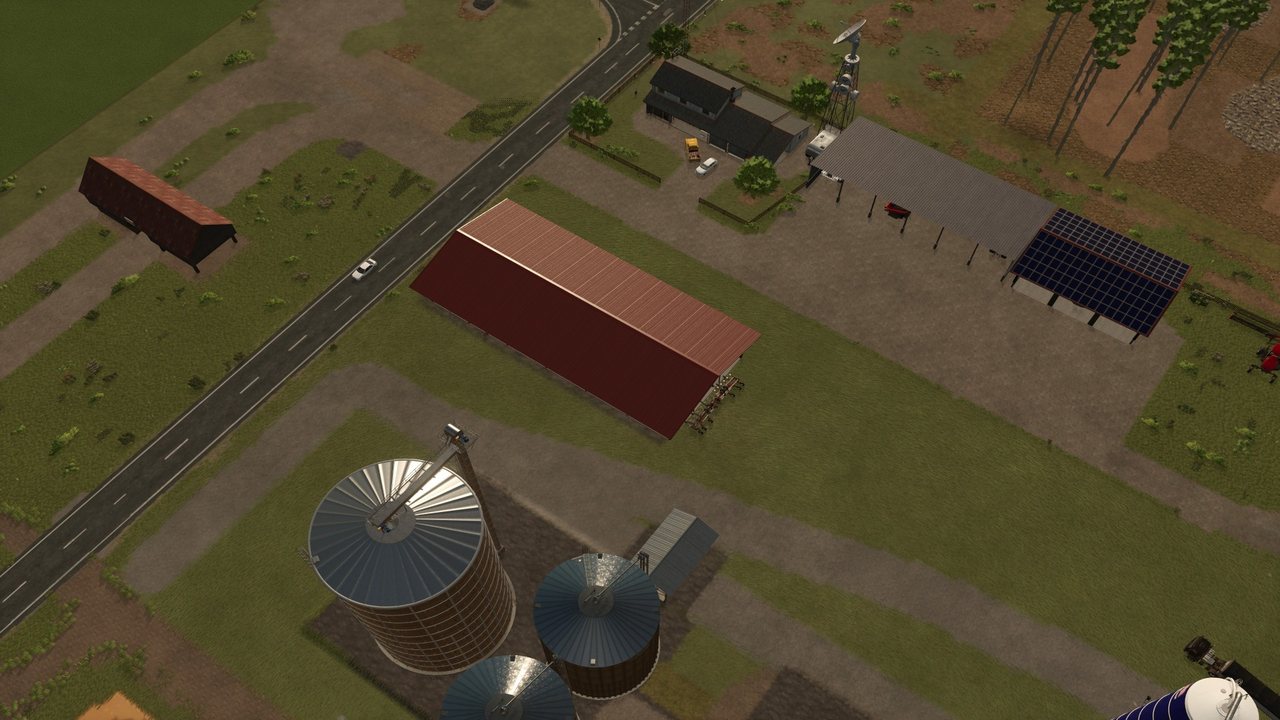
A farmyard seen from above, with a road, a red open shed, a farmhouse, a solar roof and grain silos.
8 screenshots

See it in action

Video

  • Searchables | Farming Simulator 25 mod: find anything | DTM Mods

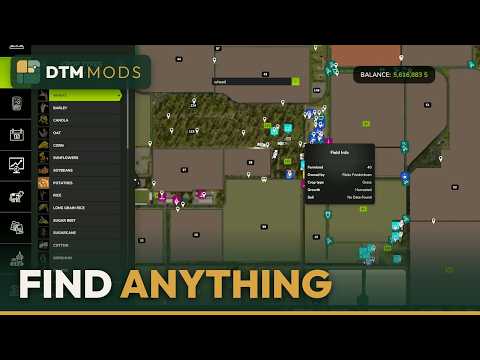
FS25 has hundreds of vehicles, tools and buildings, and finding the one you want means scrolling through category after category. Searchables puts a search box right on the shop, construction and map screens. Click it, start typing, and the list narrows down as you type.

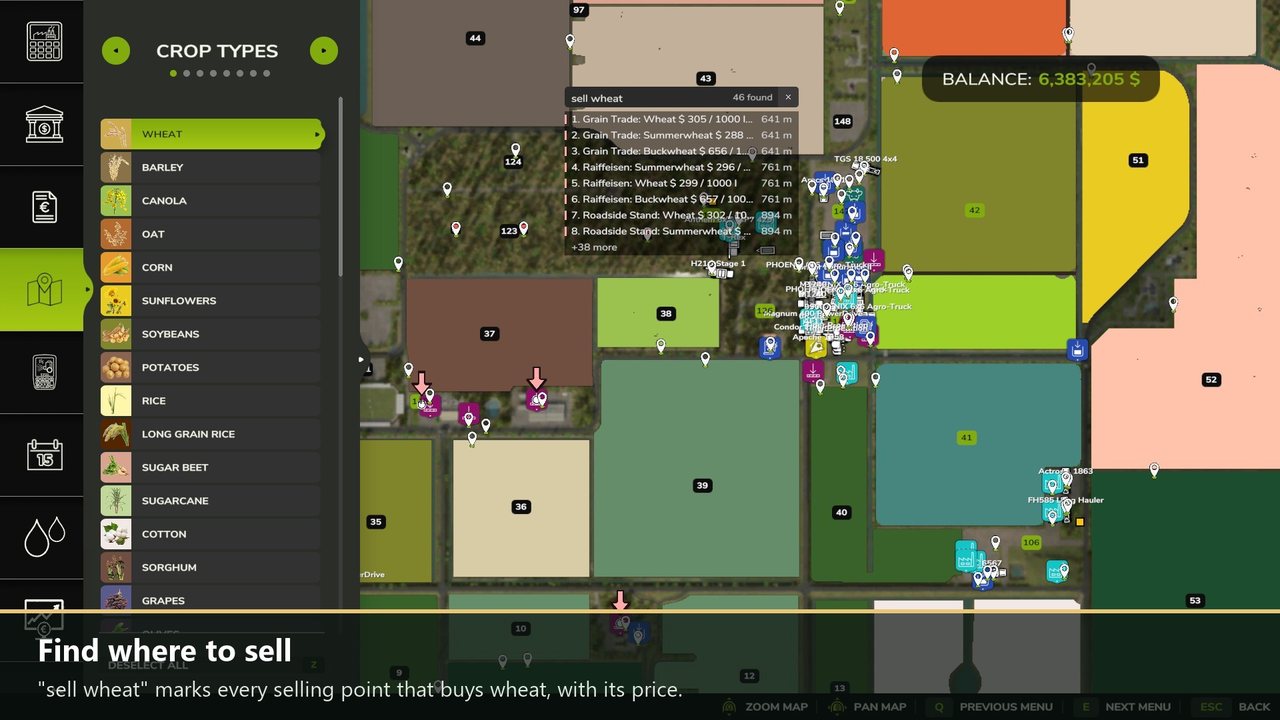
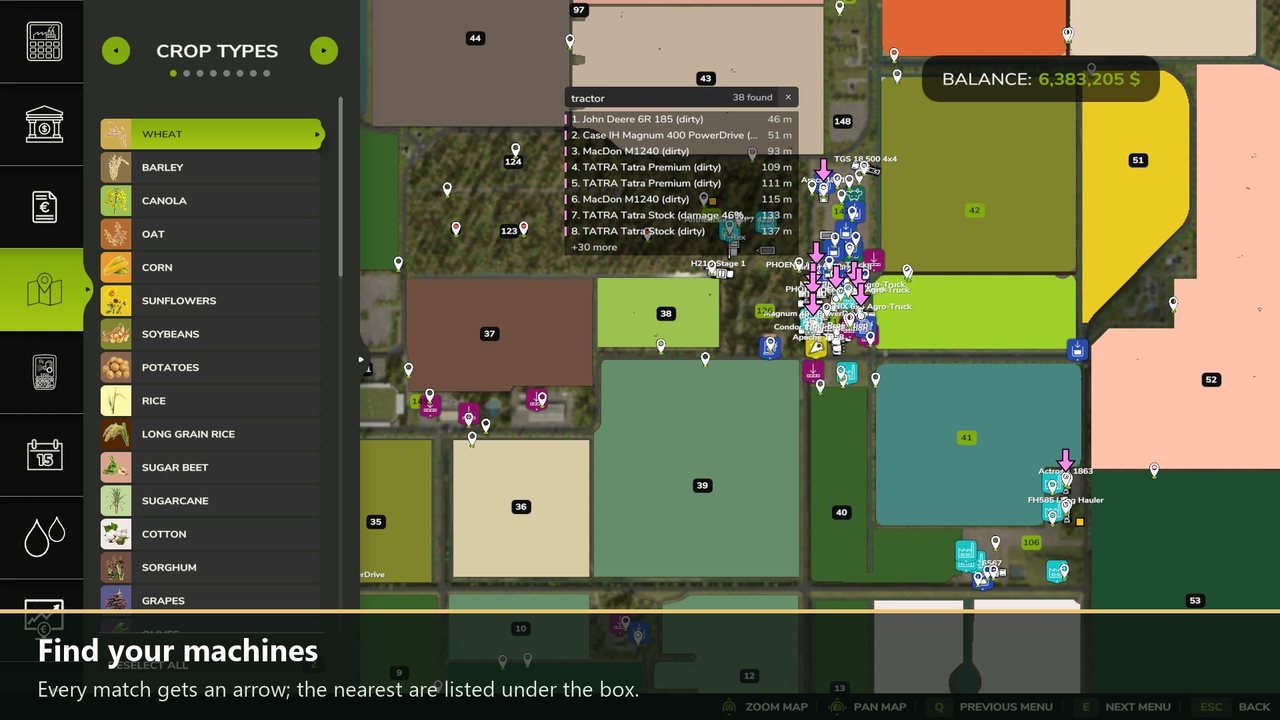
On the map it finds your own things: vehicles, bales, pallets, buildings, fields, selling points and more, each marked with an arrow. Where's My Stuff is built in.

Shop

  • Open a category or a brand and type to filter that list.
  • On the category, brand, pack or DLC tiles, type two or more letters and every match in the shop appears in one list.
  • Searches name, brand, category, DLC, mod name and mod author. Every word counts: fendt 700, john deere tedder.
  • Start a word with - to leave things out: -mod hides mod items, -trailer hides trailers.
  • used finds second-hand items in the sales list.
  • A match count shows in the box, for example 7 of 42.

Spec filters

Type these in the shop search box, alone or together with words. Every filter works with >, <, >=, <=, a range (6-9) or an exact number.

  • Price: $<50k, $100k-200k, or affordable for everything your farm can pay for right now
  • Horsepower: hp>200, 200-300hp, 300ps
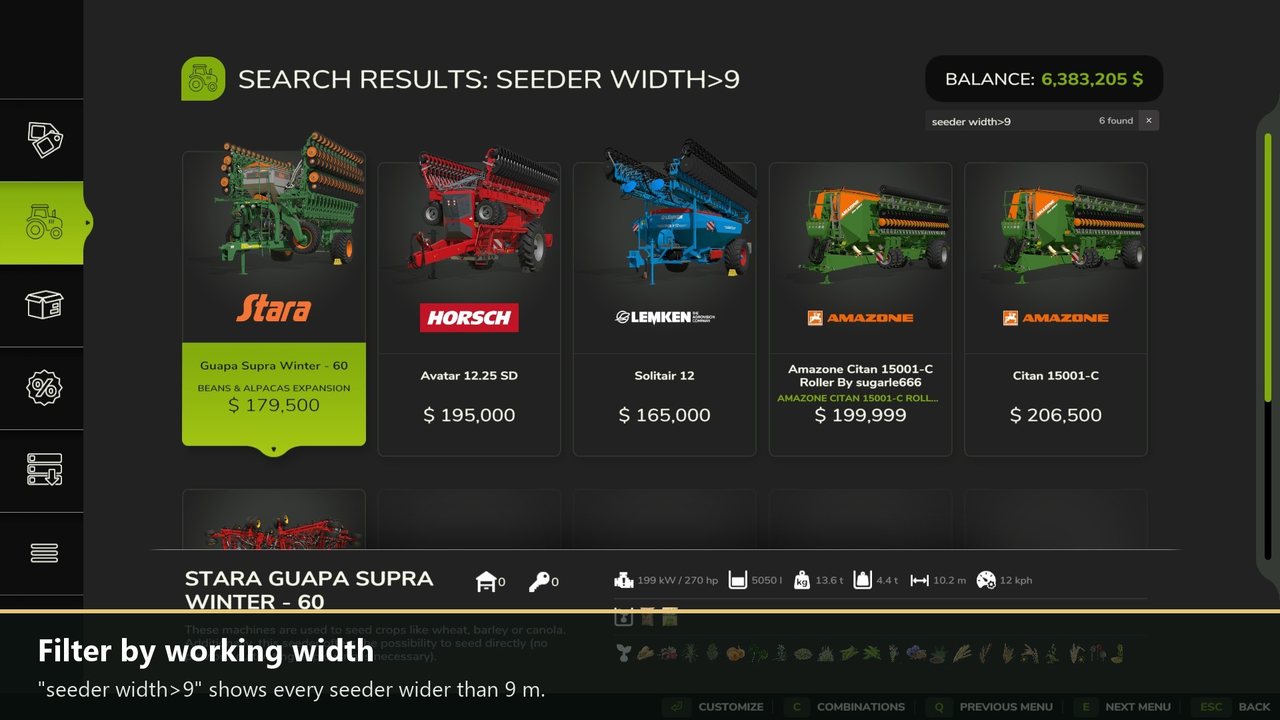
  • Working width: width>9, 6-9m
  • Capacity: l>30000; weight: t<10; speed: kph>50, mph>30
  • Power a tool needs: needhp<150
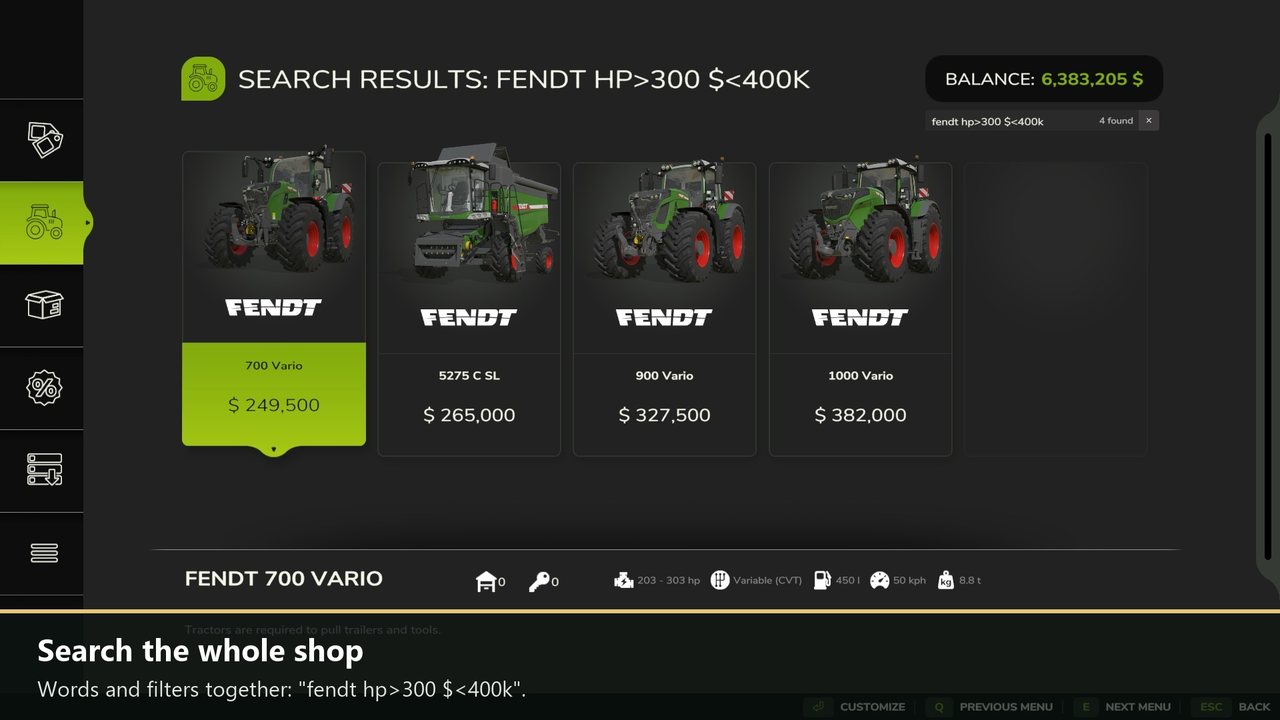
  • All at once: fendt hp>300 $<400k

Construction

  • Type to filter the buildings in every category and tab at once: house, silo, greenhouse, fence.
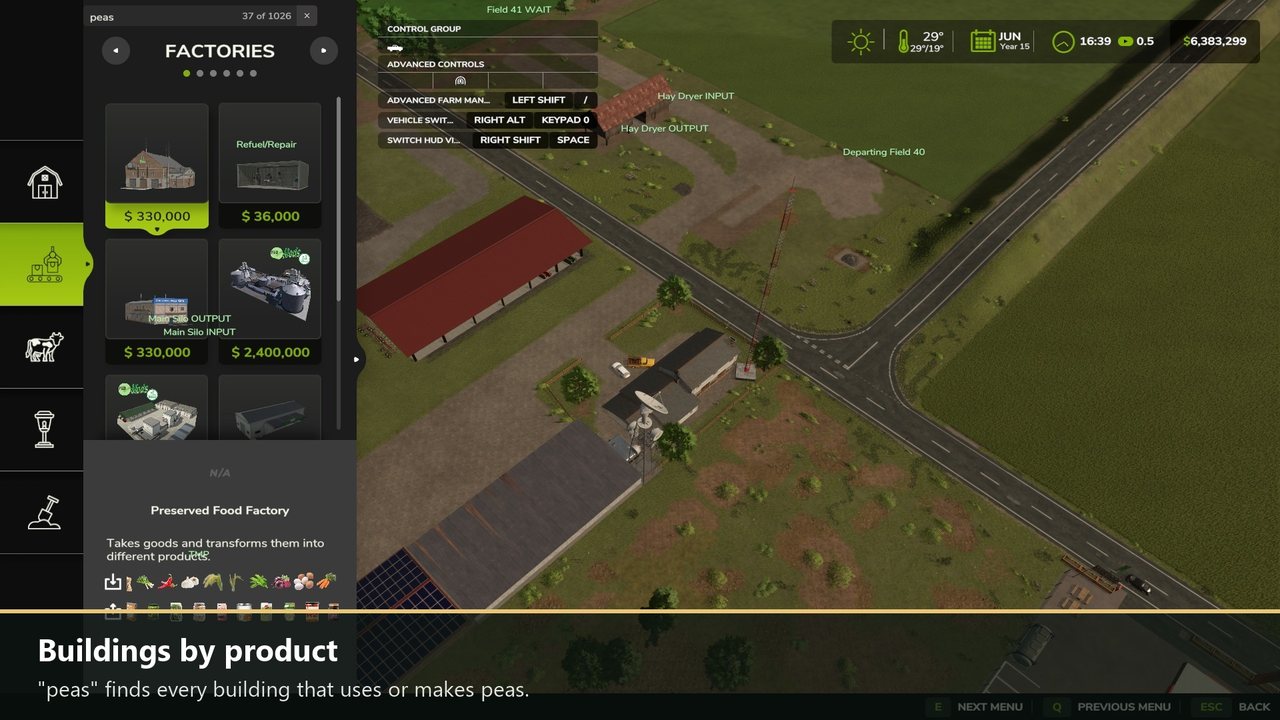
  • Search by product: peas finds every factory that uses or makes peas, and the selling points that buy them.
  • Add a price: silo $<100k, or affordable.

Map: Where's My Stuff

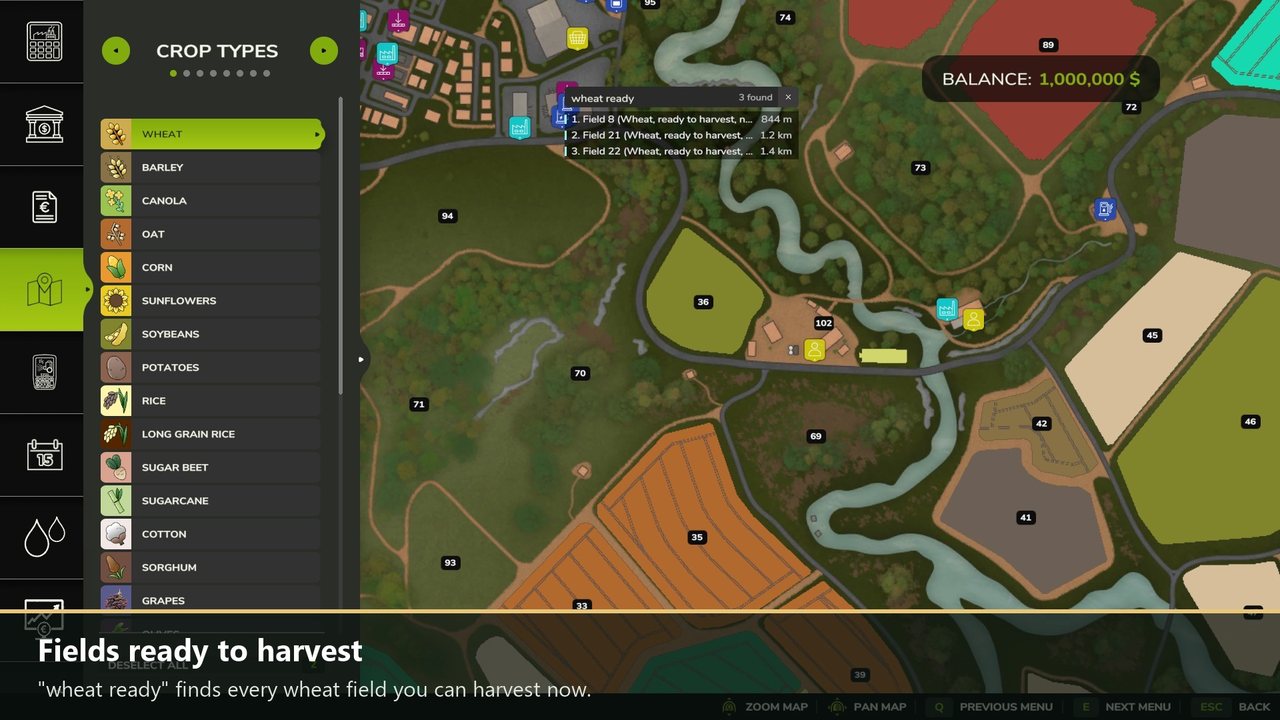
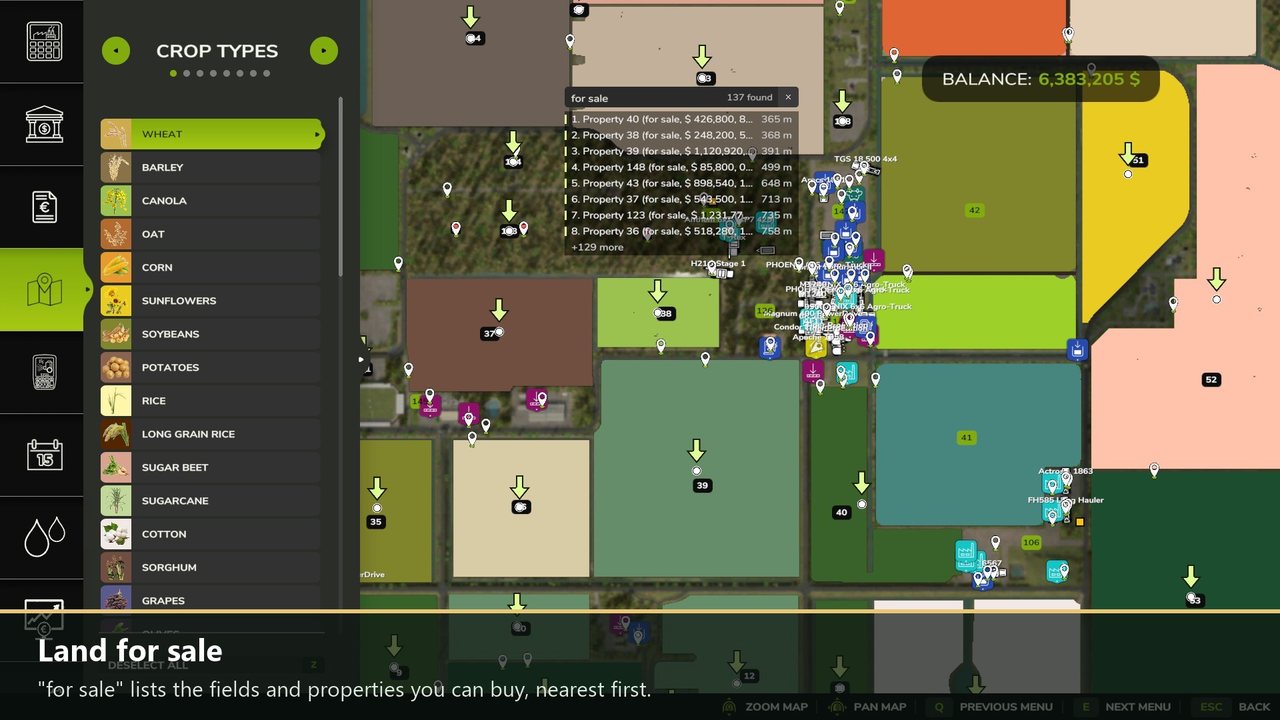
Type in the box at the top of the map, or press Ctrl+F while walking or driving. Every match gets a big arrow that shrinks down onto it, and the nearest 8 are listed under the box with their distance. Click one to move the map there; double-click to make it your navigation target.

  • Your vehicles, also by license plate (ab123), plus bales, pallets, big bags and buildings
  • Fields and properties by number (178), or an NPC farmer's land by name (huber)
  • wheat ready, lime, fertilize: fields by crop and the work they need
  • sell wheat: every selling point that buys wheat, with its price; the best price is marked
  • for sale $<100k ha>5: land you can buy; contract: fields with a contract
  • fuel<20, damaged, cows low, missing, full, stored wheat: vehicles, pens, productions and storages

Handy to know

  • Ctrl+F, or a right stick click on a controller, jumps into the search box on the shop, construction or map screen.
  • Enter keeps the search; Esc or the X at the right of the box clears it.
  • Click in an empty box to see your last five searches.
  • Settings > Controls has a search box too: type an action, a section or a key, like cruise control, vehicle or f5.
  • Special words also work in your game's language, e.g. verkaufen weizen or vendre blĂ©.
  • Everything is explained in the game: pause menu > Help > Searchables.

Multiplayer

Everything runs on each player's own screen, so nobody else sees your searches or markers. Buying and placing still go through the game's normal purchase. On a dedicated server it loads without problems and simply does nothing there.

Questions

Questions and answers

Why doesn't hp>200 find a mod tractor?

The numbers come from each vehicle's own file. Searchables reads them in the background during your first minute or so in the game, and a mod vehicle that doesn't list a value can't be found by it.

Can I change the Ctrl+F key?

Yes: it's the action Search in Settings > Controls, for keyboard and controller.

Why do some matches on the map get a dot instead of an arrow?

The nearest 40 matches get an arrow, the rest a marker dot, up to 500. Clear the search and the markers are gone.

Does the map search find other farms' vehicles?

No: vehicles, bales and pallets are those of your own farm. Without a farm, for example as a spectator, the map search finds nothing.

Are there console commands?

Yes, for checking and troubleshooting, with the game's developer console on. For example wmsSummary totals your pallets, big bags and bales per fill type, and wmsLeftovers lists bales and pallets lying out on fields; the README lists them all.

Downloads

How often it's downloaded

Per version

Downloads of each version on GitHub, newest first. A version counts until the next one comes out, so older ones had longer.

  1. v1.8.2.867
  2. v1.8.2.760
  3. v1.8.2.63
  4. v1.8.2.56
  5. v1.8.2.43
  6. v1.8.2.352
  7. v1.8.2.23
  8. v1.8.2.18

What changed

Version history

Follow this mod's updates (RSS)

v1.8.2.8
  • Fix: model names such as T7, 6M or L 538 are found by name. The short units t, l and m only act as weight, capacity and width filters with a comparison or a range (t>7, l<700, 6-9m); 12m, 10t and 30000l on their own are now search words (use width=12, t=10, l=30000).
  • Fix: typing a number on the map finds the field, property, model or license plate with that number, and no longer things that merely show it in their label (fuel %, litres, price, hectares, animal count, contract reward).
  • Numbers can be typed with a decimal comma: width>4,5 means 4.5 and $<1,5k means 1,500. A comma before exactly three digits is still a thousands separator ($144,500).
  • Fix: a search box that opens with a search already in it (the map box showing your last search) shows only the X, not the pen underneath it.
  • Offline tests (tests/test_offline.py, 33 tests), run by every build.
v1.8.2.7
  • New title: Searchables. The description is now in all 27 game languages.
  • Description in GIANTS' ModHub layout (category, price, upkeep or hotkeys at the top).
  • New mod icon in the ModHub standard.
v1.8.2.6
  • Updated for the current game version (modDesc version 116).
v1.8.2.5
  • Passes the GIANTS ModHub TestRunner: errors are no longer hidden (they show in the log), the icon and map markers are compressed textures, and the mod list icon is a .dds.
v1.8.2.4
  • Searchables is now DTM Searchables, in FS25_DTMSearchables.zip (ModHub already had a mod by the old file name). Remove the old FS25_Searchables.zip from your mods folder so the two don't run side by side. Your settings carry over, and it never saved anything to your savegame. Nothing else changed.
v1.8.2.3
  • The author now shows as DTM Mods, Fennell in the mod list.
v1.8.2.2
  • A search with a field state ("wheat ready", "growing", "withered", "harvested") only looks at fields. On a map without wheat fields, "wheat ready" listed production points whose product lists happened to hold both words.
v1.8.2.1
  • New mod icon in the DTM Mods style. Nothing else changed.

1 older release on GitHub.