

DTMMODS

Fork of AutoDrive by the AutoDrive Team

AutoDrive Overdrive

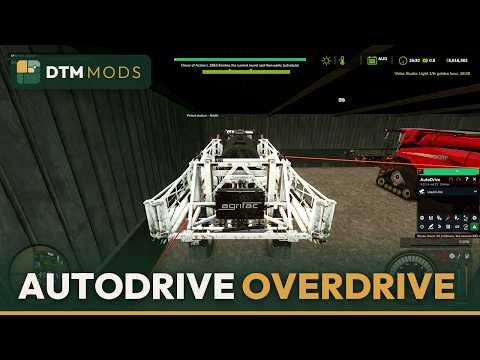
AutoDrive with undo and redo in the route editor, sub folders with colours, waypoint dragging, a fleet overview and smarter combine unloaders.

v3.0.1.4-od.75 · · 71 downloads

Keep the file name FS25_AutoDrive.zip. It replaces the official AutoDrive, so install one or the other, not both. Savegames, routes and settings of the official version keep working.

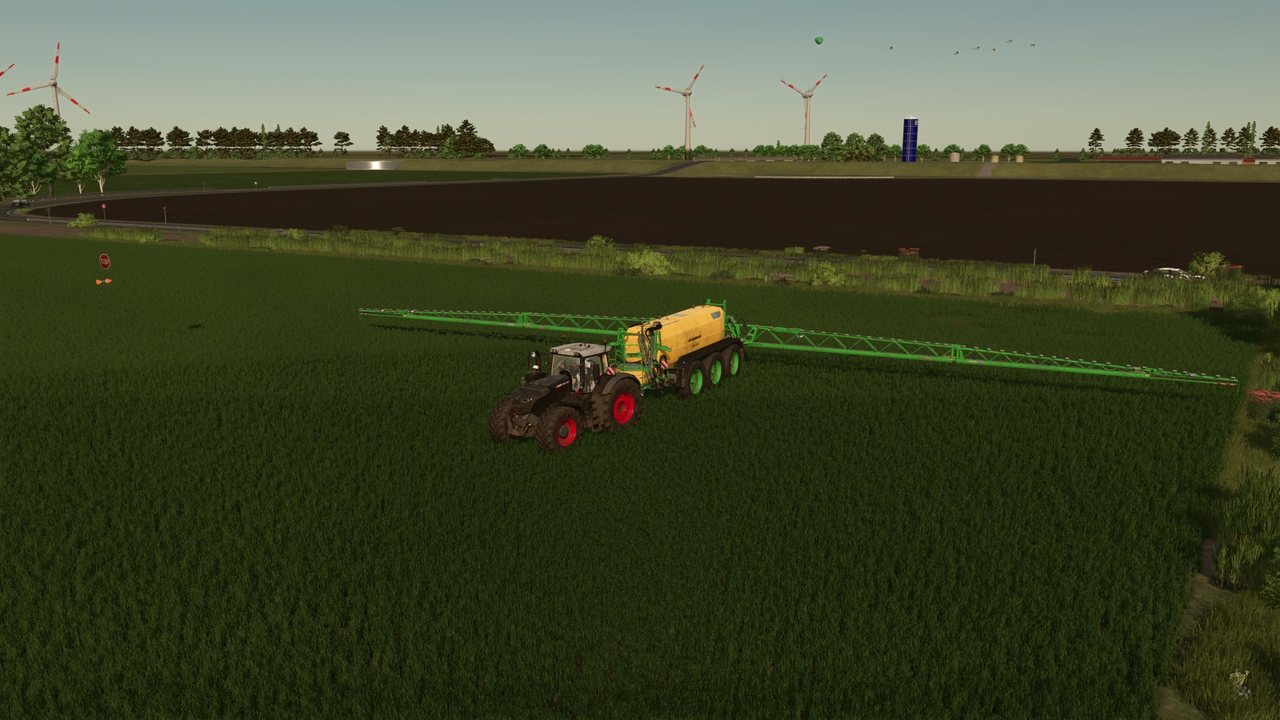
An AutoDrive tractor with a sprayer drives its route across a field.
4 screenshots

See it in action

Video

  • AutoDrive Overdrive | Farming Simulator 25 mod: AutoDrive, overdriven | DTM Mods

AutoDrive Overdrive is an unofficial edition of AutoDrive for Farming Simulator 25. AutoDrive is made by the AutoDrive Team (Stephan-S, Axel32019, TyKonKet and many contributors): you build a network of routes, and your vehicles drive themselves to any point on it, like the shop, a field or a selling point.

Overdrive is based on AutoDrive 3.0.1.4. On top of it, it adds route editor improvements, waypoint actions, a route check with fixes, a route preview on the map, a fleet overview with send-to and driver statistics, best price unloading, work schedules, and combine unloaders that stay under the pipe and out of the harvester's way.

It keeps the name FS25_AutoDrive.zip and replaces the official AutoDrive, so your savegames, routes and settings keep working.

Route editor

With the editor turned on:

  • Ctrl+Z undoes and Ctrl+Y redoes your last change to the route network: waypoints, connections, targets, folders, recorded drives and more. The history holds the last 100 steps, and in multiplayer each player undoes their own edits.
  • Hold Left Shift and drag a waypoint to move it. Hold Ctrl + Shift and drag a box to select several waypoints, then move, delete or change them from a menu.
  • Click a waypoint to open the waypoint panel: its target, height, connections, actions and speed zone, plus tools for the whole road it is on.
  • Tidy-up tools: Ctrl+Alt+J evens out the spacing, Ctrl+Alt+K straightens and Ctrl+Alt+U smooths a recorded drive.
  • Route problems are marked on the spot while you edit. Ctrl+Alt+N checks the whole network for unreachable targets, one-way traps, dead ends and loose waypoints, and fixes the simple ones for you.
  • Target folders can hold sub folders, and each folder can have one of 12 colours.

Waypoint actions and speed zones

  • Ctrl+Alt+W: vehicles wait at a waypoint, from 5 up to 300 seconds.
  • Ctrl+Alt+H sounds the horn there, Ctrl+Alt+L switches the lights, and Ctrl+Alt+B opens the tension belts of the vehicle and its trailers.
  • Ctrl+Alt+1 / 2 / 3 puts a 15, 30 or 50 km/h zone on the route between two waypoints, and Ctrl+Alt+0 removes it. Vehicles brake in time and enter at the zone speed.
  • Actions and zones are saved with the routes and sent to all players. The official AutoDrive ignores them.

Keep an eye on your fleet

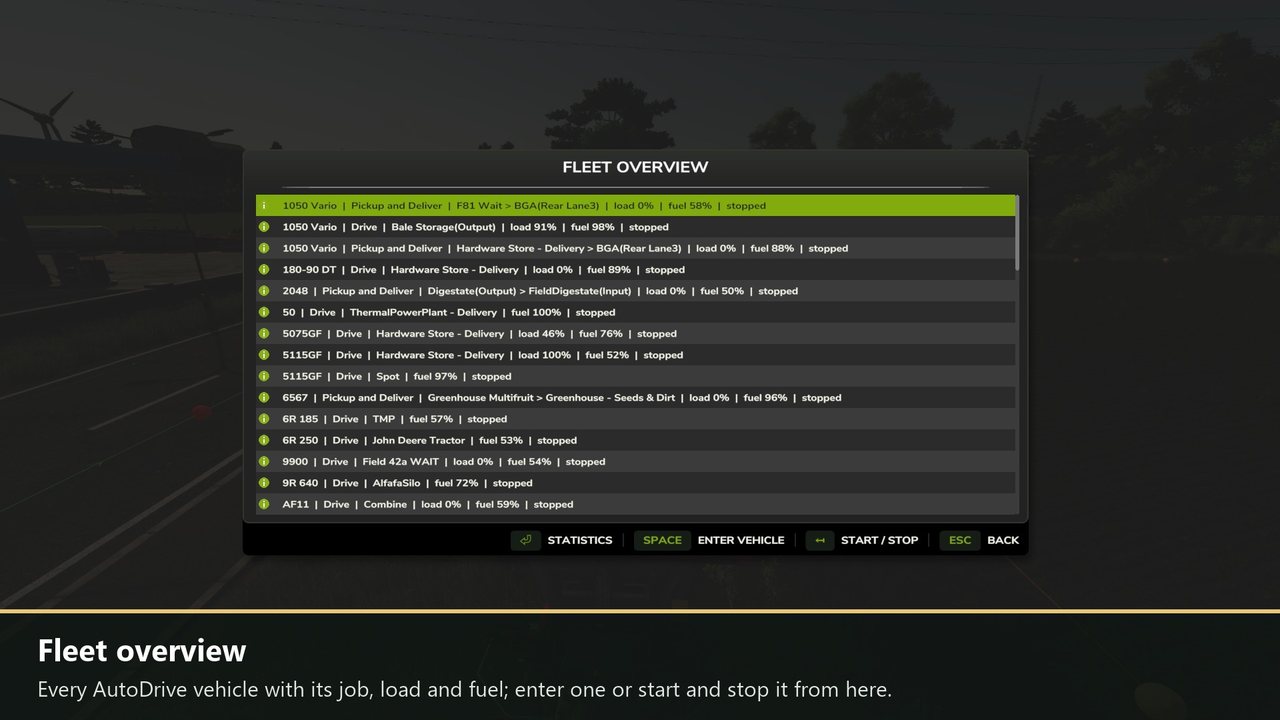
  • Ctrl+Alt+I opens the fleet overview: every AutoDrive vehicle of your farm with its mode, destination, load, fuel and what it is doing. Enter a vehicle, start or stop it, or send it somewhere without getting in.
  • Statistics shows each driver's distance, time driving and waiting, deliveries, and the value of what it hauled.
  • The big map shows every AutoDrive vehicle of your farm as a coloured square: green driving, yellow standing, red stopped with a problem, grey idle.
  • A ticker along the bottom of the screen can show what each vehicle is doing and why it waits. It is off until you switch it on.
  • Ctrl+Alt+P previews the route to the destination in the world and on the map, with distance and estimated drive time.
  • Error and warning messages say what happened and what to check, in all 18 languages.

Selling and hauling

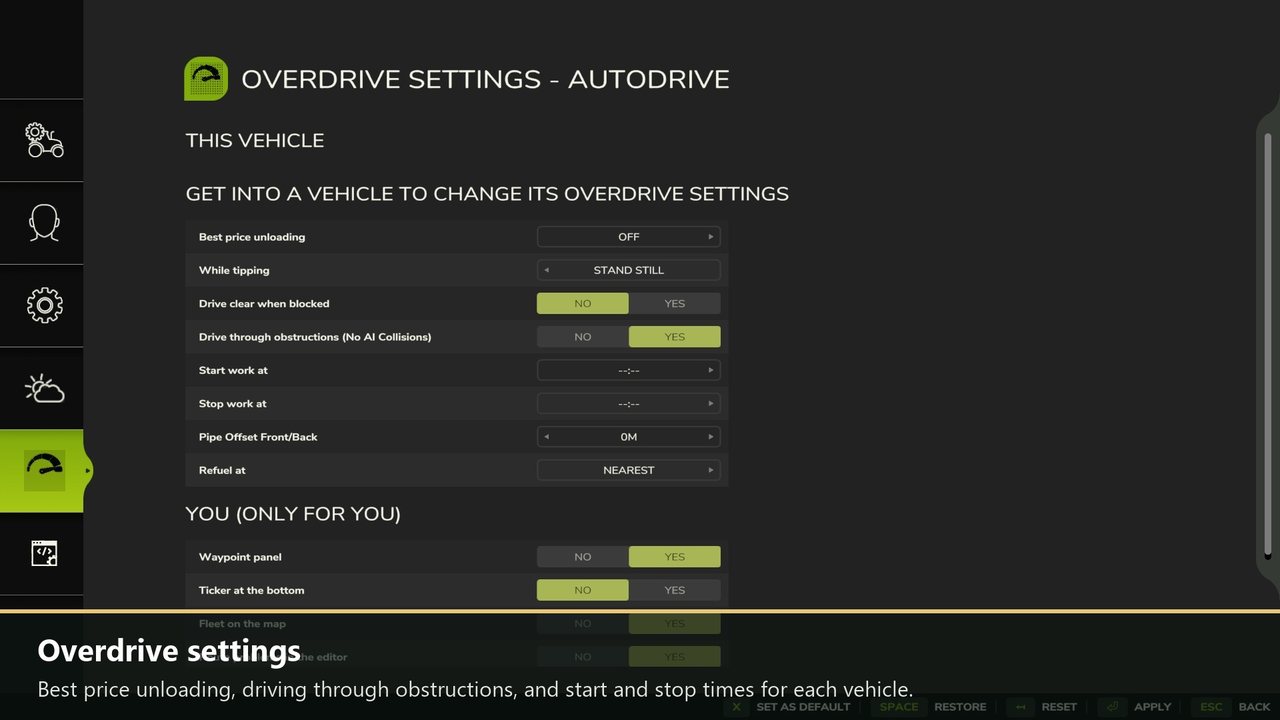
  • Best price unloading: put your selling points in one folder, and a loaded vehicle goes where its load pays the most. Choose one stop for the whole load, or each product to its best buyer (at most 5 stops).
  • Ctrl+Alt+F chooses which products a vehicle unloads. Ctrl+Alt+G chooses which pallets Universal Autoload picks up.
  • Pallets and bales strapped down with the tension belts count as load. At the selling point only the ones sold there are released; the rest stay locked.
  • Refuel at sends each vehicle to a fuel station you choose, or to the nearest one along the routes.
  • Start work at and Stop work at give a vehicle a work schedule in in-game hours.
  • While tipping: stand still (the default), or drive slowly through a bunker silo to spread the load.

Combine unloaders

  • An unloader stays under the pipe while the combine unloads on the move, and gets a 50% longer straight run-up to the pipe so the trailer can line up.
  • With a trailer attached it steers like a semi while chasing, instead of driving in circles or jackknifing.
  • Getting out of a harvester's way comes first: an unloader that waits where a harvester is about to drive or turn moves to a clear spot on harvested ground.
  • With Active unloading on, an unloader always chases the combine and rolls the moment the combine does.
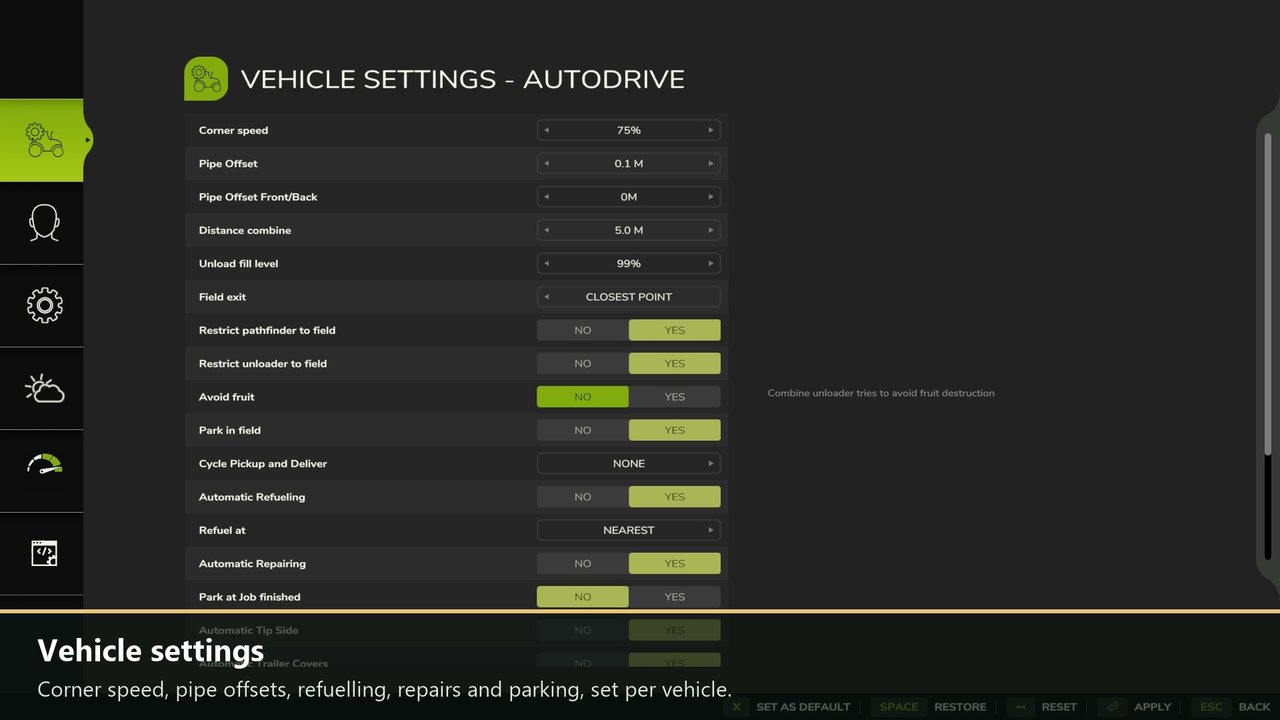
  • Pipe Offset Front/Back (-5 m to +5 m) moves the unloader's place beside the combine forward or back, to fill a long trailer evenly.
  • Drive clear when blocked (off by default) lets a stuck unloader switch off its vehicle collisions and drive through to the field edge.
  • With Avoid Fruit on, an unloader never cuts through the crop to reach the combine.

Settings and keys

Everything Overdrive adds has its own Overdrive tab (speedometer icon) in the AutoDrive settings, so the other tabs stay the same as in AutoDrive. Vehicle settings are saved on the vehicle. The waypoint panel, the ticker and the fleet on the map are your own choice; the server keeps them per player. All new keys can be changed in the game's control settings.

What this edition adds

Compared with the original: AutoDrive 3.0.1.4 by the AutoDrive Team.

OriginalThis edition
Undo and redo in the route editor (Ctrl+Z / Ctrl+Y)The last 100 steps; in multiplayer each player undoes their own edits.NoYes
Drag waypoints, select several at once, and a waypoint panelThe original moves single waypoints with the mouse.PartlyYes
Route check that finds and fixes problems in the networkThe original has the road network debug markers.PartlyYes
Waypoint actions and speed zonesWait, horn, lights and unlock load at a waypoint; zones of 15, 30 or 50 km/h.NoYes
Fleet overview with send-to, driver statistics and fleet on the mapCtrl+Alt+I lists every AutoDrive vehicle of your farm.NoYes
Best price unloading: one stop, or each product to its best buyerThe original can send a vehicle to the best paying selling point for one product.PartlyYes
Choose which products a vehicle unloads and which pallets it loadsThe original only lets you choose the product to load.PartlyYes
Combine unloaders that stay under the pipe and out of the wayThe original has combine unloaders, without these changes.PartlyYes
Work schedule: start and stop work at set in-game hoursNoYes
Route preview in the world and on the map, with drive timeNoYes
Sub folders and folder colours for targetsThe original has one level of folders.PartlyYes
Same file name FS25_AutoDrive.zip: savegames and routes keep workingIt replaces the official AutoDrive: install one, not both.YesYes

Questions

Questions and answers

Which version do I have?

The version is in the header of the AutoDrive window. Overdrive versions look like 3.0.1.4-od.60: the AutoDrive version it is based on, then the Overdrive build.

Is the undo history still there after I restart?

No. It lasts until you close the game or leave the savegame. A few changes outside the editor clear it too, like switching on the road network debug markers, and a message then tells you why.

Why doesn't best price unloading pick another selling point?

It needs Use folders on, and the unload target has to be in a folder of its own, not in the Default folder: it only chooses between the targets of that folder. It also does nothing while Cycle Pickup and Deliver cycles the unload targets, and it decides when the vehicle leaves the pickup loaded, not when you press start.

Why does the selling point take all my Universal Autoload pallets?

Set the vehicle setting Autoload: Unload Position to left, behind or right. With center, Universal Autoload only opens the belts, and the selling point takes every pallet it accepts, not only the products you chose.

Why does my vehicle say it finds no refuel station?

An AutoDrive target has to be within 15 m of a fuel station that sells the vehicle's fuel and has stock for your farm. Put a target right at the pump. The same 15 m goes for workshops when it wants a repair.

Why does my unloader stand still for 30 seconds near the combine?

After 8 new paths in a row without lining up with the combine, it stops for 30 seconds instead of driving circles, then tries again. With a long truck or trailer, set Restrict pathfinder to field and Restrict unloader to field to No.

Does the work schedule still work when I sleep?

Yes. Skipped hours count: if both the start and the stop hour were skipped, the later of the two decides.

Are there add-ons for Overdrive?

Yes: ADAddOn fills feeding robots, moves milk, collects bales with Courseplay, tops off storages, and refuels and repairs. It needs Overdrive and doesn't work with the original AutoDrive.

Where do I report a problem with Overdrive?

To us, not to the AutoDrive Team: use Report a bug on this page or tell us on Discord. The AutoDrive Team looks after the official AutoDrive, and Overdrive is an unofficial edition of it.

Downloads

How often it's downloaded

Per version

Downloads of each version on GitHub, newest first. A version counts until the next one comes out, so older ones had longer.

  1. v3.0.1.4-od.7514
  2. v3.0.1.4-od.6024
  3. v3.0.1.4-od.597
  4. v3.0.1.4-od.589
  5. v3.0.1.4-od.564
  6. v3.0.1.4-od.533
  7. v3.0.1.4-od.261
  8. v3.0.1.4-od.181

What changed

Version history

Follow this mod's updates (RSS)

v3.0.1.4-od.75

Based on AutoDrive 3.0.1.4 by the AutoDrive Team, with route editor improvements: undo and redo (Ctrl+Z / Ctrl+Y) with preview and highlighted changes, target sub folders and folder colours, moving waypoints by dragging, tidy-up tools and waypoint actions, plus a route check with fixes, a route preview on the map, a fleet overview with send-to and driver statistics, best price unloading and work schedules. Everything is described in the README.

Changes since 3.0.1.4-od.74

  • Release clean-up: test diagnostics removed (od.75)
v3.0.1.4-od.60

Based on AutoDrive 3.0.1.4 by the AutoDrive Team, with route editor improvements: undo and redo (Ctrl+Z / Ctrl+Y) with preview and highlighted changes, target sub folders and folder colours, moving waypoints by dragging, tidy-up tools and waypoint actions, plus a route check with fixes, a route preview on the map, a fleet overview with send-to and driver statistics, best price unloading and work schedules. Everything is described in the README.

Changes since 3.0.1.4-od.59

  • Merge Steve's (PropaineX) pipe-side keep-out strip into main (od.60)
  • Drive through banana transport rails: shapes vehicles can't hit are no obstacle (od.60)
v3.0.1.4-od.59

Based on AutoDrive 3.0.1.4 by the AutoDrive Team, with route editor improvements: undo and redo (Ctrl+Z / Ctrl+Y) with preview and highlighted changes, target sub folders and folder colours, moving waypoints by dragging, tidy-up tools and waypoint actions, plus a route check with fixes, a route preview on the map, a fleet overview with send-to and driver statistics, best price unloading and work schedules. Everything is described in the README.

Changes since 3.0.1.4-od.58

  • 3.0.1.4-od.59: author is DTM Mods, Fennell (based on AutoDrive by the AutoDrive Team); ModHub upload sheet and 512 px icon in modhub/
  • Screenshots: cover shows an AutoDrive vehicle driving its route (1.jpg)
  • modDesc: English description lists what Overdrive adds; links point to DTM-Mods/FS25_AutoDrive
  • HUD, waypoint panel and selection menu stay above the ticker bar when it is on
  • Screenshots: fleet overview, Overdrive and vehicle settings, captions for ModHub
  • Rebrand: DTM now stands for Designed To Manage
v3.0.1.4-od.58

Based on AutoDrive 3.0.1.4 by the AutoDrive Team, with route editor improvements: undo and redo (Ctrl+Z / Ctrl+Y) with preview and highlighted changes, target sub folders and folder colours, moving waypoints by dragging, tidy-up tools and waypoint actions, plus a route check with fixes, a route preview on the map, a fleet overview with send-to and driver statistics, best price unloading and work schedules. Everything is described in the README.

Changes since 3.0.1.4-od.56

  • Escape test: unloaders get out of a harvester's way first (od.57) (#6)
  • README: AutoDrive Overdrive is built and released by the shared Build workflow now (no ci.yml/release.yml)
  • Merge PropaineX's unloader work od.57 and od.58 (branch unloader-longer-runup)
  • Standard repository files: .gitattributes and the DTM .gitignore block
  • Remove release.yml: the shared build (build.yml) checks, builds and releases AutoDrive Overdrive now
  • Remove ci.yml: the shared build (build.yml) checks, builds and releases AutoDrive Overdrive now
  • Standard build.yml: the same file in every DTM mod repo (settings under with:), with Run workflow > test-tag to try a release
  • CI: Bump the github-actions group with 3 updates
  • Dependabot: monthly updates for the GitHub Actions in the workflows (one grouped pull request)
v3.0.1.4-od.56

Based on AutoDrive 3.0.1.4 by the AutoDrive Team, with route editor improvements: undo and redo (Ctrl+Z / Ctrl+Y) with preview and highlighted changes, target sub folders and folder colours, moving waypoints by dragging, tidy-up tools and waypoint actions, plus a route check with fixes, a route preview on the map, a fleet overview with send-to and driver statistics, best price unloading and work schedules. Everything is described in the README.

Changes since 3.0.1.4-od.53

  • Unloader work od.54 to od.56 by PropaineX (#3)
  • Section banners (DTM Mods style)
  • Section banners (DTM Mods style)
  • Section banners (DTM Mods style)
  • Discord release post: leave out banner images, gold colour, mod icon
  • Open a pull request for new upstream releases
  • Send test builds to #testing and new issues to #staff-chat
  • Start the Discord release post after publishing
  • Post releases to the DTM Mods Discord
  • README: DTM Mods branding
  • Combine unloader improvements (3.0.2.4 to 3.10.0.0) by PropaineX (#2)
  • New HUD look like CourseCorrect; park a vehicle at a waypoint from the waypoint panel
  • Unloader never drives through the crop to the combine; pallet areas off at factor 1
  • Merge pull request #1 from chrisdfennell/fix/pallet-area-height
  • Refuel at, pipe offset front/back, route problems marked in the editor, unloader replan cap
  • Select several waypoints with a menu of actions; route check fixes dead ends ahead, no duplicates
v3.0.1.4-od.53

Based on AutoDrive 3.0.1.4 by the AutoDrive Team, with route editor improvements: undo and redo (Ctrl+Z / Ctrl+Y) with preview and highlighted changes, target sub folders and folder colours, moving waypoints by dragging, tidy-up tools and waypoint actions, plus a route check with fixes, a route preview on the map, a fleet overview with send-to and driver statistics, best price unloading and work schedules. Everything is described in the README.

Changes since 3.0.1.4-od.26

  • Overdrive tab, strapped pallets sold per stop, taller pallet areas, motor off
  • Ticker is off until each player switches it on
  • Error messages say what happened, with what, and what to check
  • Ticker: errors in red for Courseplay and stopped AutoDrive vehicles
  • Ticker: how many AutoDrive, Courseplay and helper drivers run on the server
  • Ticker at the bottom of the screen
  • Loading: the truck's own tank that can't take the load doesn't block 'full'
  • While tipping: bunker rescue works again once nothing comes out
  • While tipping: stand still is the default
  • While tipping: full brake on the truck and every trailer
  • Waypoint panel: height -0.5 / +0.5 m buttons
  • Best price: a selling point counts only for its nearest target
  • While tipping: hold hard (no throttle, full brake and handbrake)
  • While tipping: stand still also at silo pits and with a trailer
  • Waypoint panel: Delete waypoint button
  • Tipping on the ground: wait for the tipper body before moving on
  • Unloader: drive clear when blocked
  • README: dragging on slopes, construction screen, smoothing, undo on dedicated servers
  • Waypoint panel: 5-digit waypoint numbers fit
  • Waypoint panel: target first, Add target... / Rename...
v3.0.1.4-od.26

Based on AutoDrive 3.0.1.4 by the AutoDrive Team, with route editor improvements: undo and redo (Ctrl+Z / Ctrl+Y) with preview and highlighted changes, target sub folders and folder colours, moving waypoints by dragging, tidy-up tools and waypoint actions, plus a route check with fixes, a route preview on the map, a fleet overview with send-to and driver statistics, best price unloading and work schedules. Everything is described in the README.

Changes since 3.0.1.4-od.18

  • Tipping on the ground: stand still instead of driving through
  • Dragged waypoints go where the mouse points at the ground
  • Construction screen: painting no longer drags or connects waypoints
  • Undo works for players on a dedicated server
  • Smooth no longer throws waypoints far away; route search by distance
  • Waypoint panel: road tools, remove connection, drive here, send vehicle
  • Waypoint panel stays while the mouse is on it
  • Waypoint panel: the selected waypoint next to the HUD
v3.0.1.4-od.18

Based on AutoDrive 3.0.1.4 by the AutoDrive Team, with route editor improvements: undo and redo (Ctrl+Z / Ctrl+Y) with preview and highlighted changes, target sub folders and folder colours, moving waypoints by dragging, tidy-up tools and waypoint actions, plus a route check with fixes, a route preview on the map, a fleet overview with send-to and driver statistics, best price unloading and work schedules. Everything is described in the README.

Changes since 3.0.1.4-od.17

  • Speed zones, fleet on the map, load products for pallets

4 older releases on GitHub.